© EPRAD Incorporated
3.3.3 User-Defined Keys Screen
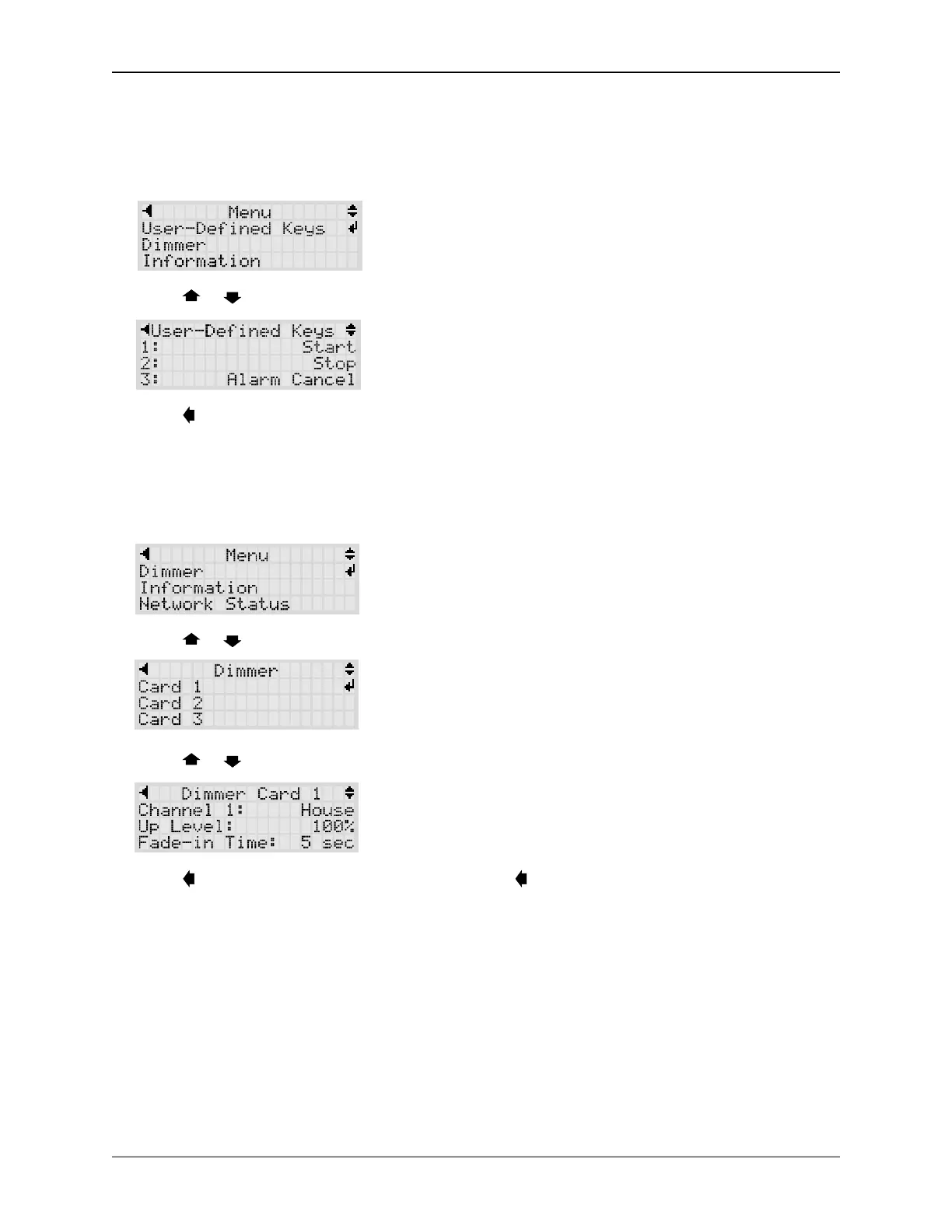
The User-Defined Keys screen displays the configuration of the eight front panels keys. Press ENTER
on the User-Defined Keys item. These settings can only be viewed from the local display. Use the
Web interface to modify these settings.
Press the or keys to scroll the key definitions.
Press the key to go back to the Main Menu.
3.3.4 Dimmer Screens
The Dimmer screens display the configuration of the four channel QDC-400 Dimmer Control boards.
Press ENTER on the Dimmer menu item. These settings can only be viewed from the local display.
Use the Web interface to modify these settings.
Press the or keys to scroll the screen. Press ENTER to select the card.
Press the or keys to scroll through the Up, Down, Mid 1 and Mid2 settings of all four channels.
Press the key to go back to the Card menu. Press the key again to go back to the Main Menu.
8
eCNA-10 Operation and Installation Manual Version 1.270-00



 To Next Page