© EPRAD Incorporated
Aux Out 1 - 16 These are the 16 Aux Out output control flags. These flags are controlled with a
Program or Macro instruction. The client can also control these flags directly with the Output (OUT)
serial command and can read the status of these flags with the Status (STS), Exchange Status
(XST) and Request Status (RST) Commands. If relay control is required, these flags can be
assigned to any of the relays on the termination boards.
4.3.6 Setup: Real Time Clock
The eCNA-10 uses an internal clock/calendar to put time and date stamps on logged events. Time
and date is displayed on the local Run Status screen and the Main Status web screen.
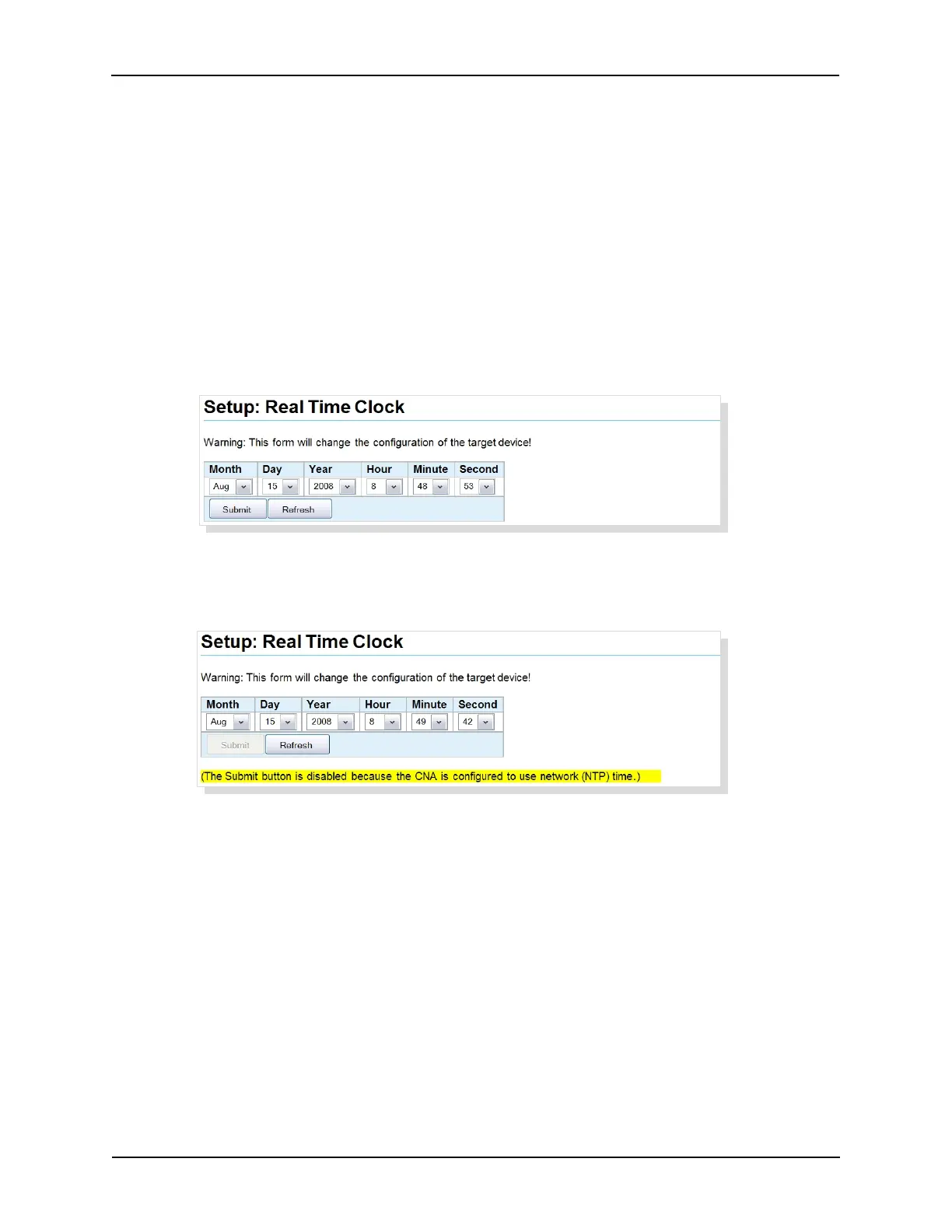
Click on Real Time Clock under General from the Setup Menu. This screen is used to setup the
internal clock. The time is displayed in 24 hour format. This screen is not automatically refreshed.
You must click on the Refresh button to get the current the time and date from the eCNA-10. Click
on the Submit button to save your changes to the eCNA-10.
If the eCNA-10 is configured to use network (NTP) time, the Submit button is disabled and the clock
cannot be changed. A message is displayed to indicate this condition.
27
eCNA-10 Operation and Installation Manual Version 1.270-00



 To Next Page