© EPRAD Incorporated
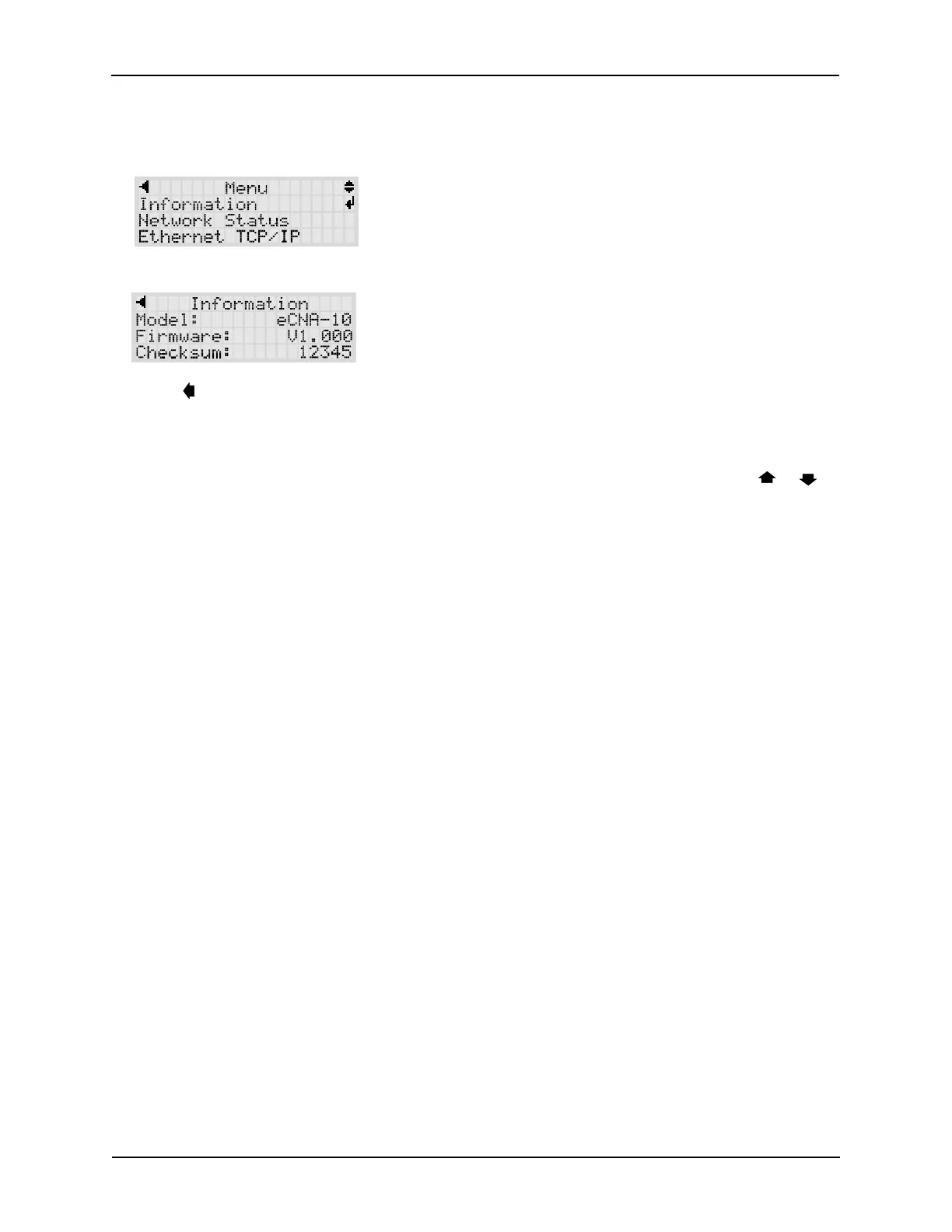
3.3.5 Information Screen
The Information screen displays basic information about the eCNA-10. Press ENTER on the
Information menu item.
This screens displays the Model, Firmware version and firmware Checksum.
Press the key to go back to the Main Menu.
3.3.6 Status and Fault Messages
The third line of the Run Status screen can display status and fault messages. Press the or
key to scroll to the status line. If there are no messages to display, the message -No Active
Messages- is displayed.
Memory Faults
User configuration data is stored in battery-back memory. A checksum is calculated on a block of
data each time new data is saved. The checksum is re-calculated on a power up and compared to the
previous saved checksum. If there is a mis-match, a fault is generated. Any of the following memory
faults indicate that configuration data has changed. Any memory fault will prevent a program from
being started. The fault must be cleared before starting a program. Although a Cancel will clear the
fault and allow a program start, this does not fix the checksum mis-match. So the next power cycle
will generate a new memory fault. The only way to fix this is to force a new checksum calculation by
saving new data. The best way to do this is to restore data from your backup.
MEM FAULT:SYSTEM This indicates a System Parameters Memory Fault.
MEM FAULT:PROG d-dd This indicates a Program Memory Fault where d-dd is the program and
step number of the first occurrence of corrupt user data.
MEM FAULT:MACR d-dd This indicates a Macro Memory Fault where d-dd is the macro and step
number of the first occurrence of corrupt user data.
LOW BATTERY FAULT The Low Battery Fault indicates that the battery fell below the threshold
voltage during a power down condition. This message would usually be accompanied by one or more
memory faults.
CHECK RTC SETTINGS This message is displayed if the hardware clock and the software clock
differ by more than 60 seconds. This normally won’t happen because the software clock is set by
reading the hardware clock on a power up. Thereafter, the hardware clock is set when the NTP time
is received.
NTP SERVER NOT FOUND This message is displayed if the eCNA is configured to be an NTP client,
the NTP IP address is not 0.0.0.0 and the NTP server is not responding. The message is activated if
there are three consecutive NTP server timeouts.
LIN: NETWORK FAULT This message is displayed to indicate a loss of communications with a Local
I/O Network (LIN) device. This fault will cause a program shutdown or prevent a program from
starting. This is a latched fault and a Cancel input is required to clear the fault.
9
eCNA-10 Operation and Installation Manual Version 1.270-00



 To Next Page