© EPRAD Incorporated
Note: An offset is used instead of an absolute value because the dimmer allows channels belonging
to the same zone to be configured for different levels.
When a new light state is selected with the override buttons, the lights are driven to the level as
configured in the “Setup: QDC Dimmer Board” screen and the light level slider is returned to the
center (offset = 0) position. When the “None” state is selected from this screen, the light level always
goes to “0”. The offset becomes the absolute value for the None state.
This screen is dynamic in that it only displays light zones that are configured in the “Setup: QDC
Dimmer Board” screen.
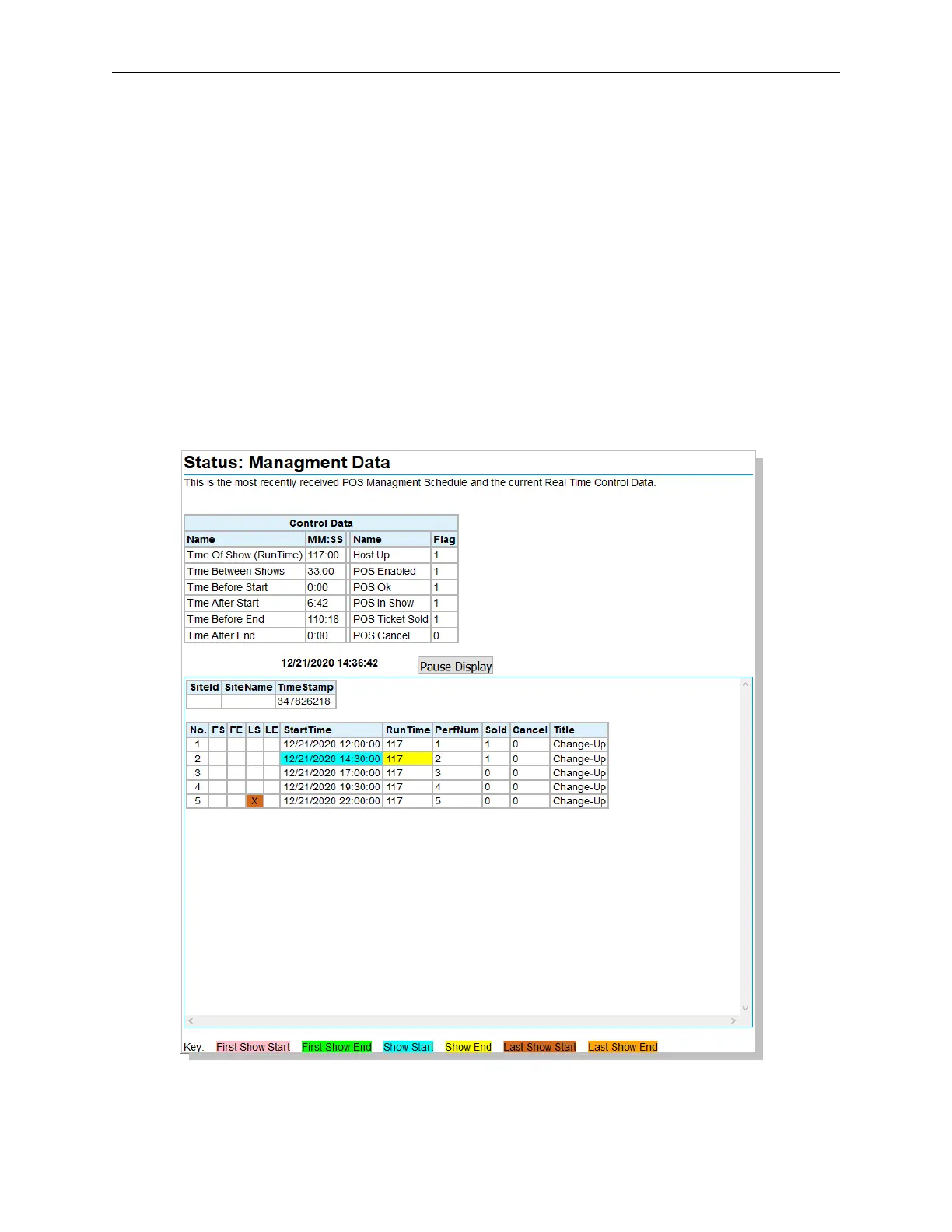
5.10 Status: Management Data
Click on Management Data in the Status Menu. This screen allows viewing the real-time Point of Sale
system show schedule and associated local control flags and times.
Note: Management data is only available when used with the EPRAD nanoHost Cinema Integration
System.
86
eCNA-10 Operation and Installation Manual Version 1.270-00



 To Next Page