© EPRAD Incorporated
DIGITAL d FAULT This message is displayed to indicate that a digital input fault was activated
where d is 1 or 2. This fault will cause a program shutdown or prevent a program from starting. This
fault can be configured to be a latched fault requiring a Cancel to clear the fault. See ‘Digital Fault
Input Latched’ on the Setup: System Parameters screen.
CAI d FAULT This message is displayed to indicate that a digital input fault was activated where d
is 1, 2 or 3. This fault will cause a program shutdown or prevent a program from starting.
IP ADDRESS CONFLICT This message indicates that more than one eCNA-5 is configured with the
same IP Address.
SCREEN ID CONFLICT This message indicates that more the one eCNA-5 is configured with the
same Screen Id. See Configuration DIP Switches on the Main CPU Board.
PROGRAM ABORT INPUT This is a status message only. This message indicates that an abort was
activated. This message has a three second re-triggerable one-shot.
MACRO LIMIT: dd-dd This is a runtime error message that indicates the macro call level limit was
reached. It indicates a Macro programming error. dd-dd is the macro and step number that made the
call that attempted to exceed the call level limit. Use the “Cancel” key or the “Cancel” input to clear
this message. Correct the programming error.
REM ALRM ID: dd This status message indicates that another eCNA is sounding it’s alarm due to a
fault condition. dd is the screen id of the remote eCNA that is faulted.
ALARM ON: PROG dd-dd This status message indicates that the Alarm instruction was executed
by a program and the local alarm is on. dd is the program and step number.
ALARM ON: MACR dd-dd This status message indicates that the Alarm instruction was executed
by a macro and the local alarm is on. dd is the macro and step number.
COMMAND LIMIT EXCEEDED This error message indicates an “instruction” command was dropped
from the command buffer (where delayed instructions are buffered). The buffer is currently sized
large enough that the user should never see this message.
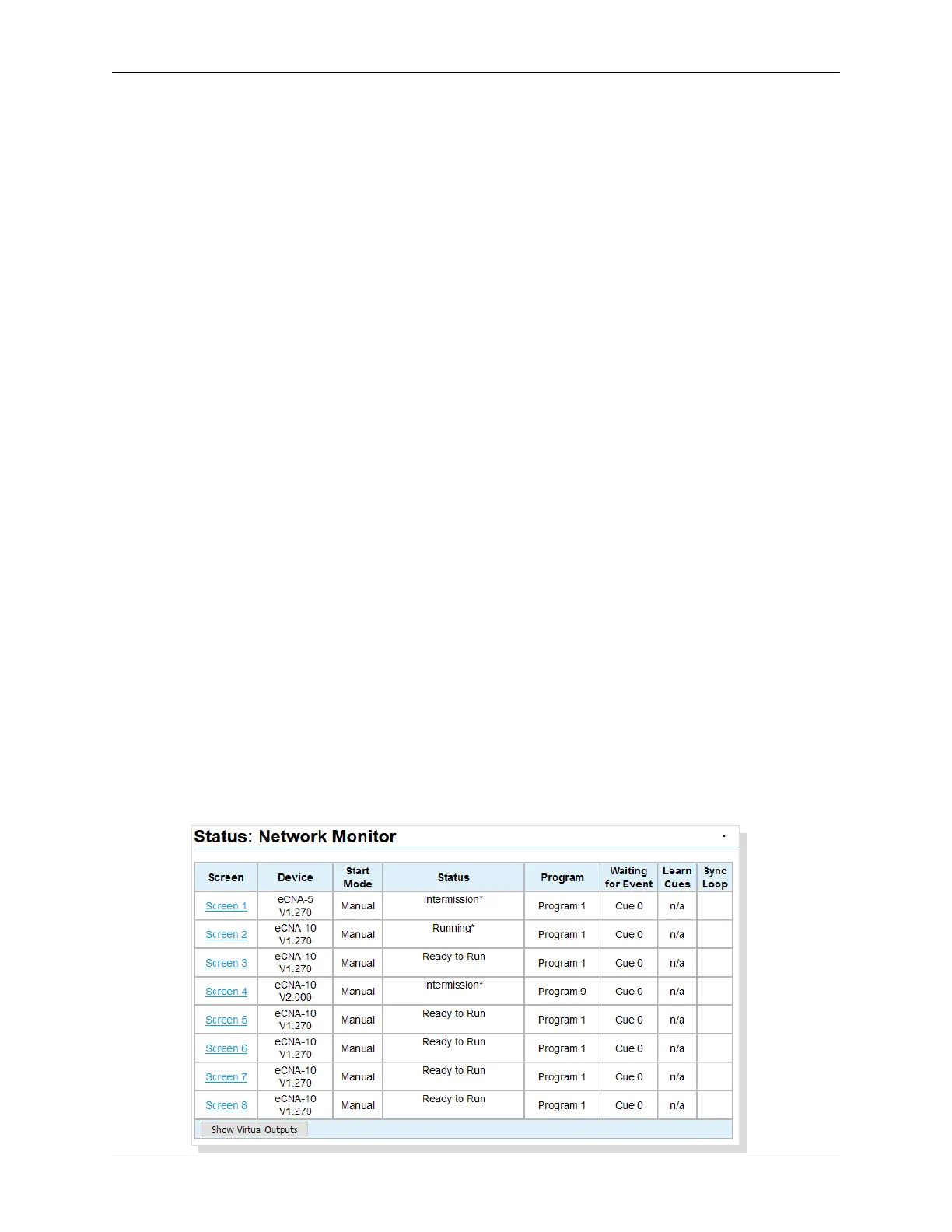
5.2 Status: Network Monitor
Click on Network Monitor in the Status Menu. This screen displays the status of all eCNAs that are
part the Multicast Group. Click on the Screen number to access the eCNA’s web server.
78
eCNA-10 Operation and Installation Manual Version 1.270-00



 To Next Page