© EPRAD Incorporated
4.3.14 Setup: Remote Devices
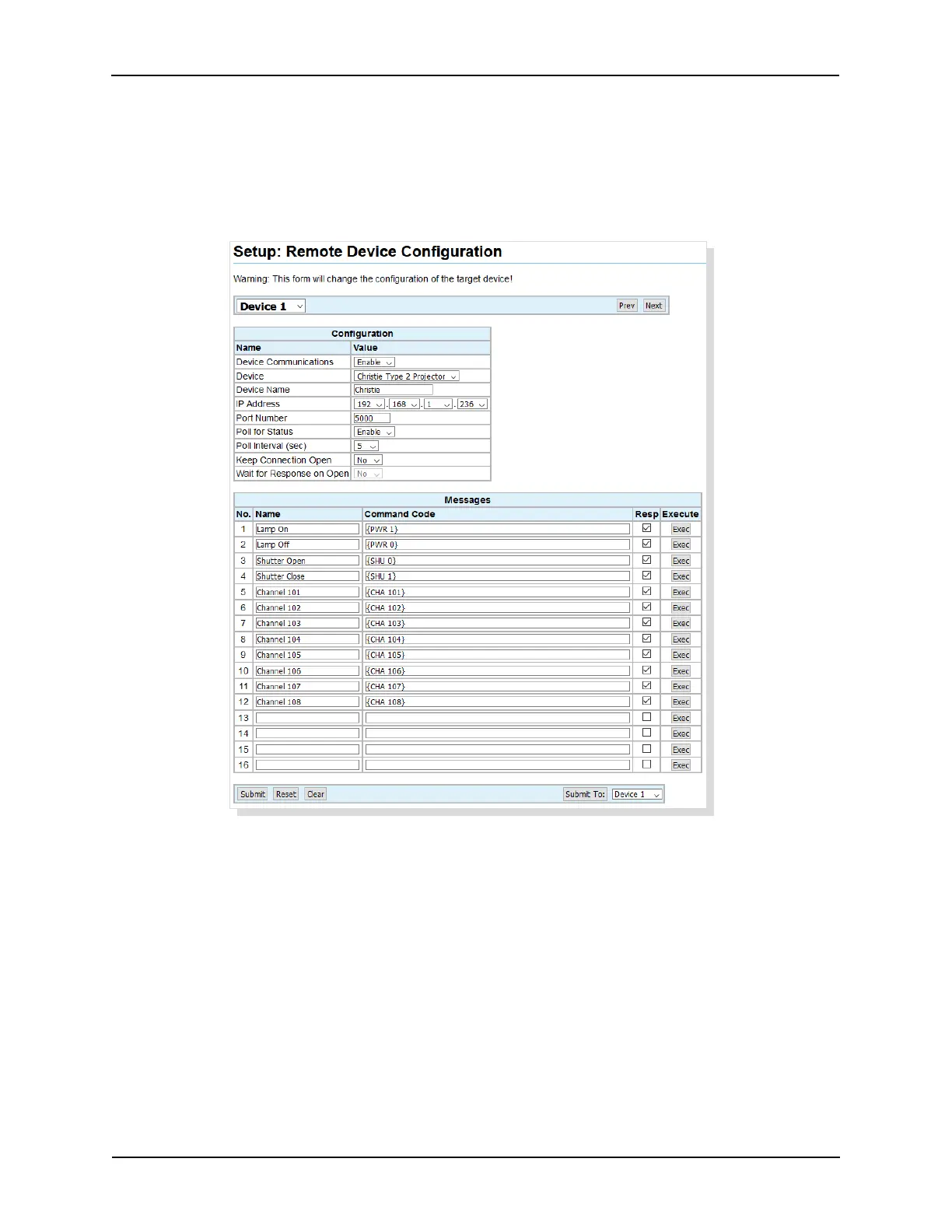
Click on Remote Devices under General in the Setup Menu. This screen is used to setup
communications parameters and command messages for an Ethernet TCP connection to a device.
The eCNA-10 supports ten Remote Device Interface (RDI) communication channels. These are used
to control devices such as a projectors, sound processors, etc.
Configuration:
Device Communications Select Enable to enable communications to the remote device.
Device This is a list of supported devices including Raw. Select the device that the eCNA-10 will be
controlling.
Device Name Enter the Device Name (up to 10 characters). This name is used in the RemDev
macro and program instructions.
IP Address Enter the IP address of the remote device. See remote device documentation.
Port Number Enter the port number of the remote device. See remote device documentation.
Poll for Status The eCNA can retrieve status information from some remote devices. This status
can be made available to CAI clients (See Appendix B). Status messages can be viewed from the
CAI/RDI Status Messages status screen. Select Enable to enable polling the device for status.
39
eCNA-10 Operation and Installation Manual Version 1.270-00



 To Next Page