© EPRAD Incorporated
4.3.3 Setup: Wake-On-LAN
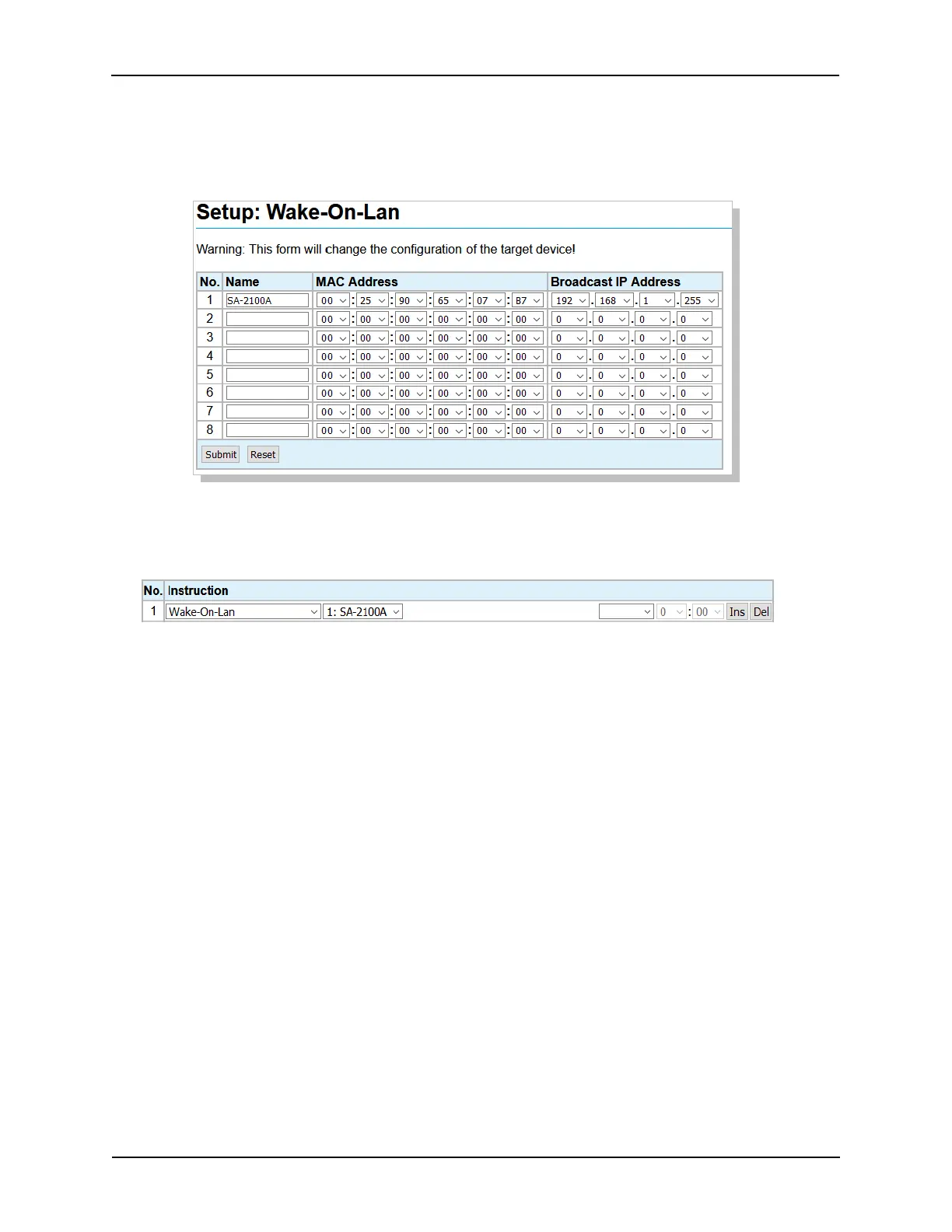
Click on Wake-On-LAN under Network from the Setup Menu. The eCNA can be configured to power
up individual devices via the network. The target devices must support the Wake-On-LAN protocol.
Use this screen to enter the Broadcast IP address and the MAC addresses of the target devices.
Executing the Wake-On-LAN Program/Macro instruction will broadcast the “magic packet” and power
up the target device.
21
eCNA-10 Operation and Installation Manual Version 1.270-00



 To Next Page