© EPRAD Incorporated
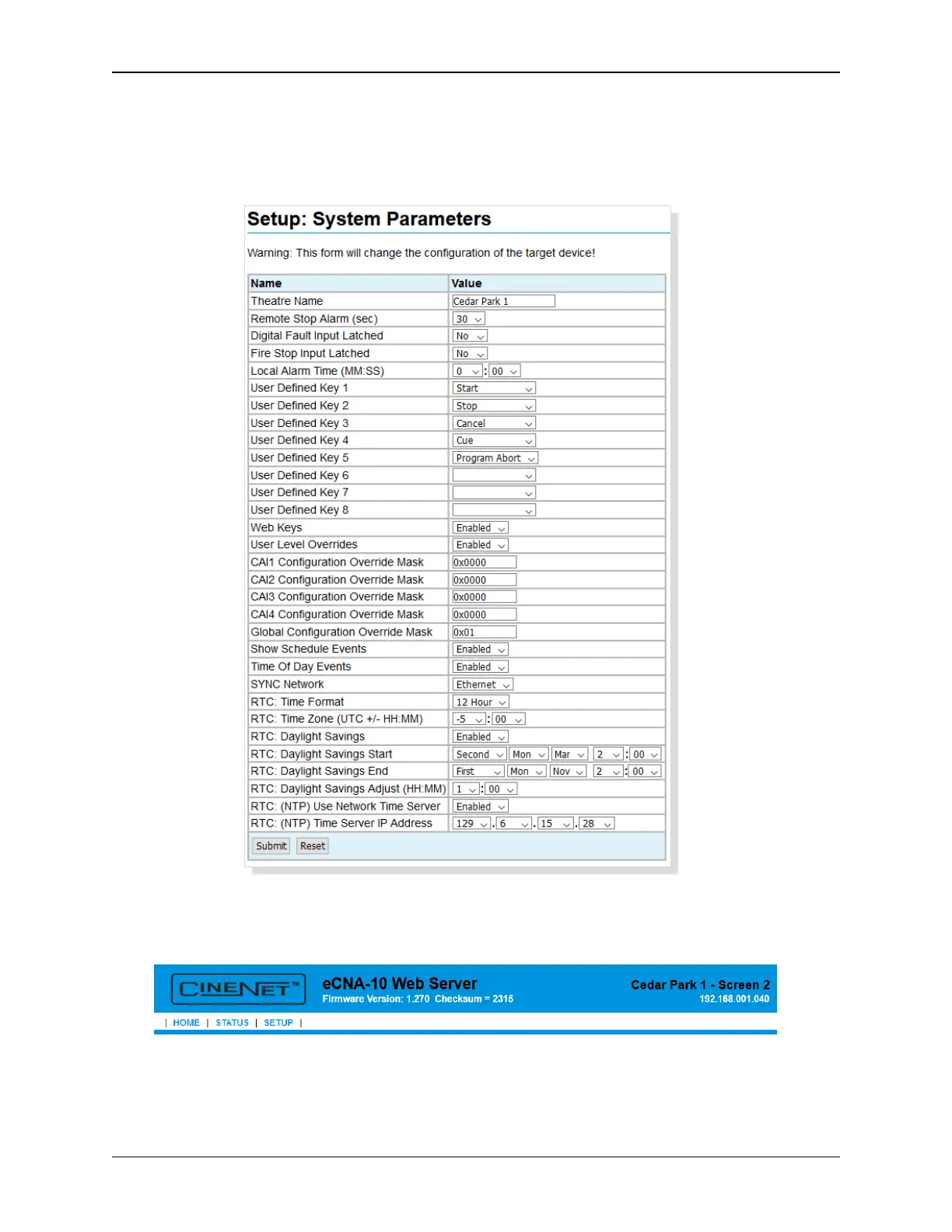
4.3.7 Setup: System Parameters
Click on System Parameters under General in the Setup Menu. This screen displays information about
global system settings. The settings can be modified from this screen. Click on the Reset button to
put the original data back. Click the Submit button to save new settings to the eCNA-10.
Theatre Name Assign the theatre name or location. The name will appear in the header of all
screens next to the screen number.
Remote Stop Alarm This function serves as a remote network alarm. When set to a non-zero time,
the alarm will ‘pulse’ if another eCNA on the network has sounded it’s alarm due to a fault condition.
Setting this time to 0 will disable this feature. Setting the time to 99 will sound the alarm until it is
cancelled at the eCNA that initiated the alarm.
28
eCNA-10 Operation and Installation Manual Version 1.270-00



 To Next Page