© EPRAD Incorporated
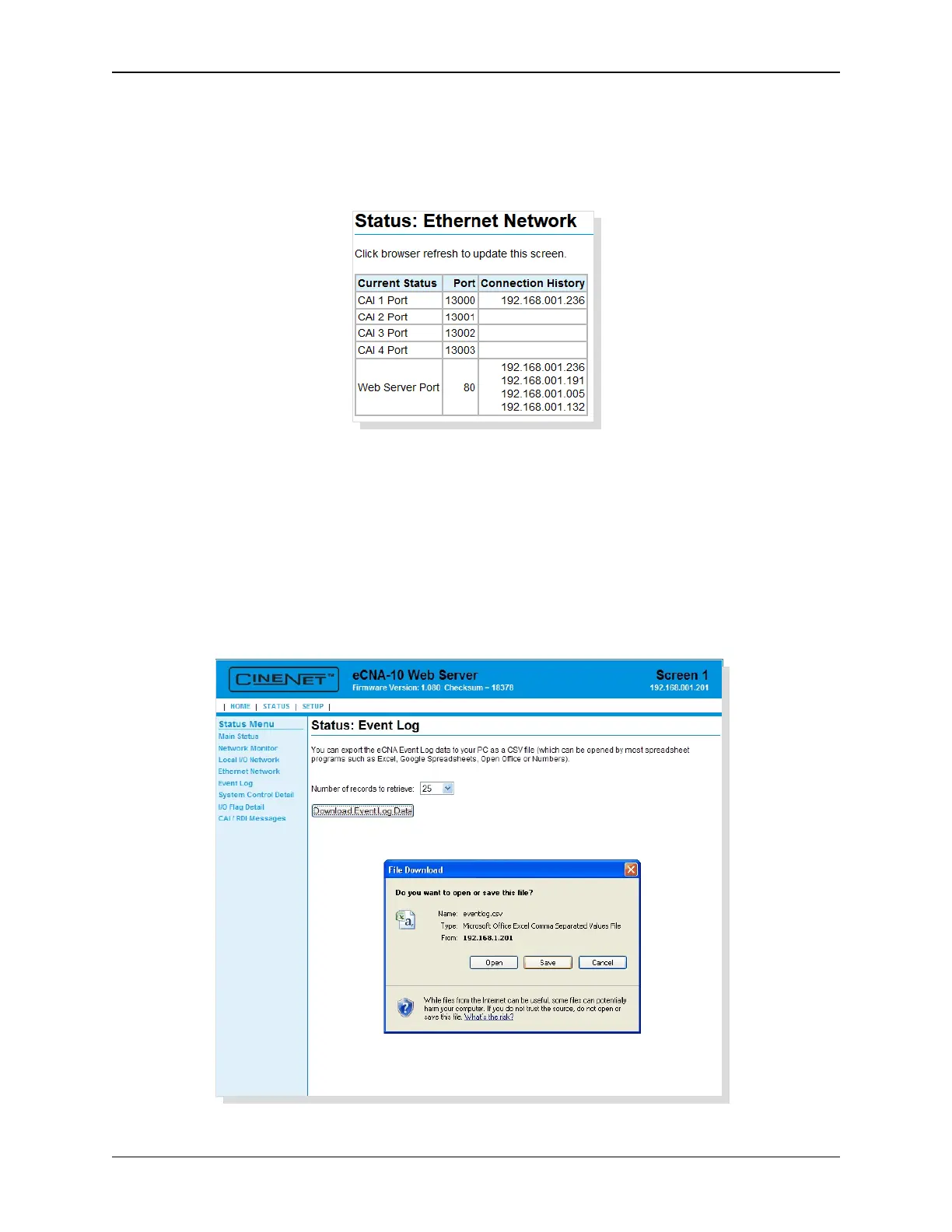
5.4 Status: Ethernet Network
Click on Ethernet Network in the Status Menu. This screen displays the connection status of the
available ports. The Connection History column displays the last five IP addresses of the devices that
have been connected since the eCNA-10 has been powered on.
5.5 Status: Event Log
Click on Event Log in the Status Menu. This screen is used to download Event Logs from the eCNA-
10. Select the number of records to retrieve and click on the Download Event Log Data button to
either Open or Save the Event data.
Save: By default, the event logs are saved as a .csv (comma separated values) file. This is an ASCII
text file that can be imported into any spreadsheet program.
Open: The event log records will be opened by the application that has the ‘csv’ file type association.
82
eCNA-10 Operation and Installation Manual Version 1.270-00



 To Next Page