© EPRAD Incorporated
The color coded elements in the record table represent the scheduling logic.
First Show Start: Advances at the end of the first show.
First Show End: Advances at the next show start or 100 minutes after the first show end.
Show Start: Advances at the end of the show.
Show End: Advances at the next show start or 100 minutes after show end.
Last Show Start: Advances at the end of the last show.
Last Show End: Advances at the next show start or 100 minutes after the last show end.
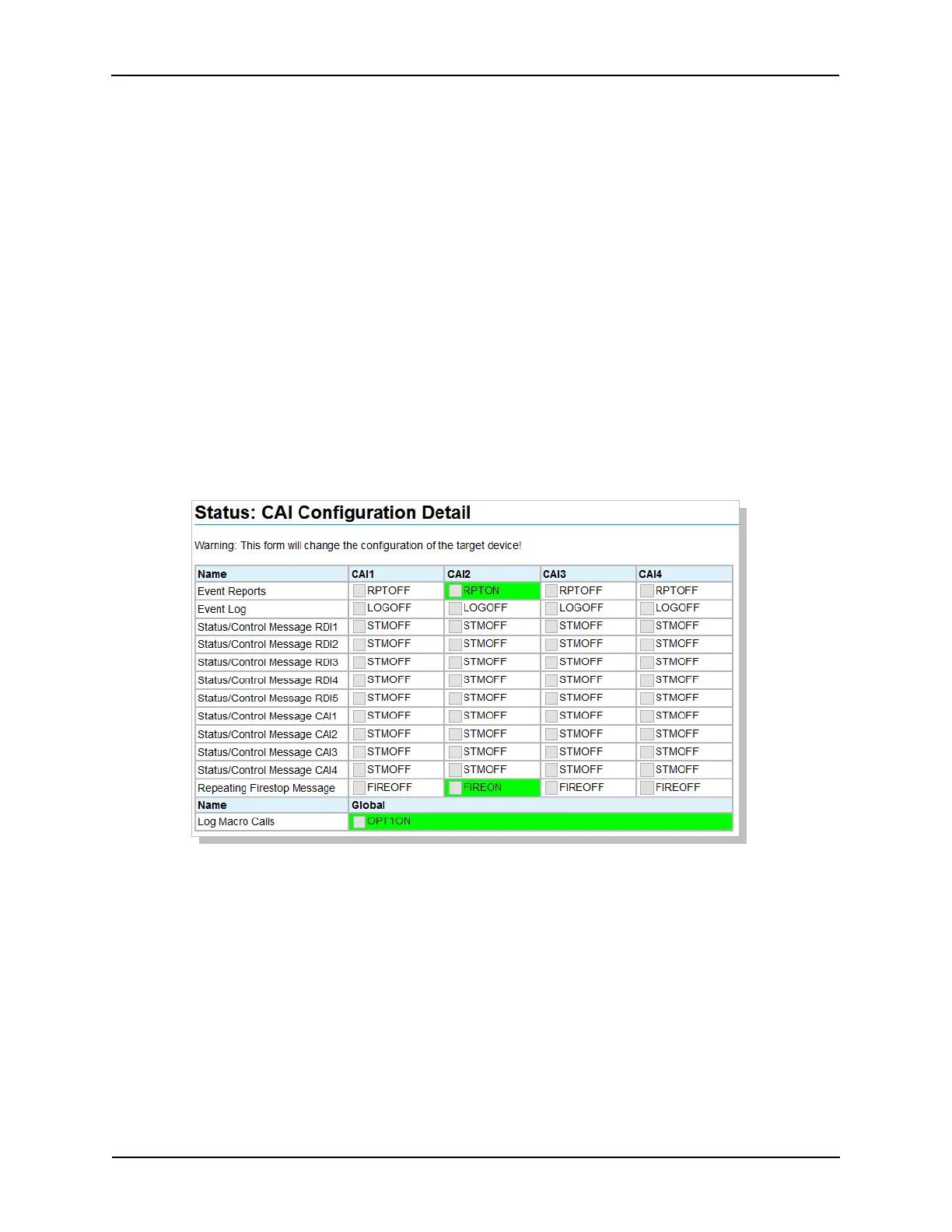
5.11 Status: CAI Configuration Detail
Click on CAI Configuration Detail in the Status Menu. This screen shows the status of the individual
flags and allows changing these flags depending on the CAI Configuration Override Mask settings in
System Parameters. These configuration flags should be configured by the CAI client(s) upon initial
communications after a power up.
Note:
• These flags are saved in battery-back memory.
• These flags are not saved to the backup.xml file.
• These flags are cleared when the when the firmware is updated.
87
eCNA-10 Operation and Installation Manual Version 1.270-00



 To Next Page