© EPRAD Incorporated
4.3.27 Setup: Device Firmware Update
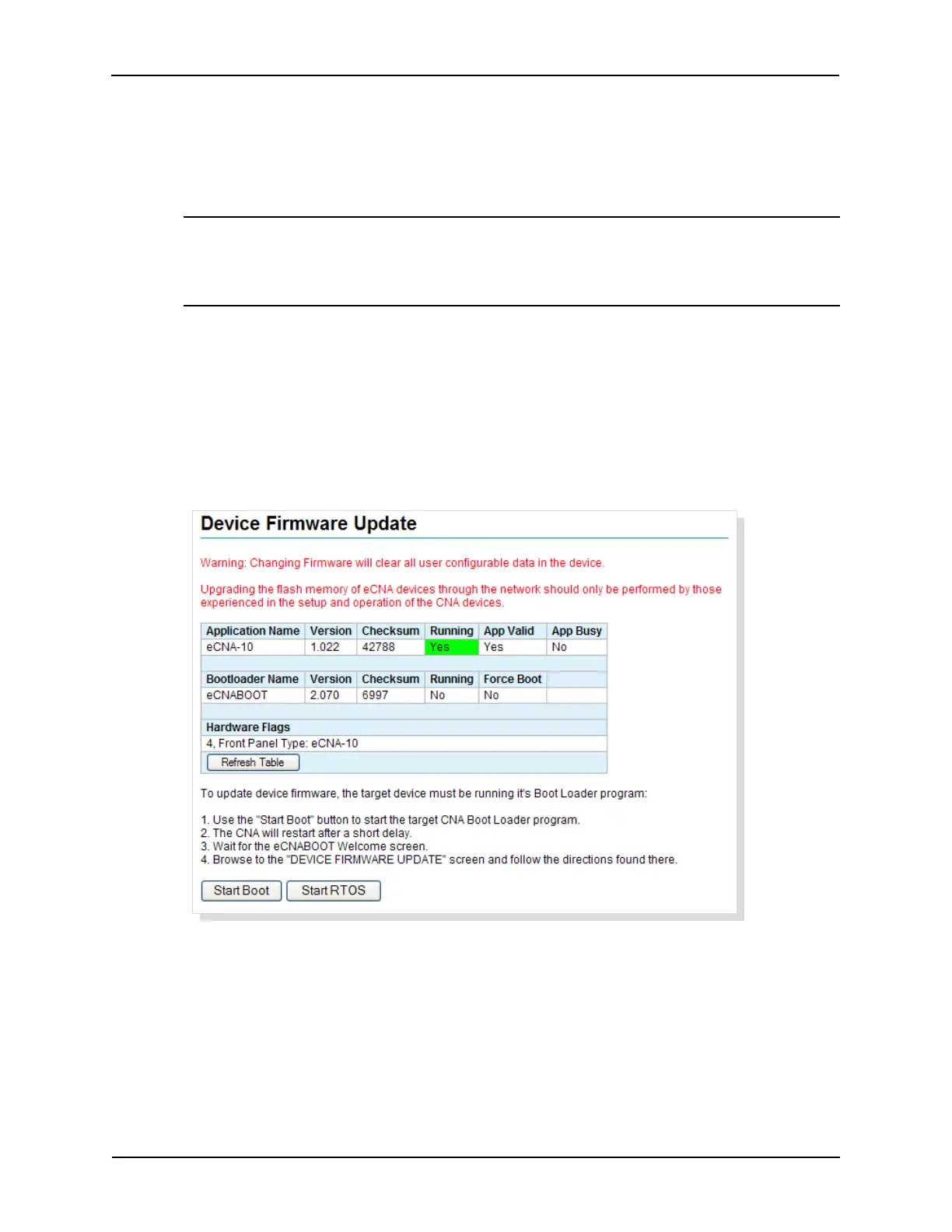
Click on Firmware Update under Administration in the Setup Menu. This screen is used to upgrade
the eCNA-10 application firmware. The screen shows status of the current application and boot loader
programs. The screen is not automatically updated.
U
Upgrading firmware will clear all user configurable data in the eCNA-10!
Before proceeding with the upgrade, the following is recommended:
a) Backup the eCNA-10 configuration files.
b) Make note of the version and checksum of the firmware currently installed.
c) Make sure the software to be installed is compatible with the eCNA-10.
d) Have the installation file of the software currently installed available.
The Start Boot button starts the boot loader program. The Start RTOS button just re-starts the
application without making any changes to the eCNA-10.
Note: The firmware cannot be updated if the application is running a program. This is
indicated by the App Busy flag. If a program is running, end or abort the program and
click on the Refresh Table button to update the screen. The Start Boot and Start
RTOS buttons should now be enabled.
57
eCNA-10 Operation and Installation Manual Version 1.270-00



 To Next Page