© EPRAD Incorporated
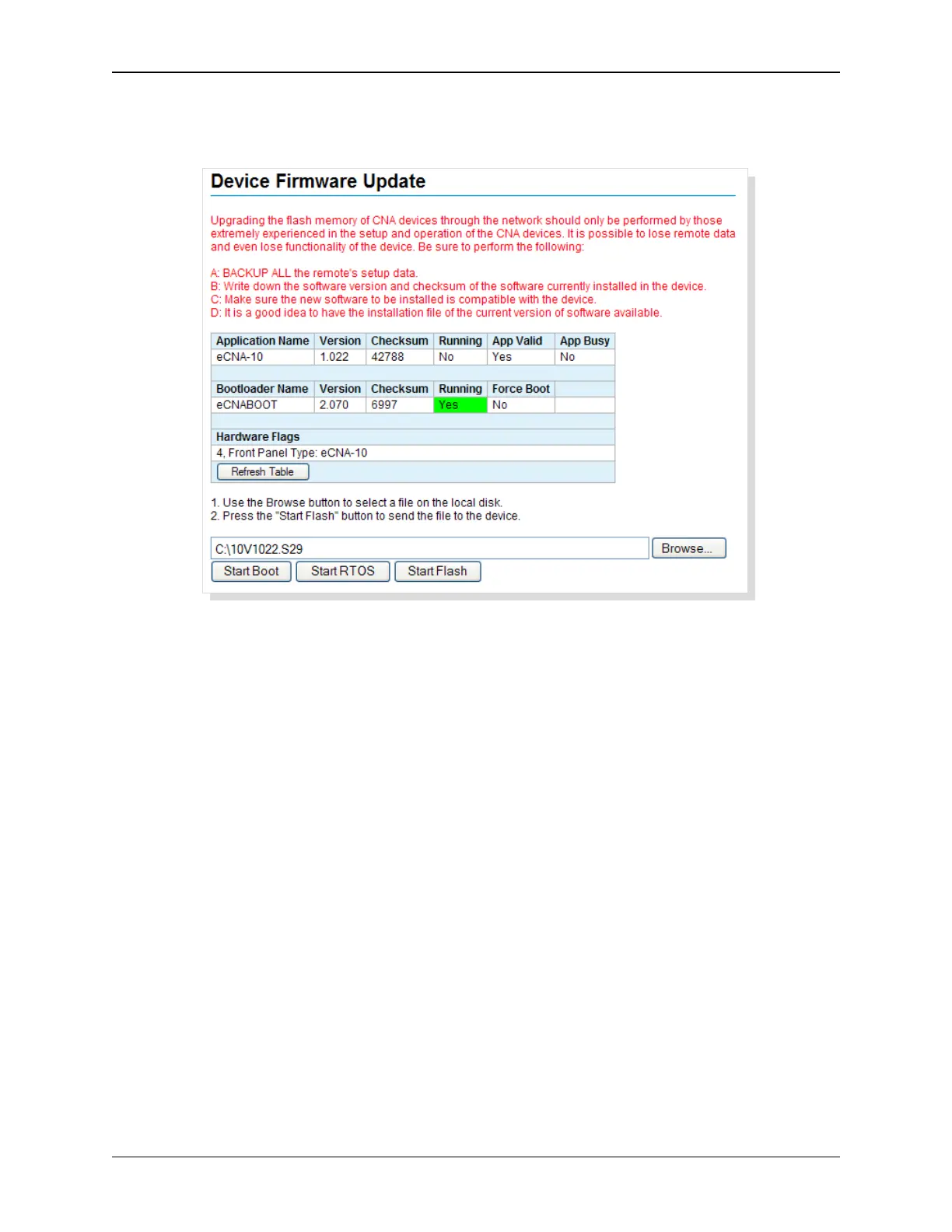
Click on the Start Boot button to start the eCNA boot loader program. The eCNA-10 will restart after
a short delay and you will see the eCNABOOT Web Server screen. Click on DEVICE FIRMWARE
UPDATE to get to the Boot loader’s Firmware Update screen.
Click on the Browse button to choose a file on the disk or click in the text box and type the path and
filename. Click on the Start Flash button to send the file to the eCNA-10. A progress bar appears at
the bottom of the screen. The screen is refreshed when finished. When the upgrade is complete, click
on the Start RTOS button to start the application program.
58
eCNA-10 Operation and Installation Manual Version 1.270-00



 To Next Page