© EPRAD Incorporated
Poll Interval This is the time interval in seconds that the remote device is polled for status. The
range is 2 to 60 seconds. 10 seconds is the default.
Keep Connection Open When this flag is set to Yes, the connection is not closed by the eCNA after
the message is sent. It is recommended that this parameter is set to Yes for Barco and Christie
projectors when Poll for Status is Enabled to prevent the projector’s communications log from
being filled with status requests. All other devices should work okay with the parameter set to No.
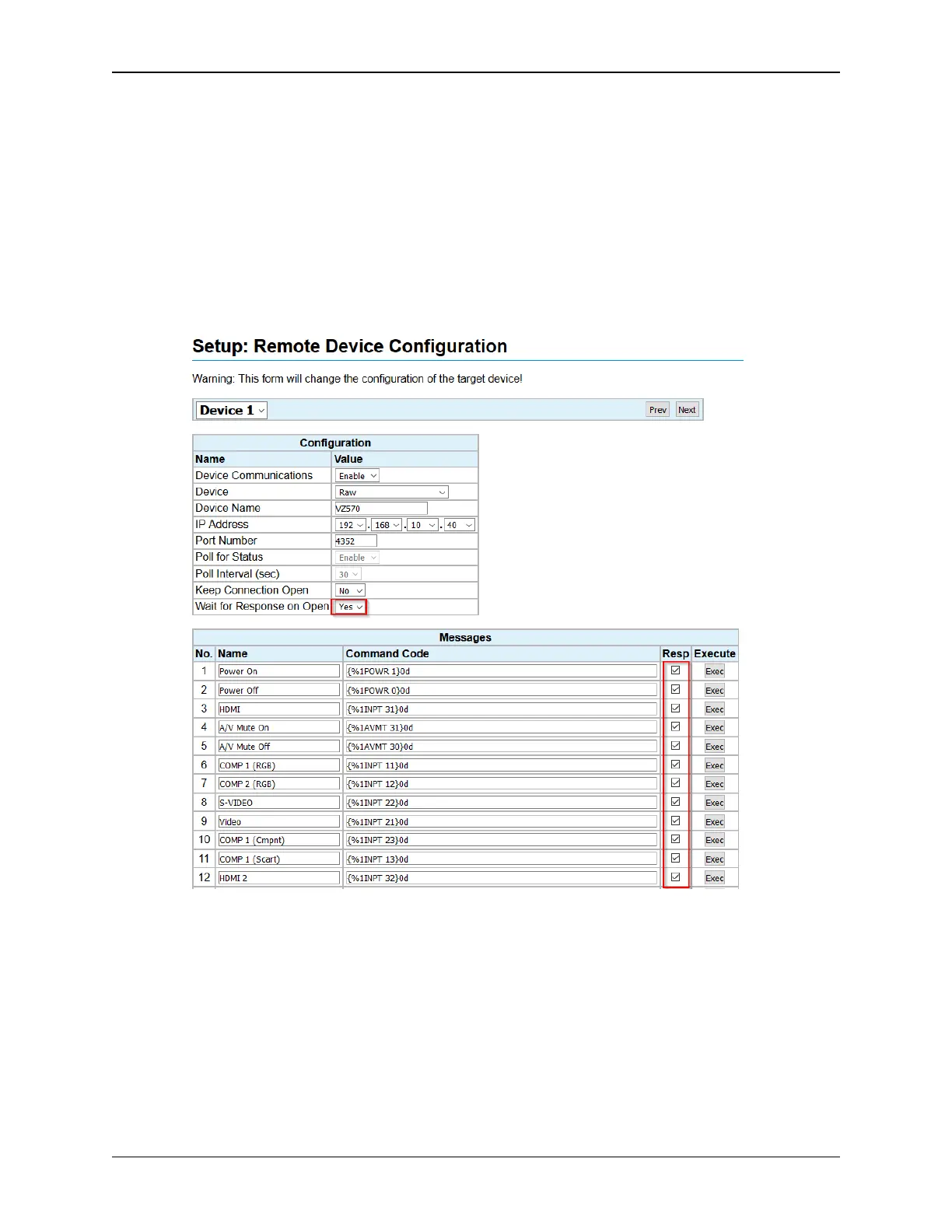
Wait for Response on Open When this flag is set to Yes, the eCNA will expect a response on a
new connection, send the command and wait for the acknowledgment to the command (when the
Resp box is checked). This parameter should be Yes and the message Resp boxes should be
checked when connecting to the PJLink port (4352) of the projector.
Messages:
Enter the Message Name of the command (up to 14 characters). This name is used in the RemDev
macro/program instruction.
The Message Command Code is the actual command sent to the remote device. These are the
commands supported by a particular device. Remote Device configuration files are available from
EPRAD for supported devices.
Message Command codes can be added, deleted or edited as required. They can be entered in
binary, ASCII or a combination of both.
40
eCNA-10 Operation and Installation Manual Version 1.270-00



 To Next Page