© EPRAD Incorporated
eCNA Output Control Flags
Control Description
MUTEON Sets the Mute flag and memorizes the previous sound state.
MUTEOFF Clears the Mute flag and restores the previous sound state.
SNDNSYNC Sets the Sound NON-SYNC Output Control Flag. Clears all other Sound Output Control Flags.
SNDSR Sets the Sound SR Output Control Flag. Clears all other Sound Output Control Flags.
SNDSVA Sets the Sound SVA Output Control Flag. Clears all other Sound Output Control Flags.
OUTxON Sets the OUT x Output Control Flag. Where x = 1 - 16.
OUTxOFF Clears the OUT x Output Control Flag. Where x = 1 - 16.
OUTxTOG Toggles the OUT x Output Control Flag. Where x = 1 -16.
DP1ON Sets the Digital 1 Power ON Flag. Clears the Digital 1 Power OFF Flag.
DP1OFF Sets the Digital 1 Power OFF Flag. Clears the Digital 1 Power ON Flag.
DV1ON Sets the Digital 1 Video ON Flag. Clears the Digital 1 Video OFF Flag.
DV1OFF Sets the Digital 1 Video OFF flag. Clears the Digital 1 Video ON Flag.
DP2ON Sets the Digital 2 Power ON Flag. Clears the Digital 2 Power OFF Flag.
DP2OFF Sets the Digital 2 Power OFF Flag. Clears the Digital 2 Power ON Flag.
DV2ON Sets the Digital 2 Video ON Flag. Clears the Digital 2 Video OFF Flag.
DV2OFF Sets the Digital 2 Video OFF flag. Clears the Digital 2 Video ON Flag.
SPROJON Sets the Slide Projector ON Flag.
SPROJOFF Clears the Slide Projector ON Flag.
eCNA status
The SA-2100A can poll the eCNA for its status record with the REPORT STATUS (RST) command on
CAI channel 1 (port 13000). When Status is enabled, the eCNA is continuously polled for its status.
This status can be used as inputs to trigger automation cues.
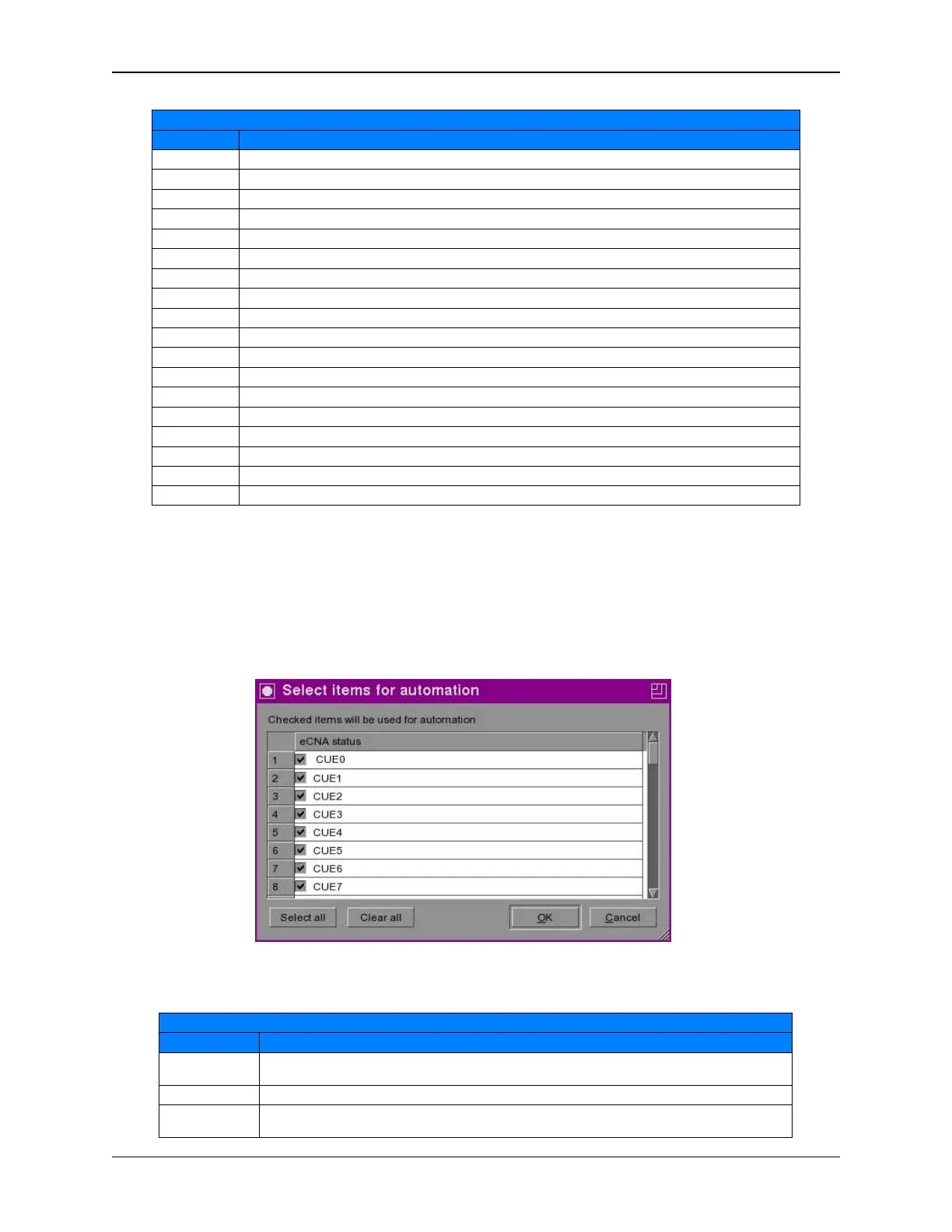
Press the [eCNA status] button and check the items you want available to use for automation or
press the [Select all] button to check all of the items in the list.
The following eCNA status flags are supported:
eCNA Status Items
Status Description
CUE 0 The eCNA Program is waiting for Cue 0 or is not in progress (between shows). A transition to
Cue 0 indicates an eCNA program has ended.
CUE1 – CUE20 This is the eCNA program Cue number.
SEG0 – SEG29 This is the eCNA show segment number. The show segment is a user-defined portion of the
show. The segment is defined by using the ‘Segment’ instruction in a macro or a program.
Figure 7 eCNA Status
170
eCNA-10 Operation and Installation Manual Version 1.270-00



 To Next Page