© EPRAD Incorporated
Pause This input will stop all program timers if the eCNA program is in progress and not “stopped”
or “faulted”. Any start (resume) input command will cancel the pause condition and restart the
timers. Note: This works like a stop/resume except the outputs do not switch to the “Fault-to” state.
Firestop This input control flag causes the firestop event which can be assigned to a trigger to
initiate a fire alarm macro.
In1 - In16 The inputs can be connected to input control flags. These control flags can be used to
activate Triggers or can be connected directly to relay outputs.
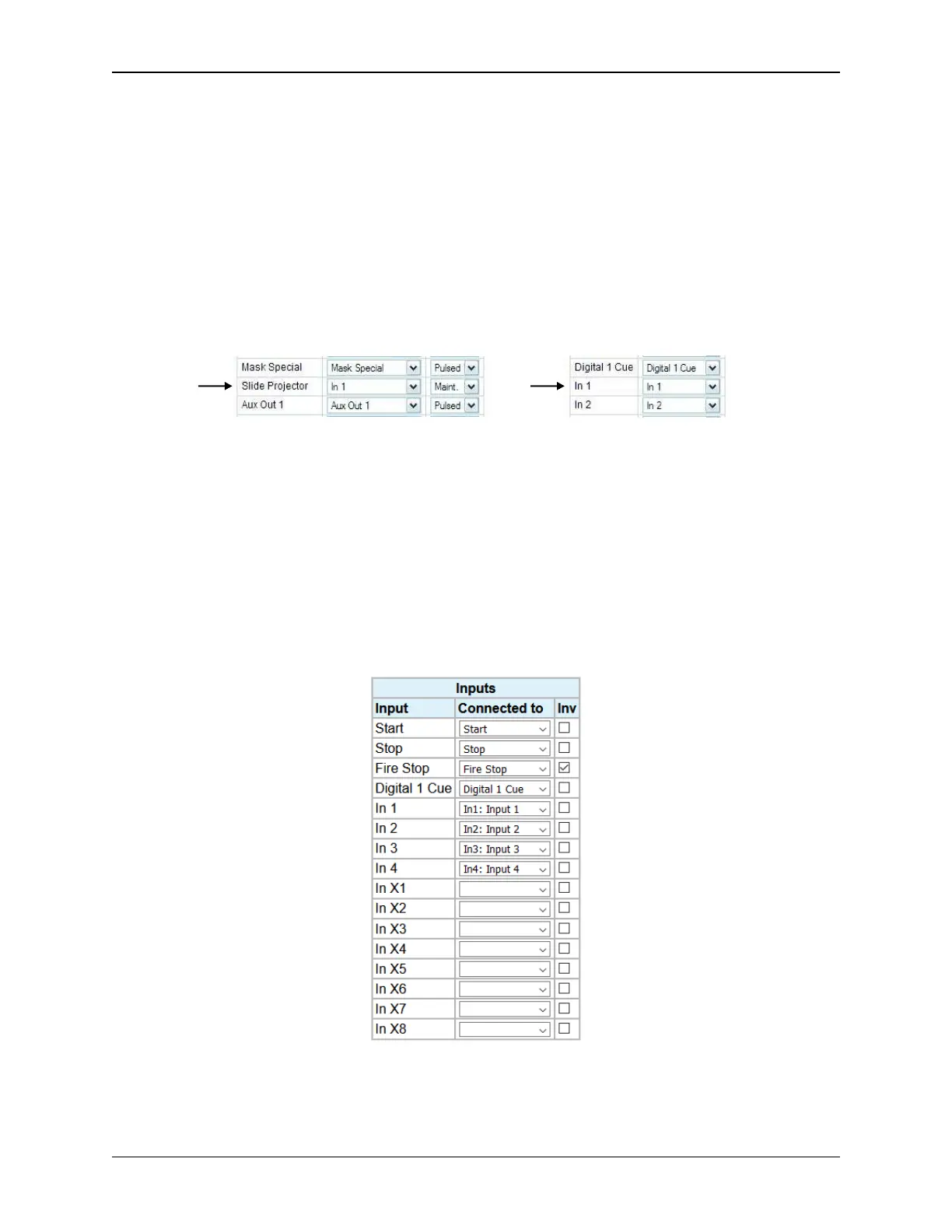
For example, input IN 1 can be configured to control the Slide Projector relay. Configure IN 1 to be
connected to the In 1 control flag and configure the Slide Projector relay to be controlled by the In 1
control flag.
Click on the Reset button to put the original data back. Click the Submit button to save new settings
to the eCNA-10.
Cancel This input control flag cancels the alarm or clears any ‘latched’ faults.
Invert Flag
The inputs can be individually configured for positive true or negative true. Click on the Inv check
box next to the input you want to invert.
50
eCNA-10 Operation and Installation Manual Version 1.270-00



 To Next Page