© EPRAD Incorporated
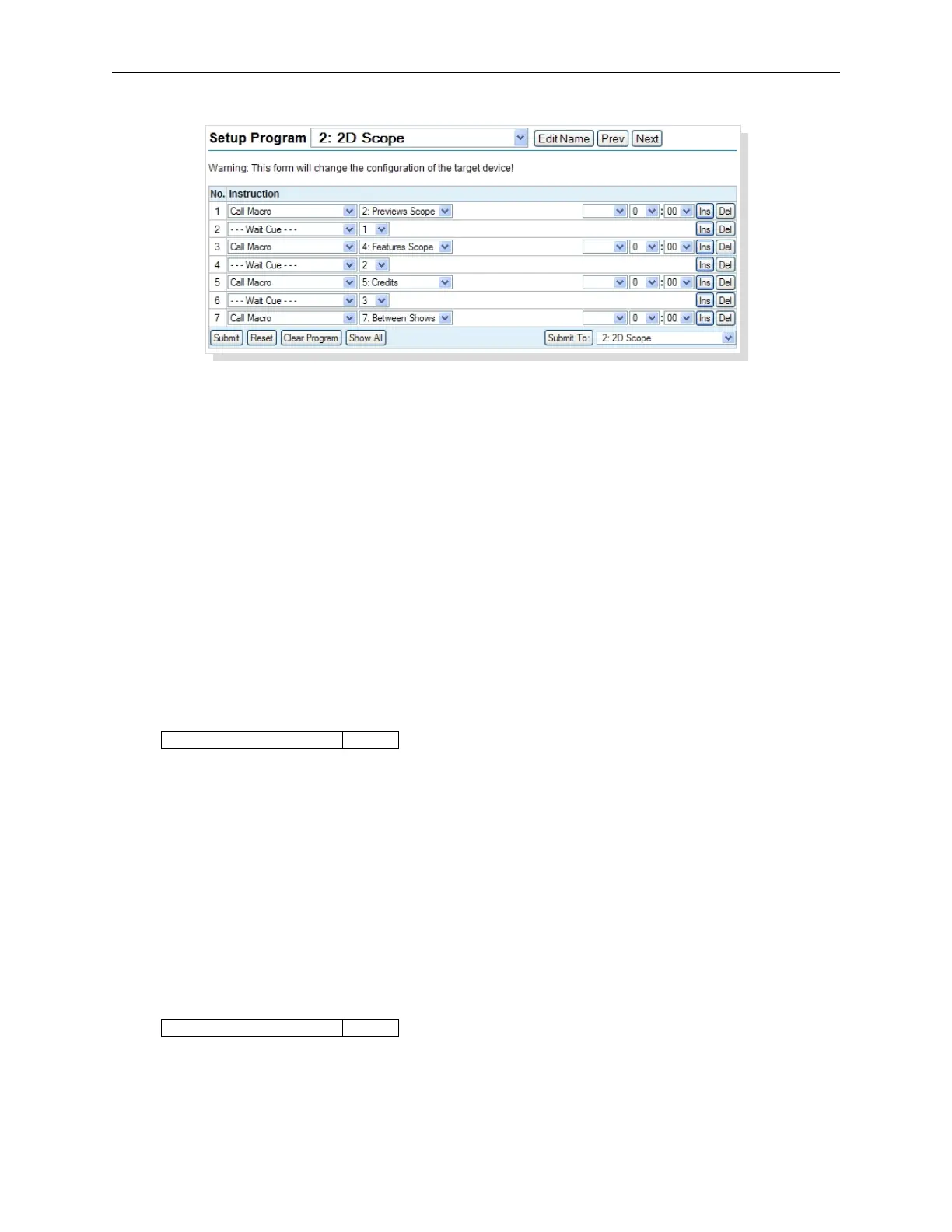
This instruction can also be used in a macro. This allows you to effectively extend a macro beyond
the 15 step limit. The Call Macro supports calls to 5 levels deep. Attempts to use the Call Macro
instruction at deeper levels (level 6) result in the following:
• The call is ignored (i.e. Does nothing).
• Log message #128 MacLevel is logged.
• Error Message “MACRO LIMIT: dd-dd” is set.
Be careful not to program a tight loop! For example calling Macro 1 from Macro 1. Another example
of this would be to call Macro 2 from Macro 1 and Macro 1 from Macro 2. This will result in a runtime
error “MACRO LIMIT dd-dd” message and “128 MacLimit” log message.
CAI SendFx Instruction
This instruction is used to generate the (general purpose) SENDFx EVENT Report messages.
A general purpose timer can be used to delay the action of this instruction. If a timer is not selected
the ‘minutes’ and ‘seconds’ list boxes are disabled and no delay will occur.
CAI SendFx d1: m1 m2 dd:dd
d1 = 1 to 30
m1 = SendFx Name
m2 = Tmr1 to Tmr15
dd:dd = 0:00 to 99:99 (minutes:seconds)
The message is sent to the CAI client when this instruction is encountered in a program or a macro.
SENDFx messages are general purposes messages that can be used by the client for any purpose.
For example, SENDF1 could be used to start an SMS playlist and SENDF2 could be used to pause a
playlist. See the EVENT Report message.
Set Timer Instruction
This instruction is used to set or clear a timer.
Set Timer m dd:dd
m = Tmr1 to Tmr15
dd:dd = 0:00 to 99:99 (minutes:seconds)
There are ten general purpose timers that are available as time-based events from the Triggers Set
up screen to call macros. These timers can set or cleared with an instruction or a CAI command.
68
eCNA-10 Operation and Installation Manual Version 1.270-00



 To Next Page