Maintenance 8. Trouble Shooting
RC180 Rev.17
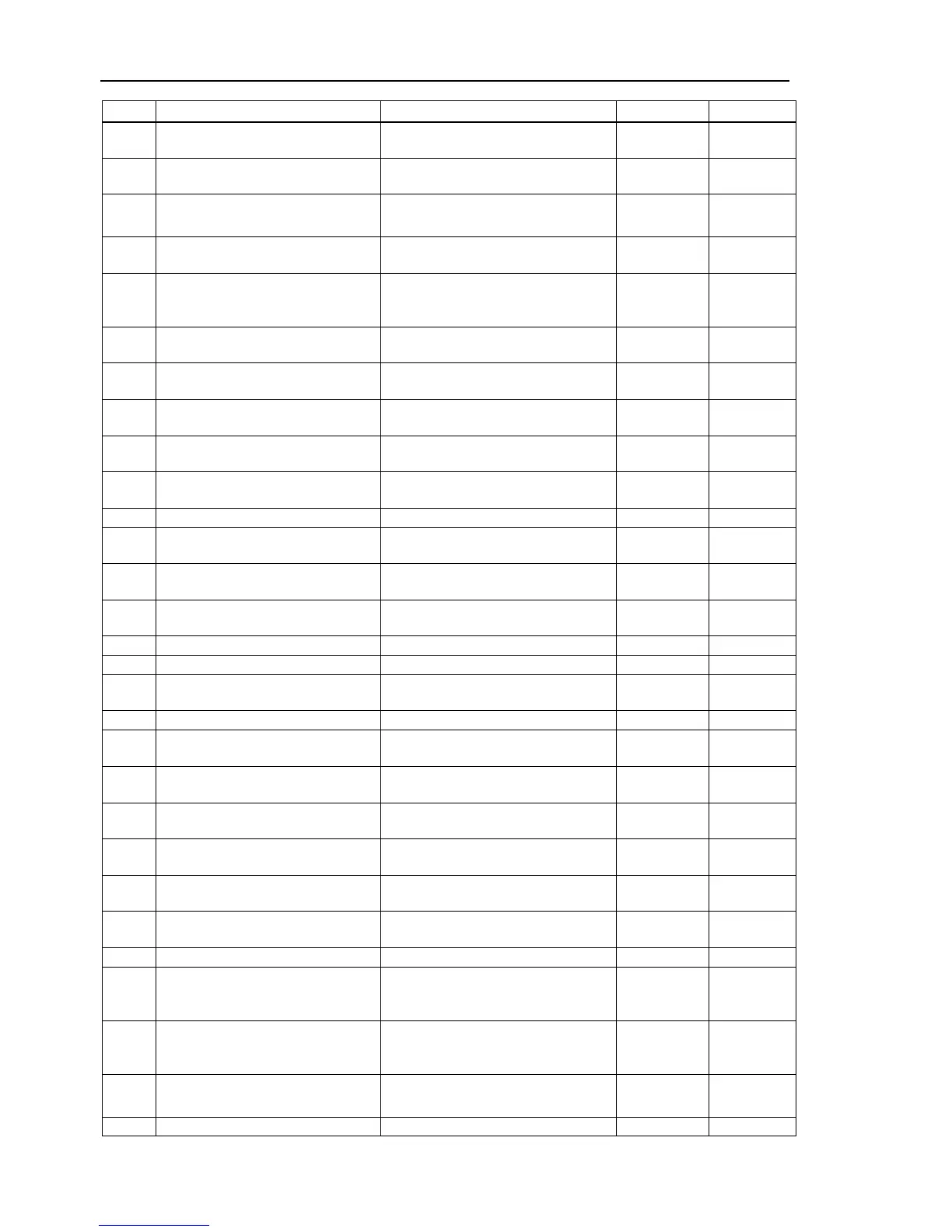
No. Message Remedy Note 1 Note 2
2516
Failed to obtain the debug data or to
initialize.
Reboot the controller.
2517 Failed to convert into date or time.
Check the time set on the controller.
2518
Larger number was specified for the
start point data than the end point data .
Specify a larger number for the end point
data than that for the start point data.
Start point End point
2519
Specified the format for FmtStr$ can
Check the format.
2520 Point file name is too long.
Check whether the specified point file
name is correct. The maximum string
length of the file name is 32.
Point failure. Point file path is too
long.
Check whether the specified point file
name is correct.
2522 Point file name is invalid.
Make sure you don’
t use improper
characters for file name.
The continue process was already
executed.
Cannot execute Xqt when the specified
trap number is already executing.
Review the program.
2525 Password is invalid.
Check whether a password
Too many variables used for global
valiable wait.
The variables cannot use global
valiable wait.
Review the program.
2529
Cannot use Byref if the variables used
for global variable wait.
The point file is used by another robot.
Cannot calculate the point position
because there is undefined data.
No main function to start on Restart
statement.
Without executing main function, Restart
Does not allow Enable setting in Teach
mode to be changed.
Setup the authority.
2536
Failed to change Enable setting in
Teach mode.
Reboot the Controller.
2539 Password is invalid.
Check whether a password
2546
Cannot turn on the motor immediately
after opening the safeguard.
Wait 1.5 seconds after the safeguard is
open, and then execute the motor on.
Specified command is not supported
for joint type robot.
Specified robot is not supported.
Check the robot configuration.
Failed to Get the health information.
2900
Failed to open as server to the Ethernet
port.
Check whether the Ethernet port is set
properly. Check whether the Ethernet
cable is connected properly.
2901
Failed to open as client to the Ethernet
port.
Check whether the Ethernet port is set
properly. Check whether the Ethernet
cable is connected properly.
2902 Failed to read from the Ethernet port.
Check whether the port of
communication recipient is not close.
Invalid IP Address was specified.


 To Next Page