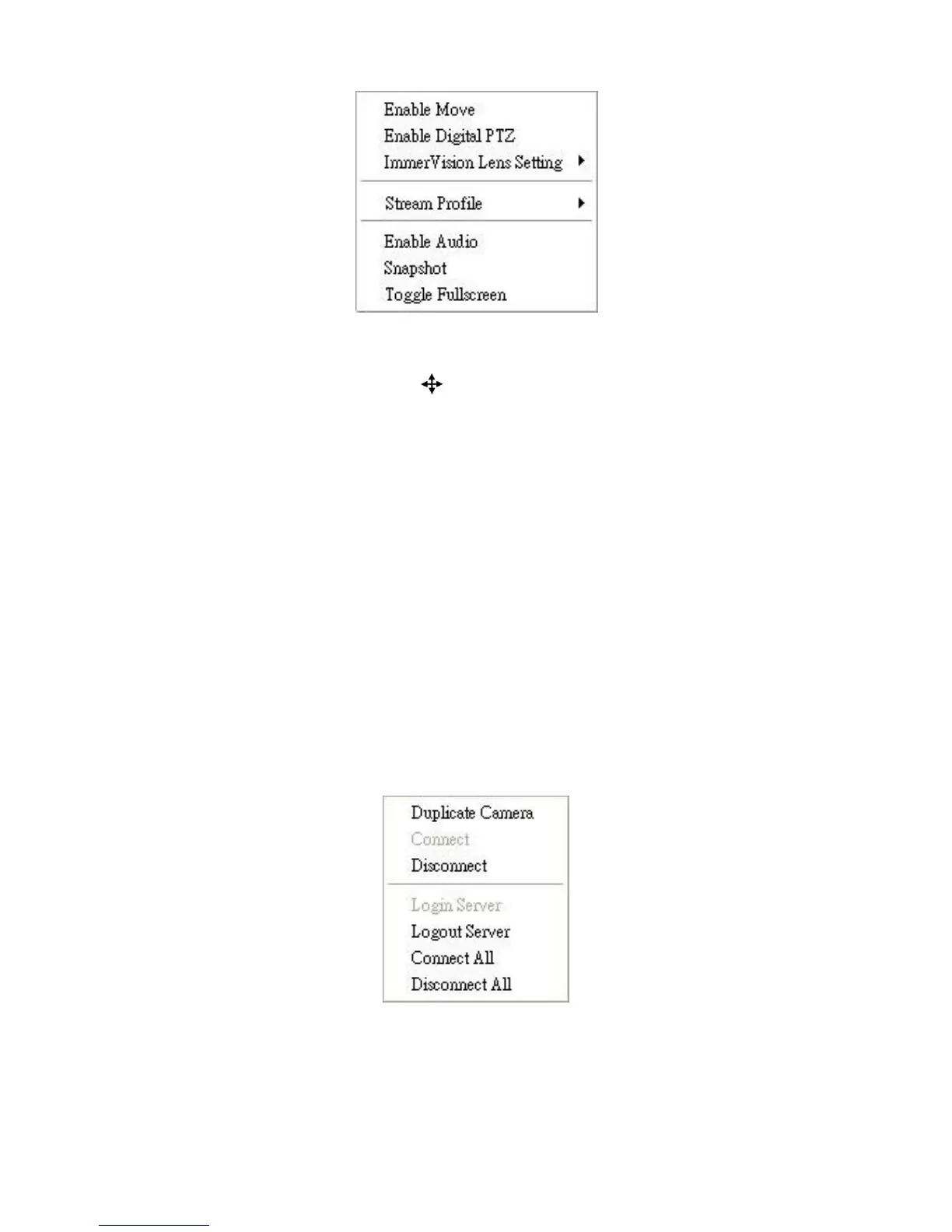
Enable Move: Adjust the current view of camera which supports PT
function by dragging the button on the display screen.
Enable Digital PTZ: Click the + or – button to zoom in or zoom out the
view. The lower right square flashing on the video grid indicates the
correspondent view of the camera.
ImmerVision Lens Setting: Select the mode of lens, original, PTZ
mode, Quad mode and Perimeter mode.
Stream Profile: Select the stream profiles, original, low, minimum.
Enable Audio: Enable audio on active channel(s).
Snapshot: Select the snapshot function to capture a specific video
image immediately.
Toggle Fullscreen: Select it to view cameras with full screen. Press “Esc”
or right click un-select full screen to go back to the original view.
Also, right click on camera list to duplicate and connect/disconnect designate
cameras, and do other functions.
Duplicate Camera: Select the duplicate camera function to create
multiple views. The duplicated camera will be shown with green indicator
as the right picture. Combine this function with digital PTZ, users are
allowed to enlarge different spots and view them in different channels















 To Next Page