DEPOLOX
®
Pool Operation
WT.050.570.000.DE.IM.0714 59
1.3
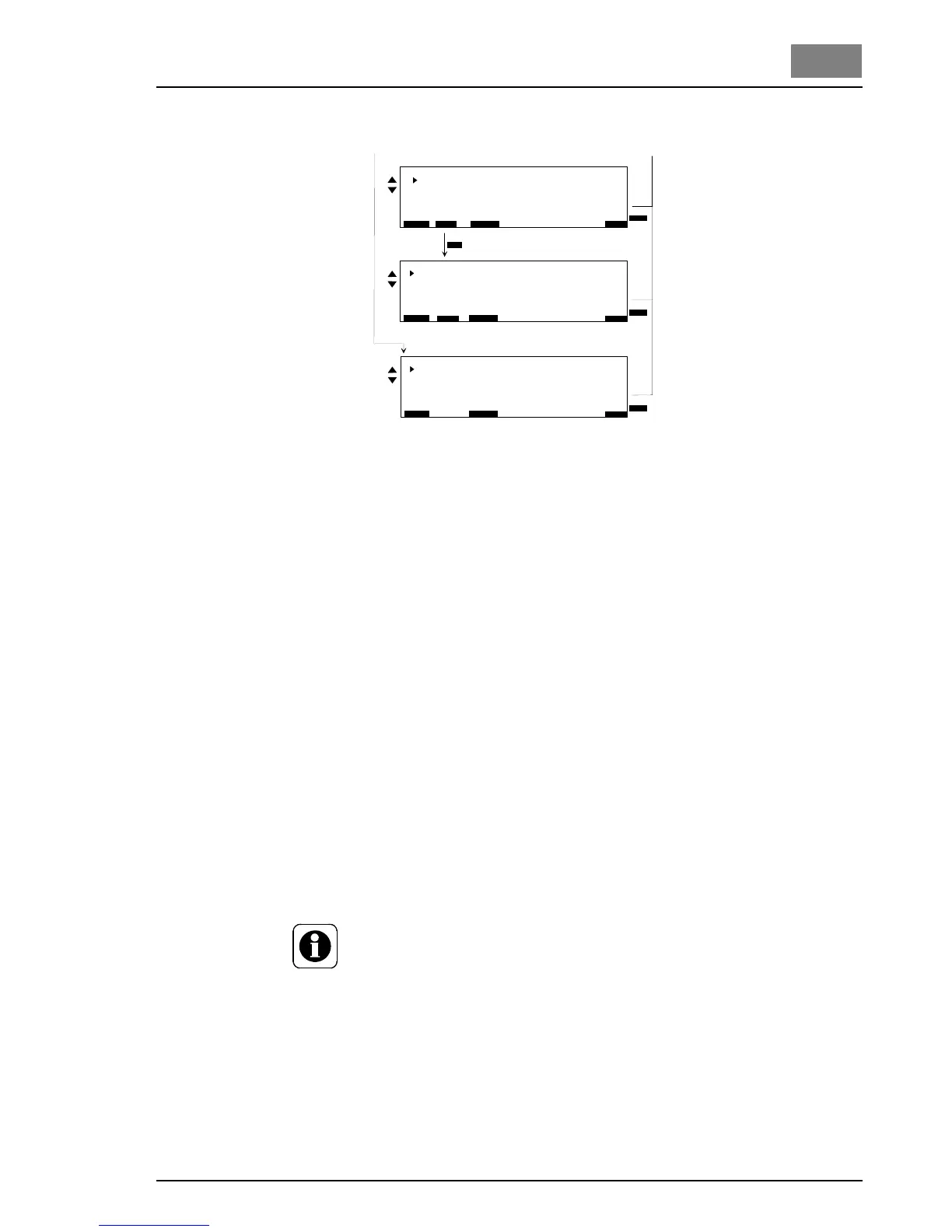
Fig. 17 continued
Inputs/Outputs
(Menu 1.7)
Basic display Refer to main menu
Menu select Display of all available menus
Menu
Inputs / Outputs
Display of all available input/output settings
Alarm 1/2 function
Alarm 1 function refer to section 2.6.2, alarms
Alarm 1 delay 00:00:00 ... 10:00:00 h : min : s
applies in the same manner for Alarm 2
Alarm 3/4 function
As for Alarm 1/2
Alarm assign
Alarm 1 ... 4 Each alarm contact can be assigned
several alarm conditions with the
"SELECT" softkey.
If several alarm conditions have been selected, the alarm is activated
each time a new alarm condition occurs.
NOTE
Alarm 1: Function/assignment only with DIN function set to "Off"
(Display 1.7.7)
Alarm 2: Function/assignment only with flocculation set to "Off"
(Display 1.7.7)
Alarm 3: Only with application 1, 3 and 4
Alarm 4: Only with application 1 and 4
E x t e r n a l F u n c t i o n s
E S C
B A C K
1 . 7 . 7
B A C K
F l o c c u l a t i o n O f f
D I N 1 9 6 4 3 f u n c t O f f
D y n . E C O s i g n a l 0 . . . 2 0 m A
E N T E R
E S C
B A C K
1 . 7 . 7
B A C K
E N T E R
L i m i t v a l u e s D I N
C l 2 M i n 0 . 3 0 m g / l
C l 2 M a x 0 . 6 0 m g / l
p H M i n 6 . 5 0 p H
p H M a x 7 . 6 0 p H
R e d o x M i n 7 5 0 m V
C l - N M a x 0 . 2 0 m g /
l
E S C
B A C K
1 . 7 . 8
B A C K
E N T E R
F l o c c u l a t i o n P a r a m e t e r
V o l u m e f l o w 8 0 m
3
/ h
P u m p 5 0 m l / h
F l o c c . d o s a g e 0 , 5 g / h
F l o c c c t r l . 1 0 0 % 4 3 %
F l o c c c t r l . E C O 1 1 %
- - >
- - >
- - >



 To Next Page