DMP 128 Plus • Audio Control Panels 105
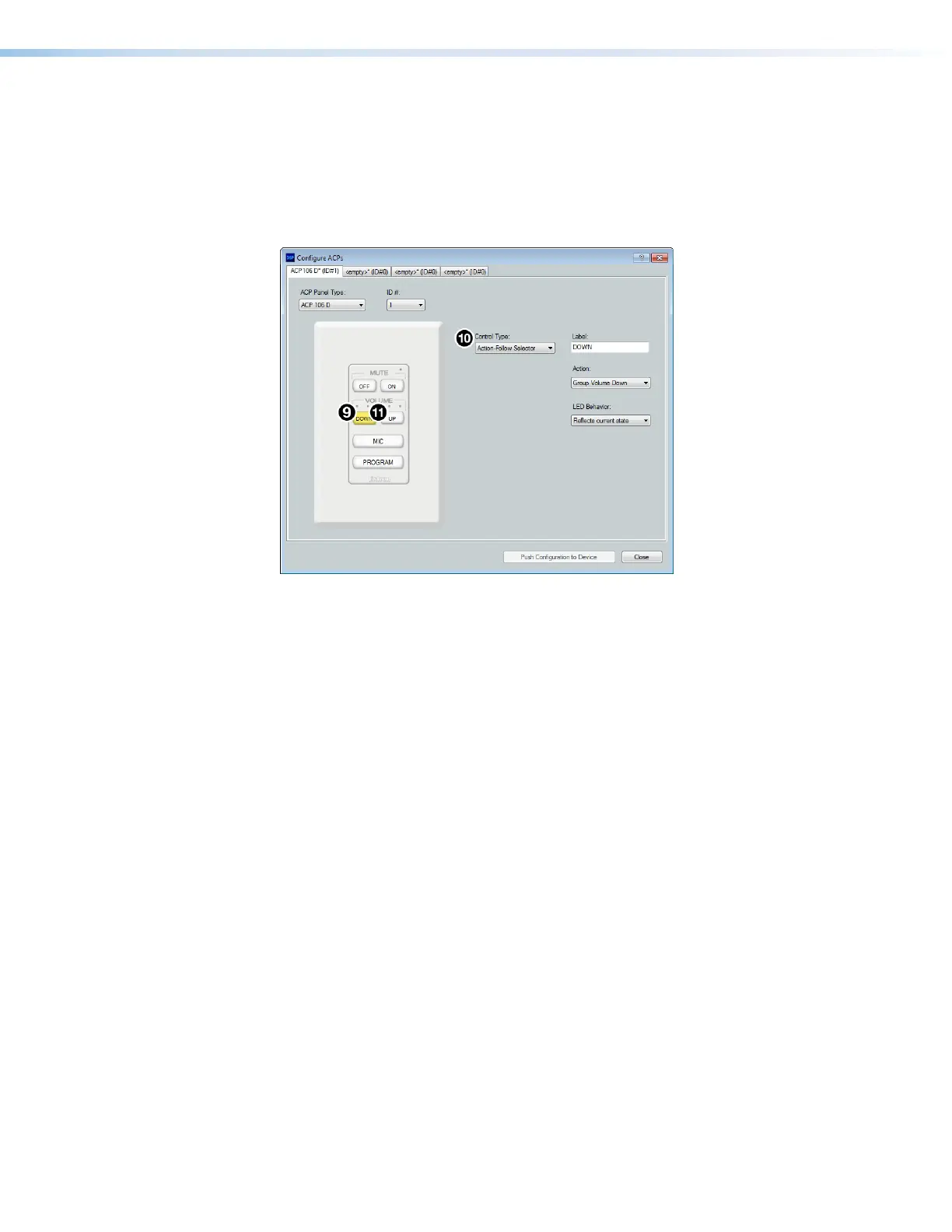
9. From the panel graphic on the left side of the dialog box, select the volume button
labeled DOWN (see figure 171,
9
below).
10. From the Control Type drop-down, choose Action-Follow Selector (
¢
).
11. From the panel graphic on the left side of the dialog box, select the volume button
labeled UP (
£
).
12. From the Control Type drop-down, choose Action-Follow Selector (
¢
).
Figure 171. Configuring Volume Down and Volume Up
13. From the panel graphic on the left side of the dialog box, select the button labeled MIC
(see figure 172,
¥
on the next page).
14. From the Control Type drop-down (
¦
), choose Selector-Vol/Mute.
a. From the Volume Master drop-down (
§
), select the gain group containing all
microphone source channels. This group must be created from the Configure
Groups dialog box before it can be selected from the drop-down (see Managing
Devices in Device Manager on page82).
b. From the Mute Master drop-down (
¨
), select the mute group containing all
microphone source channels.
figure 171 Configuring Volume Down and UP



 To Next Page