the total presence time which must be fulfilled each day is indicated separately.
• Night shifts can be defined.
• Justified absences can be defined.
- If you know a person is going to be absent for one day during a set period a justified absence can be included on this day and
the absence type identified.
- The assignment of holidays is done by way of justified absences identified as holidays.
• Defining Working Days. You can dene certain weekdays as working days (set by default from Monday to Friday) during which
the presence data will be compiled.
• Defining Holidays. Annual holidays can be defined, and are set commonly for all employees independently of their justified
absences.
• Real time control of sign-ins and people present currently or at earlier points in the relevant slot.
• Definition of the intervals between sign-ins in each time slot based on which reports on events can be generated.
• Definition of opening and closing thresholds which indicate the minimum time between two clock-ins for an event to be
opened or closed.
• Theoretical Hours Check. Hours which according to the schedule each employee must work within a specic time period.
• Calculation of the real hours worked by each employee.
• Control over excess or insufficient hours worked by the employee.
• Control over clock-in errors. Expressing them as presences pending closure. These can be rapidly converted to presences in
one sole action.
• Manual correction of employee presence anomalies. Manual editing, deletion and creation of events.
• Definition of types of justifications so as to be able to assign them to absences that have been justified.
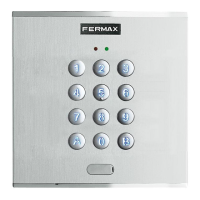
• Definition of clock-in codes. These will be assigned to the events generated by these clock-ins. These are sent from readers
with keypads.
•Detailed Event Check. You can check the clock-ins which have resulted in the generation of an event, the duration of the event,
etc...
• Filtered Presence View. Possibility of filtering an employee's events.
• Automatic import of clock-ins from the central unit.
• Automatic Generation of Events. The event generation process occurs when there are clock-ins pending compilation and the
process button is activated.
• Backup and recovery of the presence database.
• With the application minimised it is possible to:
- Check if the employees are present.
- Show the clock-ins generated in the central unit and the user’s details in real time.
• Selection of the presence readers to be used. Any of those within the system can be selected or any reader can be connected.
CENTRALISED







 To Next Page