13
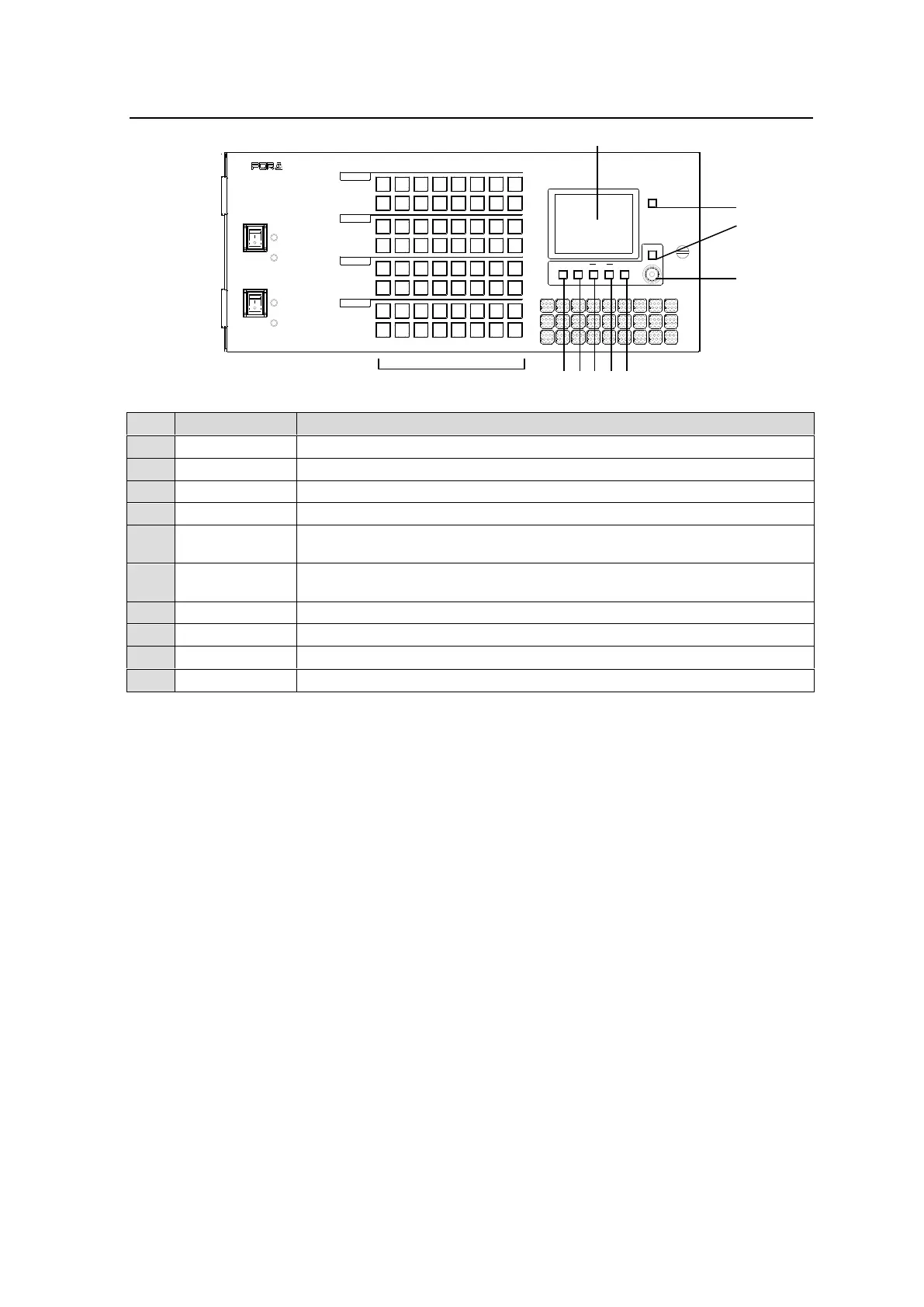
2-2. MFR-30FP Front Panel
POWER 2
ROUTING SWITCHER
ON
OFF
OFF
ON
ALARM
ALARM
MFR-3000
POWER 1
DEST SRC
CANCEL
ASSIGN SETTINGGROUP
LOCK
BUTTON
User assignable buttons. (LED: 1 color, green)
Displays setting menus and status.
Shows destination assignments on the display.
Shows source assignments on the display.
Opens the Button Assign screen.
Opens the Button Group screen.
Opens the Setting screen.
Used to enter menu settings.
Used to cancel menu settings.
Lock function assignable button
Changing Button Labels
Button labels can be changed on user-assignable buttons. Utilize button label templates in the
FOR-A web site. To remove button caps, use an optional tool.
Go to the MFR-RU Series page in the FOR-A site and download the following files:
“MFR-16RUW_32RUW_4ChrOneLine.pdf”
“MFR-16RUW_32RUW_8ChrTwoLine.pdf.”
URL: https://www.for-a.com/products/mfr_ru_series/



 To Next Page