56
5. Crosspoint Control
5-1. One Crosspoint Switching
There are two ways of switching crosspoints: Switching a crosspoint one at a time, or switching
multiple crosspoints simultaneously. This section describes the switching of one crosspoint.
5-1-1. One Crosspoint Switching by X-Y Setting
A crosspoint can be switched by using the destination and source buttons on the front panel.
Destination and source channels must be assigned to those buttons beforehand.
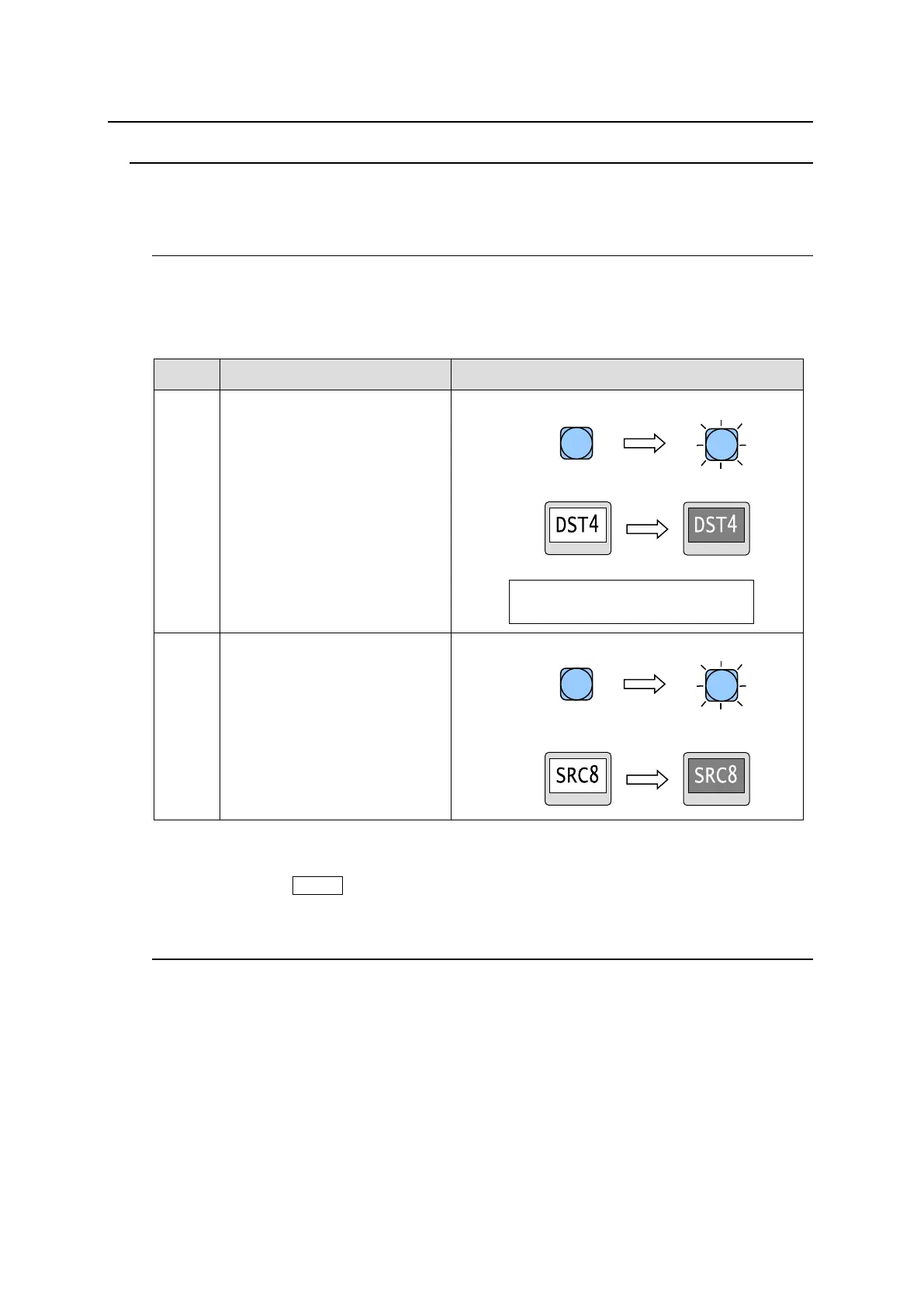
(Ex.) The procedure to output source channel 8 to destination channel 4.
Press a destination button to
select destination channel 4.
- The selected destination button lights up.
- The button with the destination channel
indication will be highlighted.
- Menu display appears as shown below.
Press a source button to select
source channel 8.
- The selected source button lights up.
- The button with the source channel indication
will be highlighted.
Destination and source channels can also be selected by the control knob. To select
channels by the control knob, the mode menu must be set to destination mode or source
mode using the MODE button(s).
5-1-2. Crosspoint Switching Using Bus Buttons
A button to which a destination channel and source channel for the destination is assigned is
called a bus button in the front panel. The bus buttons allow you to change source channels
to be output from destination channels by the push of a button.
Bus button crosspoint switching can switch crosspoints regardless of the current destination
selection.
► See Sec. 4-4-4. "Button Assign Menu" for details on how to assign the bus buttons.
DST : 4 [DST4 ]
LVL : 0001 [Level-1 ]



 To Next Page