53
4-4-5. Button Group Menu
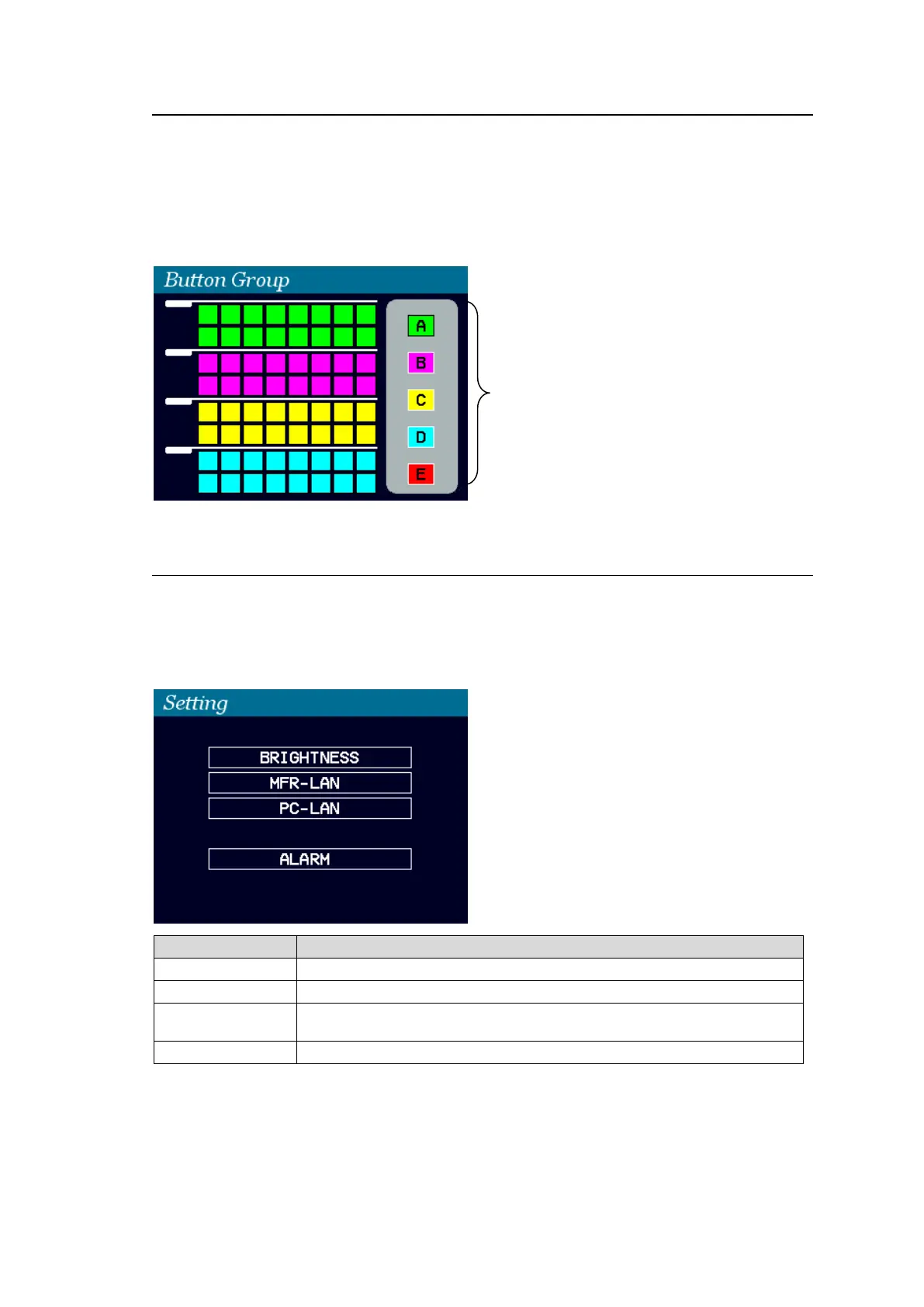
Pressing BUTTON GROUP opens the Button Group menu.
The current groupings of free buttons are shown in 5 colors
To change a group of a button:
(1) Turn CONTROL to select a free button on the screen, then press CONTROL to confirm
the selection.
(2) Turn CONTROL to select a group, then press CONTROL to confirm the change.
4-4-6. Setting Menu
Pressing SETTING opens the SETTING menu that has 4 submenus.
To go to a submenu:
(1) Turn CONTROL to select a submenu.
(2) Press CONTROL to go to the submenu.
Used to change the brightness of menu screen and buttons.
Used to change network settings for the MFR-LAN1 and 2 ports.
Used to display network settings for the PC-LAN port and reboot the
PC-LAN port.
Used to display the alarm information.
To set a parameter in submenus:
(1) Turn CONTROL to select a parameter, then press CONTROL.
(2) Turn CONTROL to select a value, then press CONTROL to confirm the setting.
Groupings are
shown in colors.



 To Next Page