QUANTUM™ LX EVAPORATOR CONTROL PANEL
OPERATION
090.610-O (MAR 2016)
Page 16
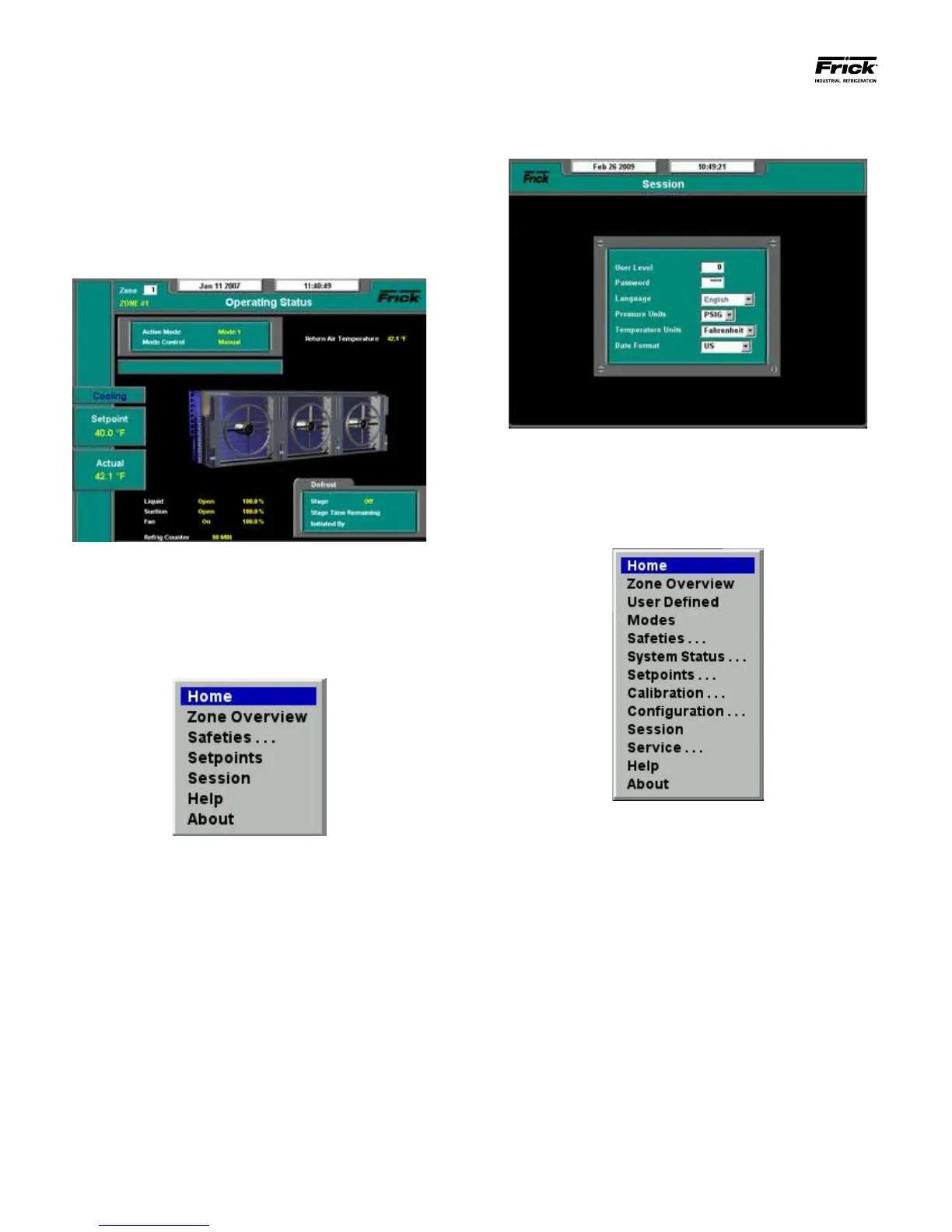
Session, and press [Enter].
The following screen will replace the Operating Screen:
Change the User Level to [3], and enter a password of [4824].
This sets the Level to 3, which allows access to all features.
Press [Submit].
Select the [Menu] key again. This time, a more expanded
menu will appear:
From the above menu, select [Home] to return to the Operat-
ing Status screen.
At this point, the Interface Panel has been set to allow access
for the remainder of all procedures.
INITIAL STARTUP AND LOGIN
To initiate the startup and login process, the Interface Panel
and each of the Remote Panels will need to be powered up.
It is assumed that the power has already been veried in the
Checking The AC Power section.
Once the Interface Panel has fully booted, the following screen
will appear:
This is the default screen, and will appear each time power has
been cycled.
From the above screen, press the [Menu] key.
The following drop down menu will appear:
Using the keypad up/down arrow keys, scroll down to highlight





 To Next Page