QUANTUM™ LX EVAPORATOR CONTROL PANEL
OPERATION
090.610-O (MAR 2016)
Page 34
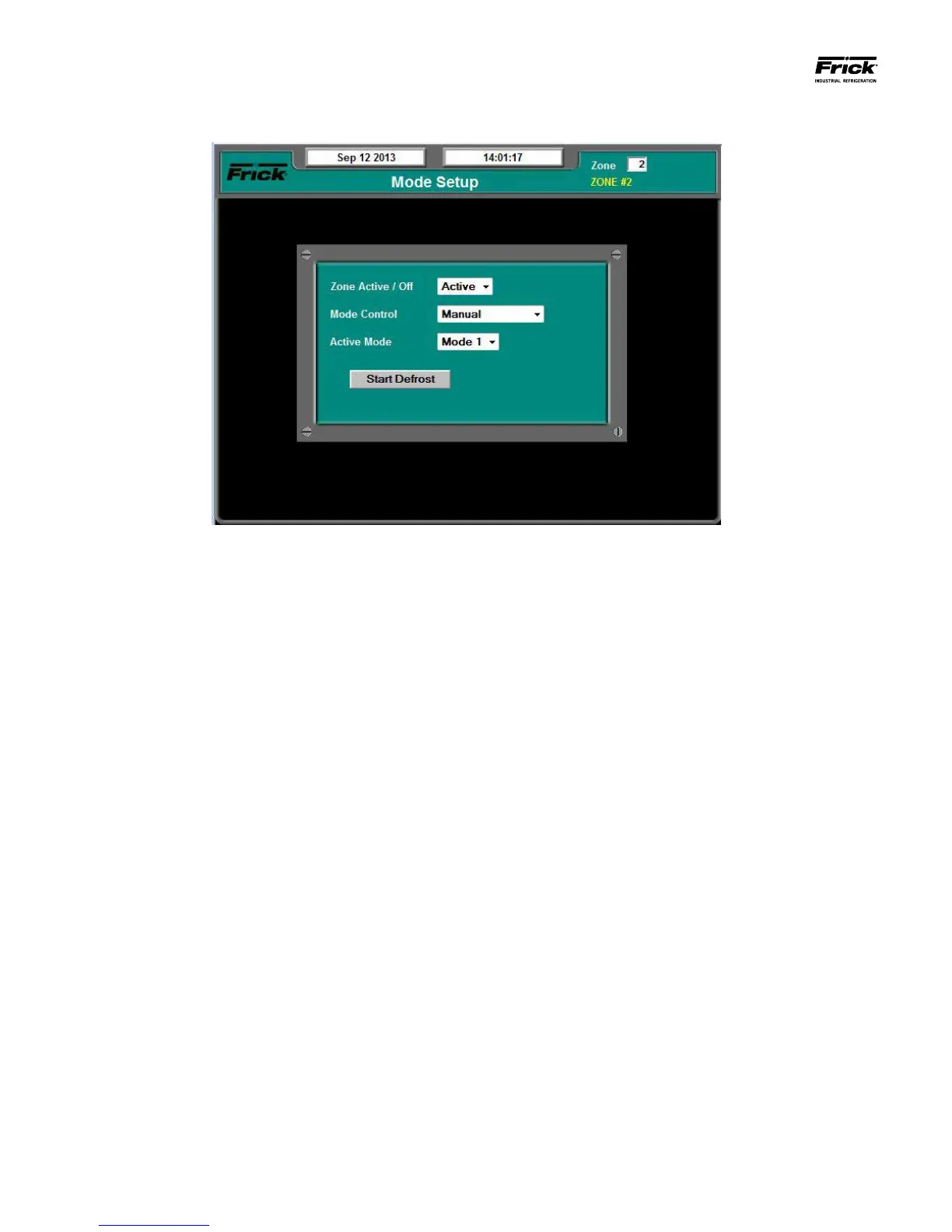
MODE SETUP SCREEN
DESCRIPTION: The purpose of this screen is to allow the user
to view and set the various modes for each of the zones.
A Zone setpoint box appears at the top right corner of this
screen. Set the value within this box to the zone number that
you wish to view/modify.
This screen uses the following pull-down menus:
Zone On/Off
• Off – Not controlling or defrosting.
• On – Maintaining temperature, or defrosting.
Mode Control
• Manual – The operator has the mode to Manuel
by selecting Active Mode.
• Automatic – Active Mode has been set by Mode
Schedule.
Active Mode
• Mode 1
• Mode 2
• Mode 3
• Mode 4
A [Start Defrost] pushbutton is also located on this page that
allows the selected unit to begin Defrosting if the Zone On/
Off is set to On.





 To Next Page