QUANTUM™ LX EVAPORATOR CONTROL PANEL
OPERATION
090.610-O (MAR 2016)
Page 78
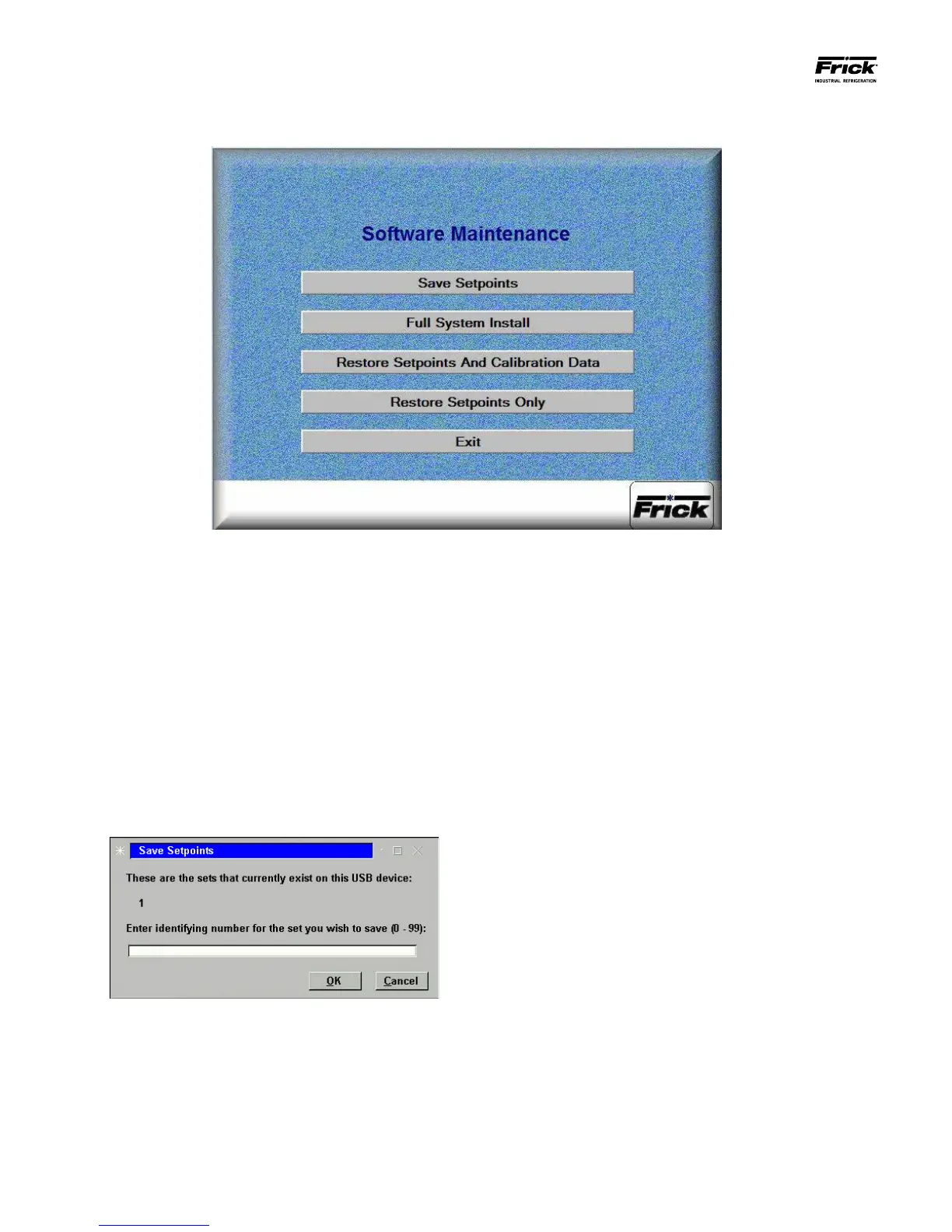
SERVICE – Software Maintenance
DESCRIPTION: This screen allows the technician to perform
system software maintenance.
The following selections have been provided:
1) Save Setpoints - Use this option to save all setpoints
and custom text to a USB device as a form of backup:
• Ensure that all setpoint values have been docu-
mented as a safety precaution. Install a USB de-
vice into the provide connection on the Quan-
tum™.
• Press the [1] button
• The software program will read the USB device,
and the following dialog box will appear:
• Any numerals that appear on the center line of
this box, will represent units that have already
been saved (from 0 to 99). If no units have yet
been saved, the center line will be blank.
• Enter a number on the keypad that corresponds
to the unit number that you wish to save, then
press [Enter]. If the unit number has not been
saved before, the setpoints will be saved to a le
on the USB device (a progress bar will appear
asking you to Please Wait… In the future, any
time you try to write the setpoints to this num-
ber, you will be prompted with a message telling
you that the set number already exists – do you
wish to overwrite it? Answer by highlighting the
Yes button, and pressing [Enter] if you do indeed
wish to overwrite the values. If you enter a num-
ber that does not appear on the center line, no
such warning will appear.
• After the le has been written or updated, the
dialog boxes will disappear, and you can either
exit, or continue with another function.
2) Full System Install - Use this option to install the
program:
• Ensure that all setpoint values have been docu-
mented as a safety precaution.
• Press the [2] button.
• If a valid USB device with the operating system
loaded on it is plugged in, the software will be
loaded. If however, there is no USB device in-
stalled, or the device does not contain the op-
erating software, the following dialog box will
appear:





 To Next Page