QUANTUM™ LX EVAPORATOR CONTROL PANEL
OPERATION
090.610-O (MAR 2016)
Page 65
CONFIGURATION – Current Zone Conguration
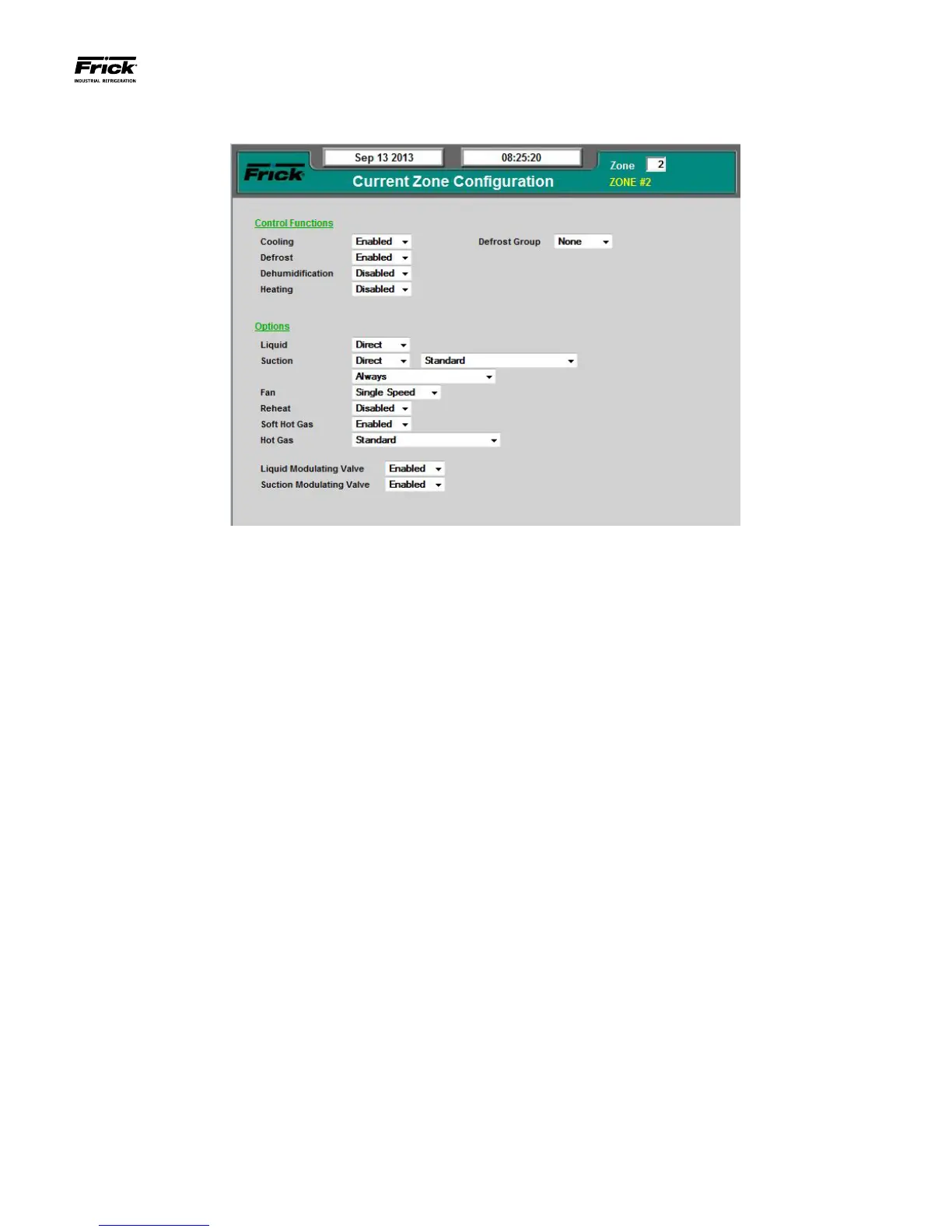
DESCRIPTION: This screen is used to congure specic oper-
ating characteristics for each zone.
The following setpoint box appears on this screen:
Zone – Enter the number of the zone that you wish to
view or modify.
The following pull-down menus are provided:
Control Functions
Cooling
• Disabled
• Enabled
Defrost
• Disabled
• Enabled
Dehumidication
• Disabled
• Enabled
Heating
• Disabled
• Enabled
Group
• Group A through J – Each zone can be asso-
ciated with one of ten defrost groups. Each
group is congured to limit the number of
zones simultaneously defrosting, and when
their limit has been reached, all other zones
will be prevented from entering defrost.
• None
Options
Suction
• Direct
• Always
• With Liquid
• Reverse
• Always
• With Liquid
Fan
• Disabled
• Single Speed
• Two Speed
• Two Step
• Variable Speed
Reheat
• Disabled
• Enabled
Soft Hot Gas
• Disabled
• Enabled
Liquid Modulating Valve
• Disabled
• Enabled
Suction Modulating Valve
• Disabled
• Enabled





 To Next Page