QUANTUM™ LX EVAPORATOR CONTROL PANEL
OPERATION
090.610-O (MAR 2016)
Page 47
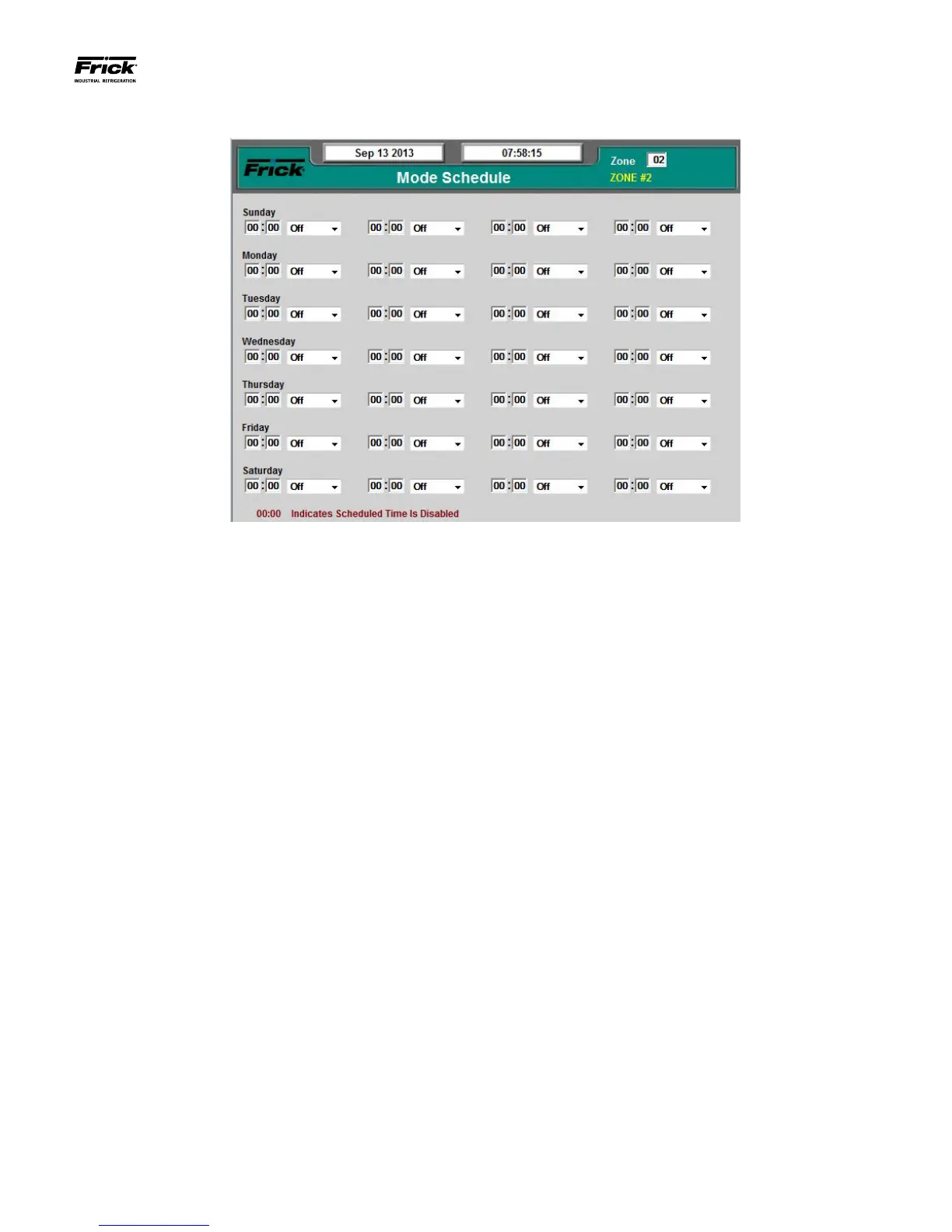
SETPOINTS – Mode Schedule
DESCRIPTION: Scheduling allows the user to program up to
four different operating schedules for each day of the week.
This can be a great way to save energy. At night or on week-
ends and holidays, or even over lunch periods, a higher tem-
perature can be set to reduce energy consumption.
This screen shows a time schedule. Up to four different modes
can be entered for each day of the week. The Schedule is only
effective if the Mode Control selection is set to automatic.
Notice that there are four columns of Hour/Minute entries,
each followed by an Operating mode selection. The available
selections are:
• Off
• Mode 1
• Mode 2
• Mode 3
• Mode 4
Use the left most column (on the row for the day of the week
that you wish to schedule) to enter the time of day that you
would like the Evaporator to switch from it’s previous operat-
ing mode, into a new mode. When that time of day arrives, the
Evaporator Unit will be switched over to the scheduled mode.
This mode will then be the active running mode, and will con-
tinue to be the active mode until the time in the succeeding
column is reached. If the time in the next column is 00:00, it
will be skipped.
The Schedule must be activated to switch the presently active
mode to the Scheduling mode at the assigned time. An entry
of 00:00 will void the time entry eld. If a mode change is
required at midnight (00:00) use 00:01.
The following are descriptions of the setpoints:
Time Column - The time of day that you want to switch
to the Scheduled Mode of control.
Mode Column - Set this to the Mode that you want to run
at the assigned time.





 To Next Page