QUANTUM™ LX EVAPORATOR CONTROL PANEL
OPERATION
090.610-O (MAR 2016)
Page 63
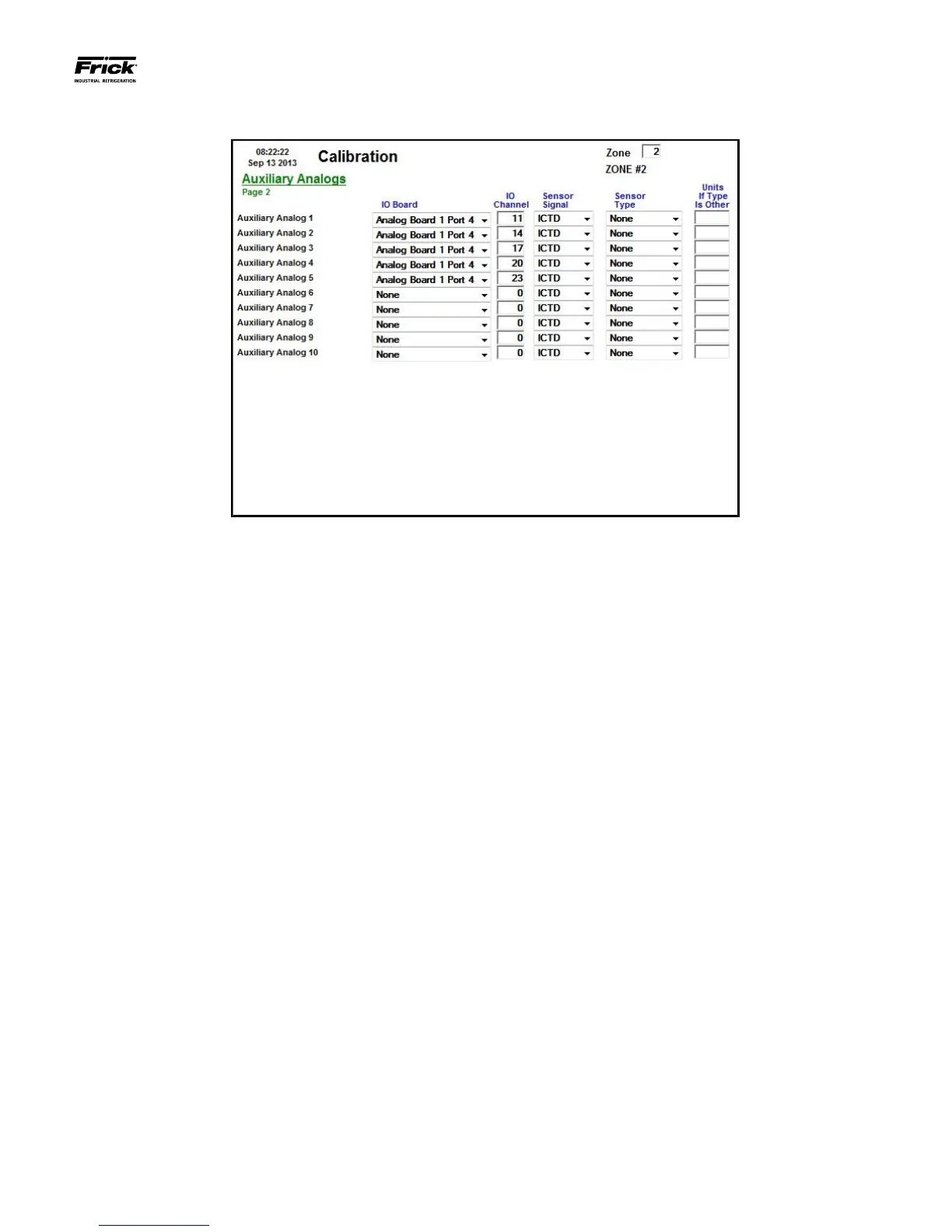
CALIBRATION – Auxiliaries – Page 2
DESCRIPTION: This screen is used to view and set the Auxil-
iary Analog calibration values.
This screen will show any custom named auxiliaries from Page
1 at the left side of the screen. Use this screen to set the Sen-
sor Signal, Sensor Type, and to change the units if set to Other.
A dropdown menu box exists for each of the displayed auxil-
iary readings:
Sensor Signal
• None
• 0-5V
• 1-5V
• 4-20mA
• Pot. (Potentiometer)
• ICTD
• RTD
• CT
• RPM
Vibration
• 0-10V
• +/-5V
• 2-10V
Sensor Type
• None
• Pressure
• Temperature
• Other
Units if Type is Other - Up to 5 characters may be entered
here. To enter alpha-numeric values in this column, refer
to the section entitled MISCELLANEOUS SCREENS - Alpha.





 To Next Page