QUANTUM™ LX EVAPORATOR CONTROL PANEL
OPERATION
090.610-O (MAR 2016)
Page 50
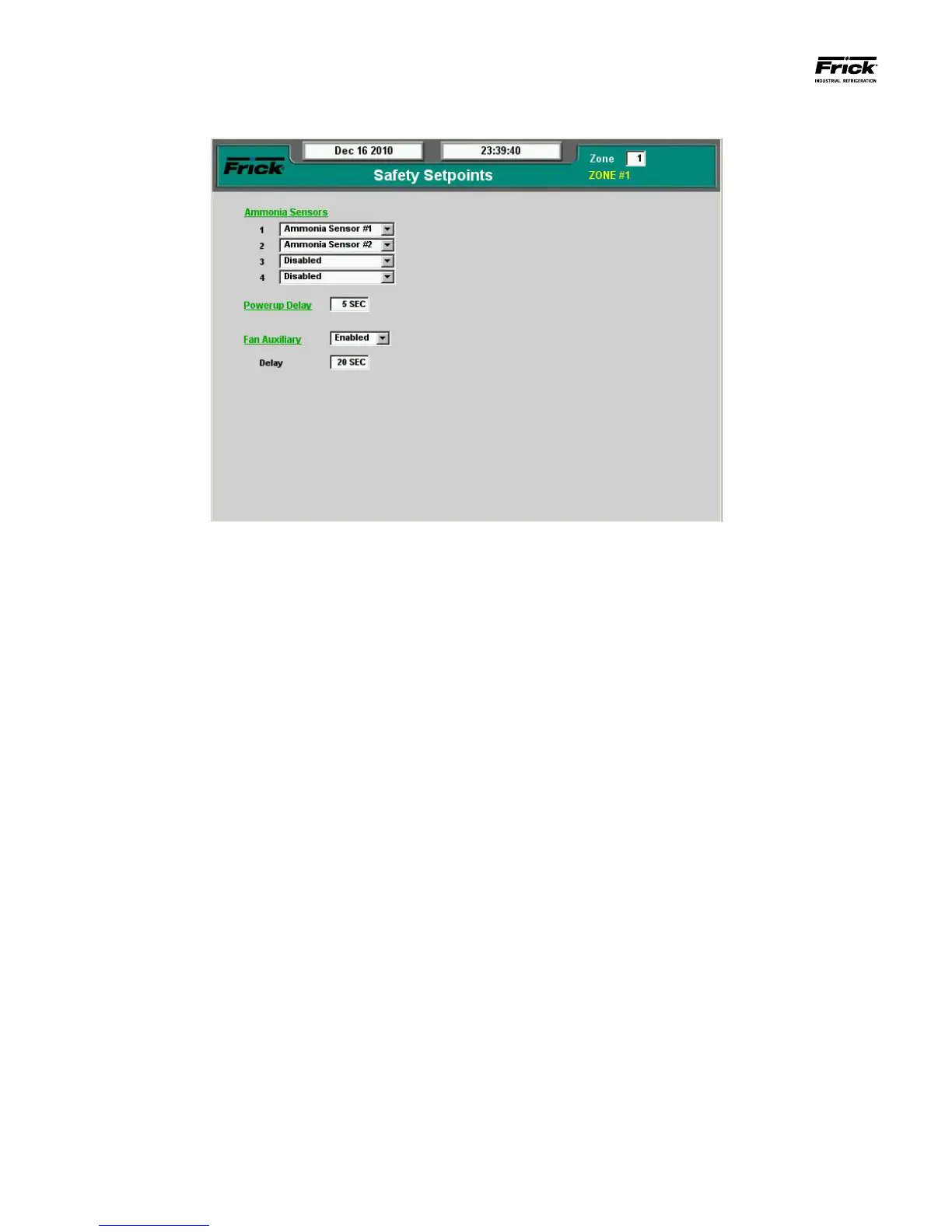
SETPOINTS – Safety Setpoints
The top right corner of this screen shows the zone number
which is currently being viewed. Any changes to this screen
will be applied to this zone. Change the Zone setpoint box to
view other zones.
The following Pull down menus and setpoint boxes appear on
this screen, for the zone selected:
Ammonia Sensors – Up to four ammonia sensors may be
monitored by each zone using the four pull-down menus
shown. The assigned sensor does not need to be physi-
cally tied to the zone selected, it can be any sensor within
the entire system. The same sensor may even be used for
multiple zones.
If the ammonia PPM value at any of the selected sensors ex-
ceed the safety Warning or Shutdown setpoint for the zone
(located on the Conguration – Ammonia Sensor Congura-
tion screen), then the panel will show the Warning/Shutdown
message.
Powerup Delay – Upon powerup, the control system will
remain inactive for this period of time.
Fan Auxiliary - This is an auxiliary input signal from a fan
starter that conrms when the fan is running.
• Disabled – The Fan Auxiliary Input is not in use.
• Enabled – The Fan Auxiliary Input will be moni-
tored whenever the Fan Output is energized. In
the event that the Fan Auxiliary Input becomes
de-energized, a zone shutdown will occur.
• Delay – When Fan Auxiliary is enabled, this De-
lay species the period of time that will elapse
before a zone shutdown occurs in the event that
the Fan Auxiliary Input is de-energized while the
Fan Output remains energized.





 To Next Page