QUANTUM™ LX EVAPORATOR CONTROL PANEL
OPERATION
090.610-O (MAR 2016)
Page 33
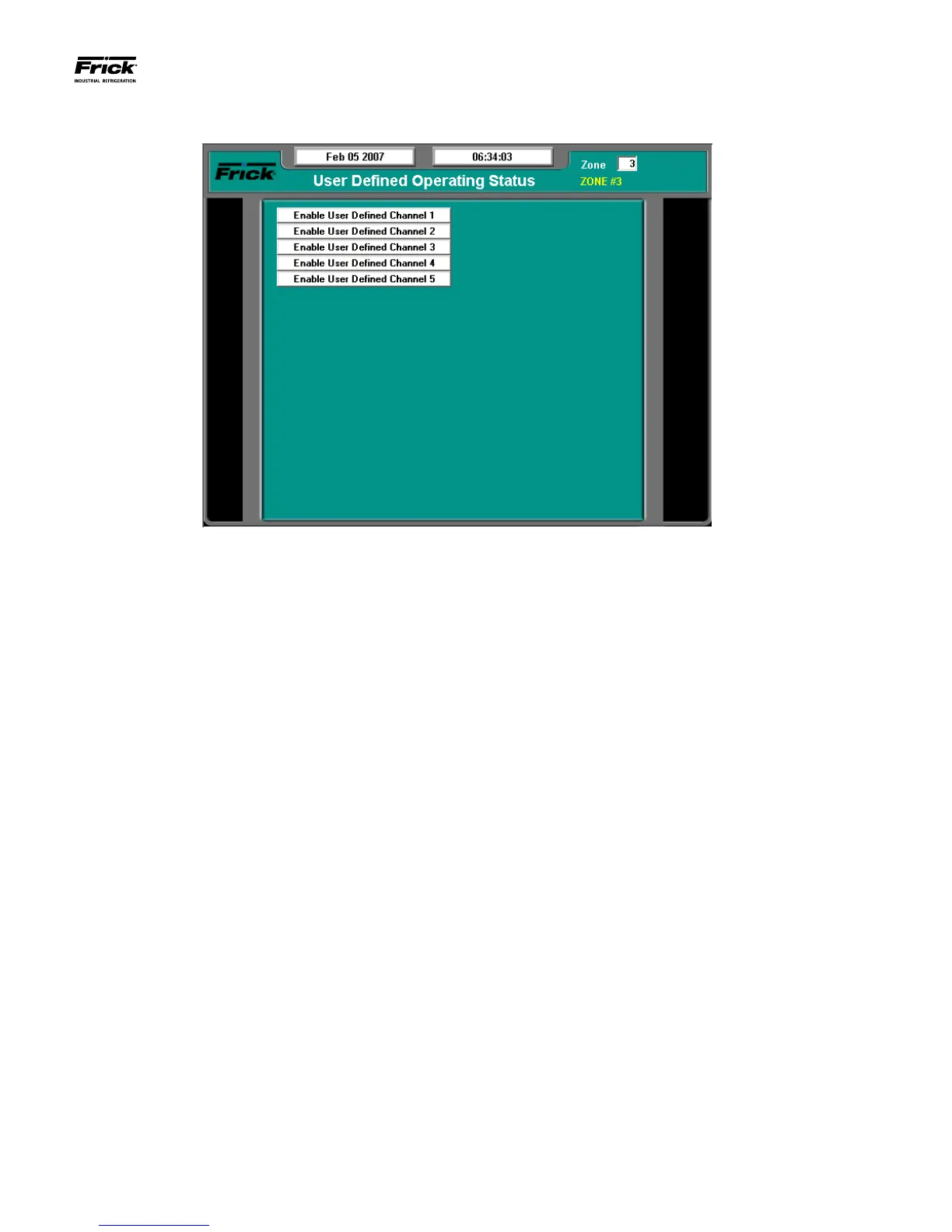
USER DEFINED OPERATING STAUS SCREEN
DESCRIPTION: The purpose of this screen is to allow the user
to select additional analog channels to be more readily view-
able. Since the main Operating Status (Home) screen is ca-
pable of only showing a limited number of pre-assigned analog
values, it may be desirable for the user to have a method of
viewing additional information that they can select, on a com-
mon screen. They may even select values that are already be-
ing displayed on the Operating Status screen, as well as values
that are not shown there.
This screen is provided to allow the user to view up to 20 dif-
ferent analog channels of their choosing.
Notice at the top of this screen is a setpoint entry box, where a
particular zone number can be entered. When a different zone
number is entered and submitted, the screen data will be up-
dated with the information from that zone. This same setpoint
box appears on many of the screens.
As an example of how this screen works, assume that in addi-
tion to the data that is shown on the Operating Status screen,
the user would like to monitor the Return Air Temperature,
Ammonia and Humidity, all on the same screen (this one).
Notice that Return Air Temperature and Humidity are already
shown on the Operating Status (Home) screen, but the Ammo-
nia is not shown. In order to set this screen up to show these
three values, the user would highlight the Enable User Dened
Channel 1 (or whatever channel they wish to use), by using the
keypad to tab it. Once the box is highlighted, press the [Enter]
key to show a drop down menu. Use the tab or arrow keys to
scroll through the list. When the selection that you want to use
has been highlighted, press the [Enter] key to select it. Once
selected, a value will appear to the right of the list, which corre-
sponds to the analog value for that channel. Press the [Submit]
key to accept any changes.
The following selections may be shown on this screen:
• Control Temperature
• Ammonia
• Humidity
• Auxiliary Analog 1 - 10





 To Next Page