QUANTUM™ LX EVAPORATOR CONTROL PANEL
OPERATION
090.610-O (MAR 2016)
Page 55
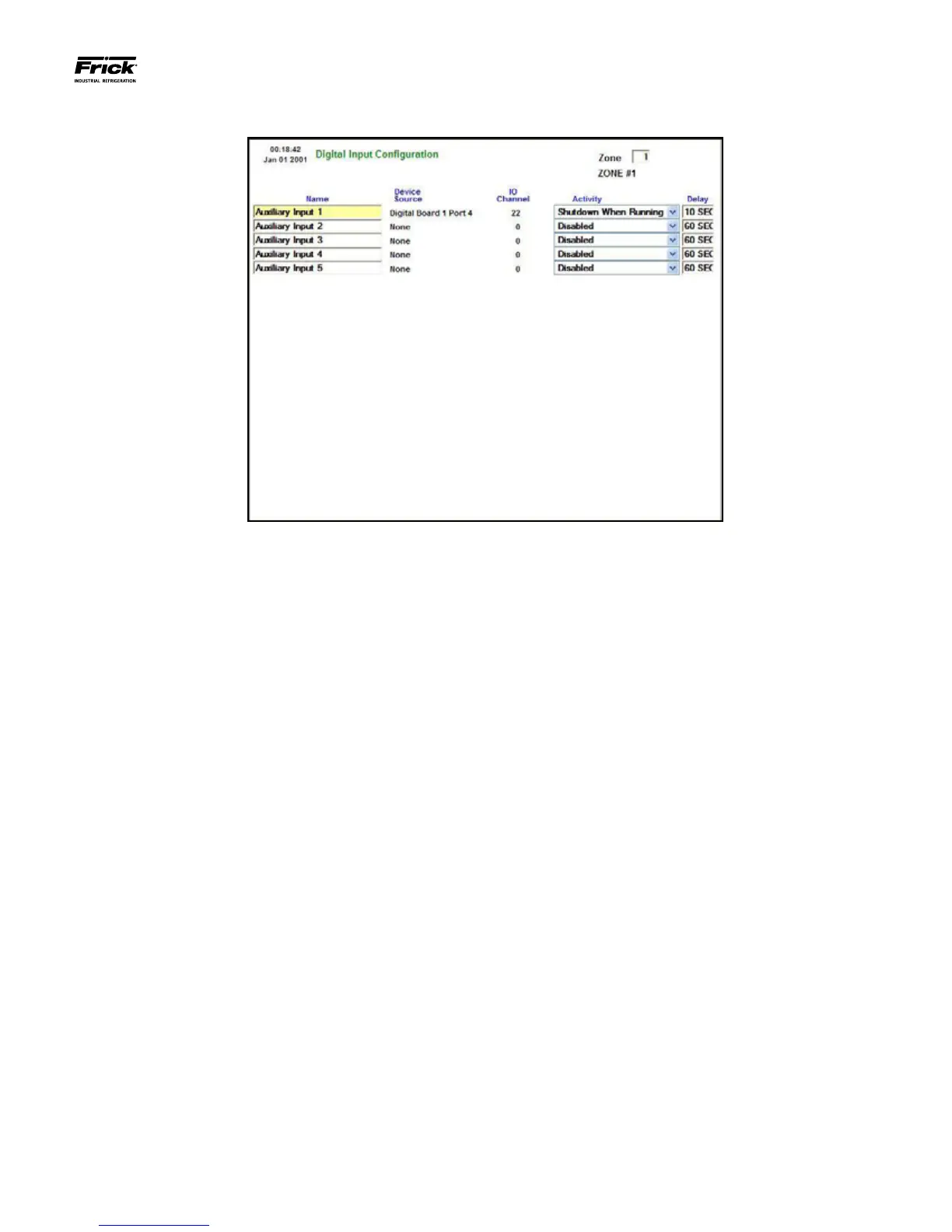
SETPOINTS – Auxiliaries – Digital Input Conguration
Use this screen to setup an Auxiliary Digital Input that is to
be used to generate a warning or a shutdown whenever the
associated input is not energized (off). As an example from the
screen shown above:
If Auxiliary Input 1 is set to Shutdown When Running, and the
Delay is set to 10 seconds, then whenever the device that is
physically attached to I/O Channel 15 (Digital Board 1) becomes
de-energized (turns off) AND the unit is Running, then the de-
lay timer will start to count down. When the Delay times out, a
shutdown message is issued (Auxiliary Input 1 Shutdown), and
the unit will stop running.
As an example of how this screen could be used would be
if you had an emergency stop switch. As long as the input
remains energized, the unit will continue to run. However, if
the emergency stop switch is congured to open the circuit, it
would thereby de-energize the input on board 1, channel 22.
The zone would shutdown, and cease operation.
A drop down menu box is provided for each of the eight pos-
sible Auxiliary Inputs:
[Activity]
• Disabled - The device will not be monitored for
warnings or shutdowns.
• Shutdown When Running - The device will be
monitored for shutdown occurrences only when
the zone is on.
• Shutdown Always - The device will be monitored
for shutdown occurrences all of the time.
• Warning When Running - The device will be
monitored for warning occurrences only when
the zone is on.
• Warning Always - The device will be monitored
for warning occurrences all of the time.
[Delay] - This value species the duration that the digital
signal must remain off before an alarm is issued.





 To Next Page