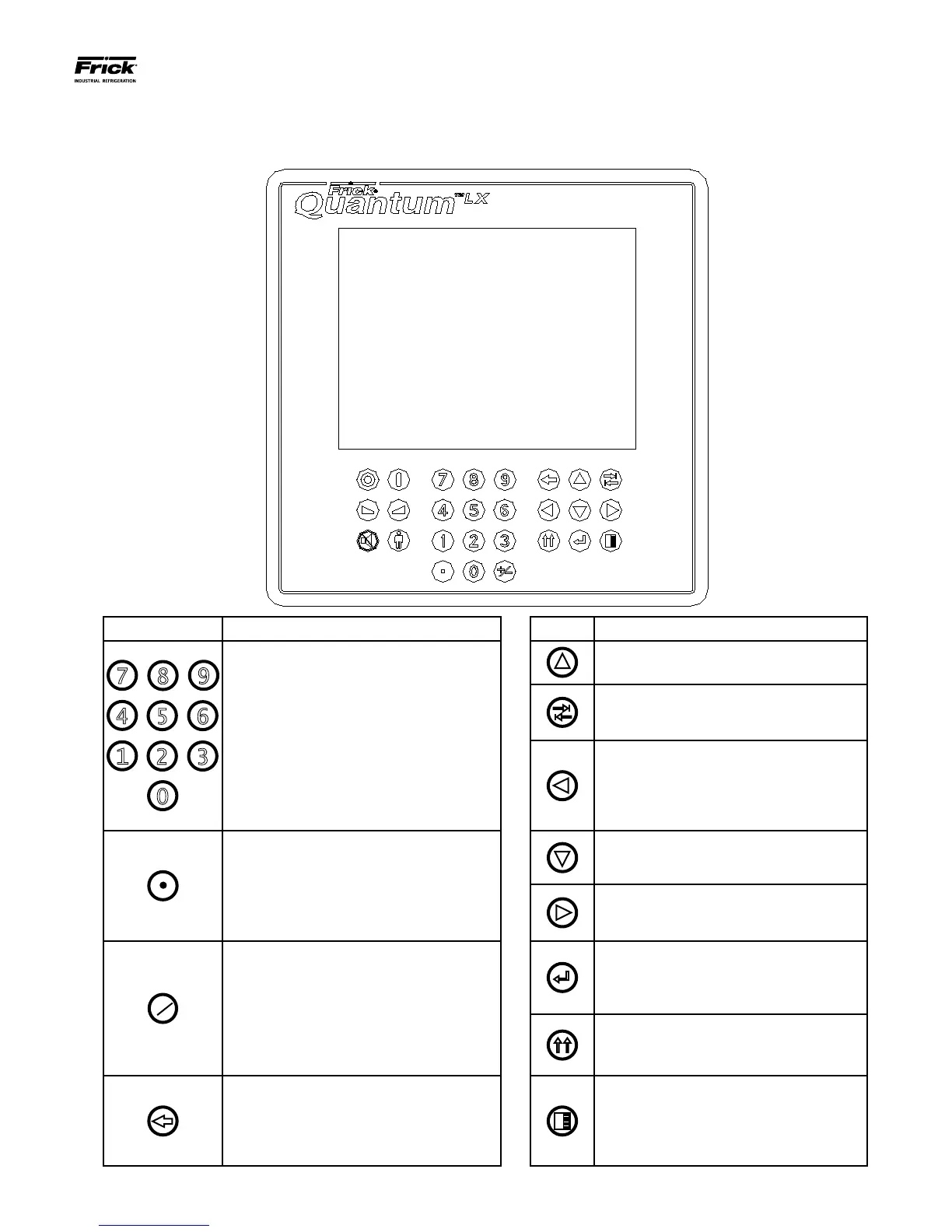
QUANTUM™ LX EVAPORATOR CONTROL PANEL
OPERATION
090.610-O (MAR 2016)
Page 27
KEYS AND KEY FUNCTIONS
The following is a list of the labeled keypad keys and the actions that occur when they are pressed:
Key Function Key Function
NUMERALS [0] - [9] - The numerical keys
are used to enter a value in a data eld.
These keys may also be used to enter text
and special characters. Refer to the section
entitled MISCELLENEOUS Screens – Alpha
for additional Information.
[UP ARROW] - Provides upward navigation
within the MAIN MENU window.
[TAB] - When in the mode of changing
setpoints, pressing this key will cause the
cursor to jump to the next data entry eld.
[LEFT ARROW] - When in the mode of
changing setpoints, this key is used to go
to the previous data entry eld. When the
MAIN MENU is shown, pressing this key
will cancel the window.
DECIMAL [.] - This key is used when enter-
ing a decimal value in a data eld. This key
may also be used to enter special charac-
ters. Refer to the section entitled MISCEL-
LENEOUS Screens – Alpha for additional
Information.
[DOWN ARROW] - Provides downward
navigation within the MAIN MENU window.
[RIGHT ARROW] - When in the mode
of changing a data entry eld, this key is
used to go to the next character.
[+/-] - When changing a value in a data
eld, this key toggles the value between
negative and positive. This key may also
be used to enter special characters. Refer
to the section entitled MISCELLENEOUS
Screens – Alpha for additional Information.
[ENTER] - When changing data in a
data entry eld, this key will accept the
change. This key is also used to select
items on Menu Windows.
[SUBMIT] - After changing a setpoint
value, Use this key to enter (submit) the
change.
[BACKSPACE] - Pressing this key will cause
the current location of the cursor to back-
up one position per key depression. When
changing a value in a data eld, this key will
delete the selected character.
[MENU] - Shows the MAIN MENU win-
dow. This window shows the main selec-
tions for accessing information, setup of
options, and setpoint entry.





 To Next Page