QUANTUM™ LX EVAPORATOR CONTROL PANEL
OPERATION
090.610-O (MAR 2016)
Page 35
SAFETIES - Current Safeties
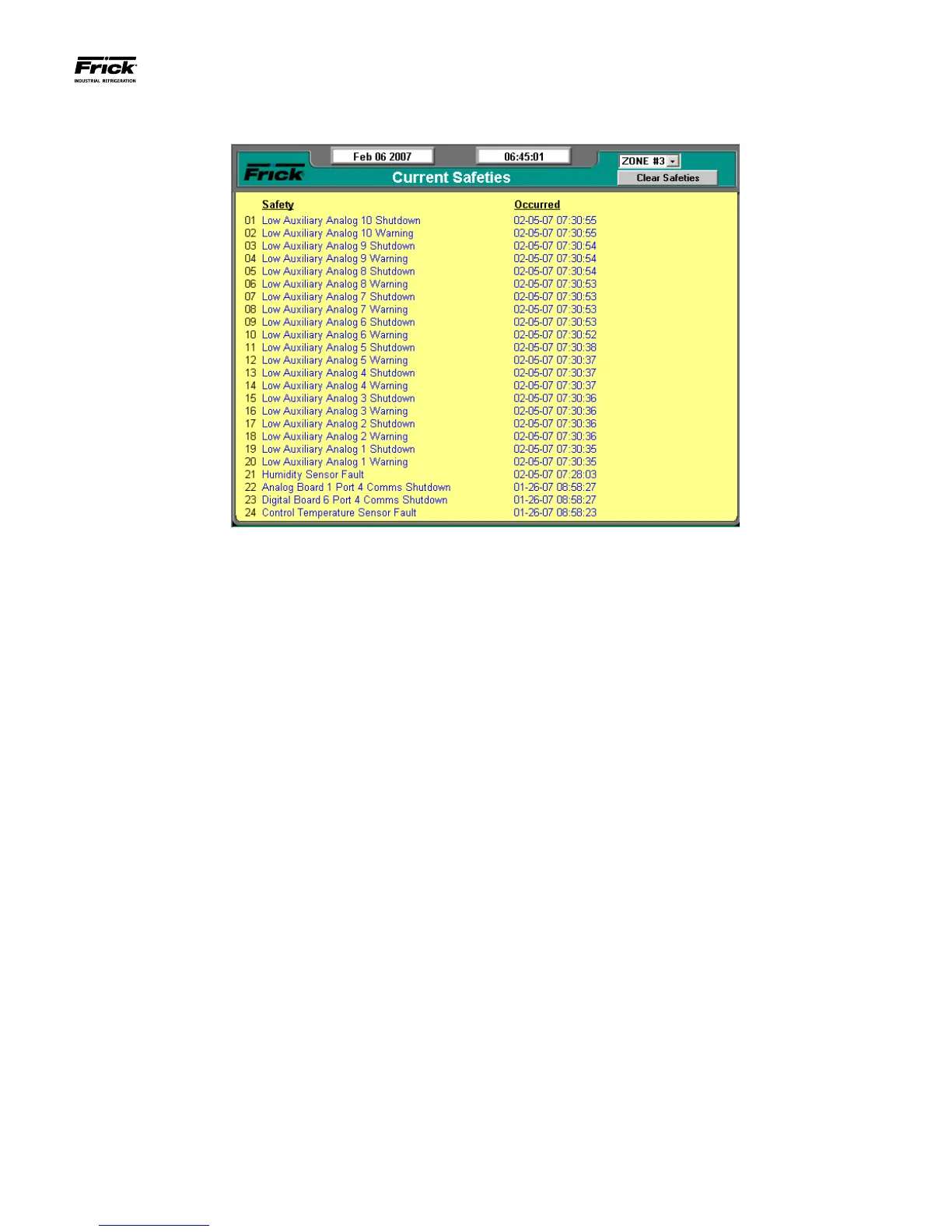
DESCRIPTION: The Current Safeties screen shows the Warn-
ings and Shutdowns that have recently occurred. When a
warning or shutdown is triggered, a blue descriptive message
shows on this screen. The date and time of the warning or
shutdown occurrence is shown to the right of its description.
The most recent message will appear on the top line of the
screen with the oldest appearing at the bottom. When a Warn-
ing or Shutdown is logged to this screen, it will also be logged
to the Safety History screen.
The following Current Safeties screen key is provided:
[Clear Safeties] - Selecting this key will clear all warnings
and/or shutdowns from this screen. This will also place a date/
time stamp for the corresponding entry on the Safety History
screen showing that the particular Warning or Shutdown was
cleared. Clearing the entry on the Current Safeties screen, will
not clear it from the Safety History screen.
To resume normal operation it will be necessary to go through
the following steps:
1. Correct the condition(s) causing the warning.
2. Press the [ALARM SILENCE] key to turn off the
warning device. (This action may precede correcting
the condition(s) causing the warning). Or, go to step
3.
3. To clear the Warnings/Shutdowns screen and turn off
any warning device, press the [Clear Safeties] key.
4. If the conditions causing the warning have not been
corrected or a new fault has occurred, a new WARN-
ING or SHUTDOWN message will appear. The Safety
History screen keeps a record of the warnings and
shutdowns. This information will help troubleshoot
persistent operational problems.
NOTE: There are two system-wide events that can occur,
which provide an output signal that can be used as an alert.
These events are:
• System Warning – If any congured zone within
the system has any active Warning, then the System
Warning output will be energized.
• System Shutdown - If any congured zone within
the system has any active Shutdown, then the Sys-
tem Shutdown output will be energized.
Refer to the Warnings/Shutdowns Message section for a list
of possible conditions.




 To Next Page