QUANTUM™ LX EVAPORATOR CONTROL PANEL
OPERATION
090.610-O (MAR 2016)
Page 56
SETPOINTS – Auxiliaries – Digital Output Conguration
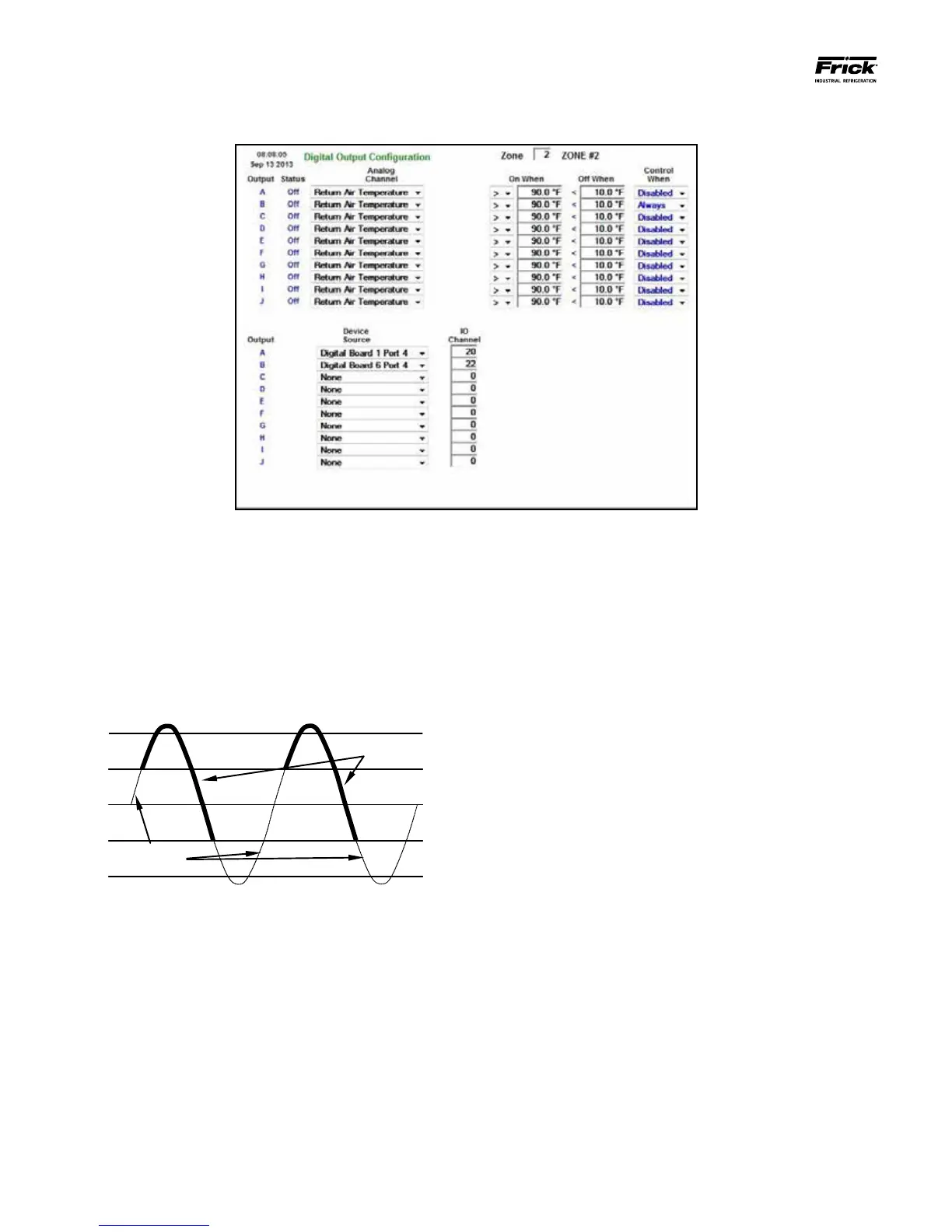
Use this screen to setup and control an Auxiliary Digital Out-
put based upon the signal from an Analog Input. The graphic
shown below illustrates one scenario in which the Return Air
Temperature input is used to drive a digital output. When the
temperature exceeds the On When value of 75°, the digital
output will be energized. It will remain in this state until the
analog input falls below the Off When value of 73°. This state
will persist until the input again exceeds the On When value.
The resulting temperature control would resemble the follow-
ing sine wave:
The bottom half of this screen shows the available Digital Out-
puts along with their Device Source and I/O Channels.
A drop down menu box is provided to select a channel to con-
trol from:
[Analog Channel] –
• Return Air Temperature
• Ammonia
• Humidity
• Auxiliary Analog 1-10
[On/Off When] – When operating in the (>) mode, the
digital output will be de-energized when the analog signal
falls below the Off When value, and will remain off until
the input rises above the On When value. Similarly, when
operating in the (<) mode, the digital output will be de-
energized when the input signal exceeds the Off When
value and re-energized when the analog signal falls below
On When value.
[Control When] –
• Disabled - The output will be disabled.
• Running - The output is controlled while the
zone is on.
• Always - The output is controlled always.
• Heating
• Cooling





 To Next Page