QUANTUM™ LX EVAPORATOR CONTROL PANEL
OPERATION
090.610-O (MAR 2016)
Page 42
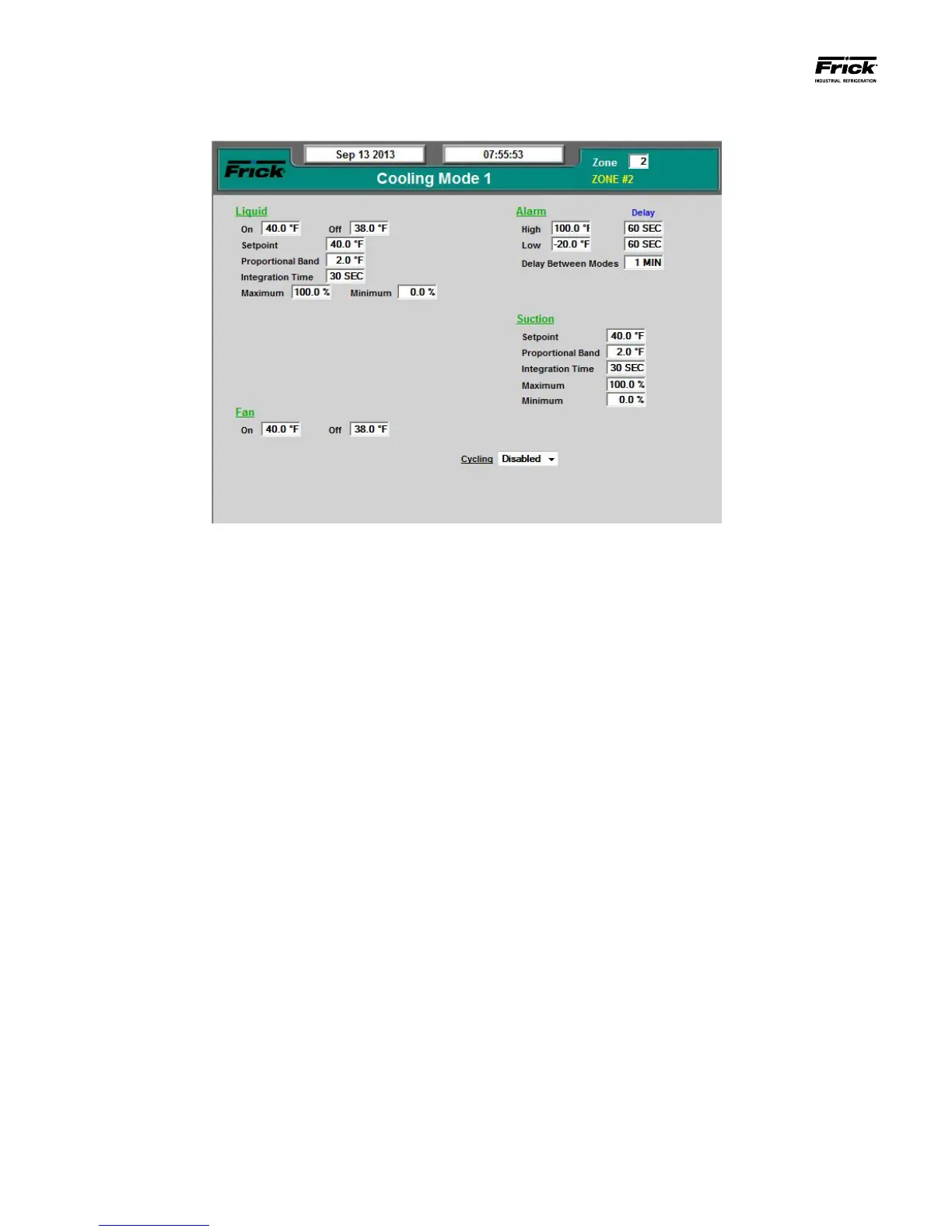
SETPOINTS – Cooling (Mode 1)
DESCRIPTION: This screen allows for the setup of the Mode 1
Cooling. In addition to this screen, there is also Mode 2, 3 and
4 Cooling Modes.
Cooling Control Setpoints are used to maintain temperature.
When a zone is cooling, the control temperature determines
whether the liquid valve is open or closed, based upon the Liq-
uid On and Liquid Off setpoints. Suction operations are based
on the conguration specied on the Current Zone Congura-
tion screen. If Suction has been set to Always, then the Suction
valve will remain open at all times, otherwise the Suction will
only open when the Liquid valve is open.
This screen provides setpoint boxes to allow for the congura-
tion of Cooling Mode 1:
Liquid
Digital Control
• On - If the control temperature equals or
exceeds this setpoint, the output for the
liquid valve will be energized or turned on
to open a liquid valve and therefore provide
cooling.
• Off - If the control temperature is less than
or equal to this setpoint, the output for the
liquid valve will be de-energized or turned
off to close a liquid valve and therefore pre-
vent further cooling.
Analog Control
• Setpoint – The value that the unit will at-
tempt to maintain temperature to.
• Proportional Band –
The temperature range
over which the PID control will be managing
liquid cooling (provided Integration Time is
not set to zero, in which case it will be strict
-
ly proportional). If the Setpoint is 40 degrees
and the Proportional Band is 2 degrees, the
PI control will set the output to Liquid Min if
the temperature is below 40 degrees (Set
-
point). When the temperature is between 40
and 42 degrees (Setpoint plus Proportional
Band) the PI control will be increasing the
output in a manner to bring the liquid tem-
perature toward the setpoint). Above 42 de-
grees the output will be set to Liquid Max.
• Integration Time – The Integral component
works to push the Control Input toward the
Control Setpoint by tracking the difference
between the Control Input and the Control
Setpoint over time.
• Maximum – This is the maximum percent of
the analog output signal.
• Minimum – This is the minimum percent of
the analog output signal.
Dehumidication
• On – If the humidity level falls below this value,
the dehumidication control will operate.
• Off – If the humidity level exceeds this value,
then dehumidication will terminate.
• Low Temperature – When the control tem-
perature falls below the Low Temperature
setpoint, dehumidication will terminate to
prevent driving the temperature lower.
Reheat
• On – If Reheat has been enabled, and the tem-
perature falls below this value, then the Reheat
valve will be opened.





 To Next Page