QUANTUM™ LX EVAPORATOR CONTROL PANEL
OPERATION
090.610-O (MAR 2016)
Page 36
SAFETIES - Safety History
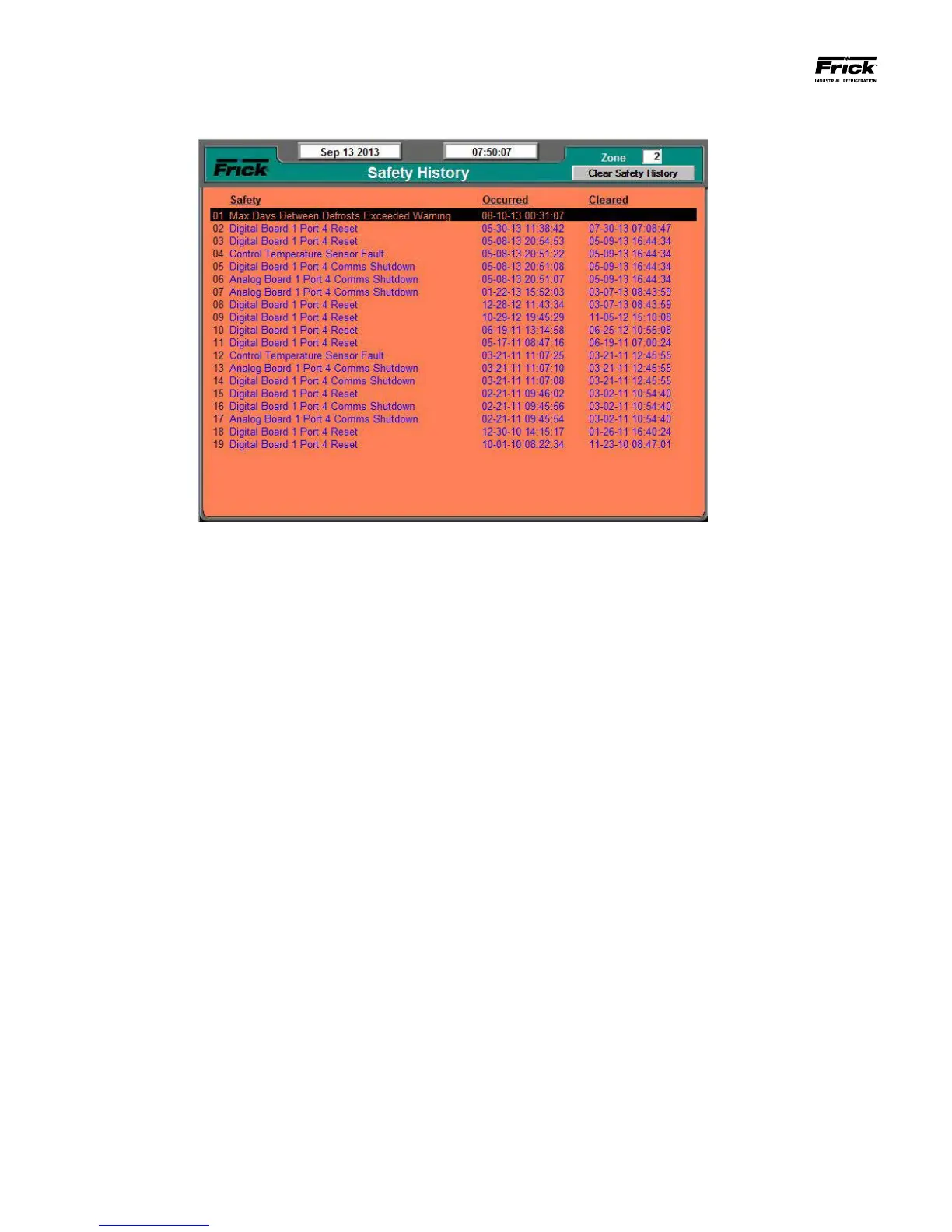
DESCRIPTION: The Safety History screen shows the warnings
and shutdowns that have recently occurred. When a warning
or shutdown is triggered, a blue descriptive message shows
on this screen. The date and time of the warning or shutdown
occurrence is shown to the right of its description, followed by
the date and time that the safety was cleared. The most recent
message will appear on the top line of the screen with the old-
est appearing at the bottom.
It is possible to view the conditions that are shown on the
Operating Status screen at the exact moment that a warn-
ing/shutdown occurred. Use the tab key to select (highlight) a
warning or shutdown and then press [Enter] to view its associ-
ated Freeze (Operating Status) screen.
Freeze Screen Description
This Freeze screen provides a snapshot of the values that
were current at the time of the latest warning/shutdown.
The information on the Freeze screen can help the user
to identify the cause of the fault. The Freeze screen has
the same appearance and contains the same informa-
tion as the Operating Status screen. (For a description of
the information presented by the Freeze screen, refer to
the Operating Status screen). This data is saved during a
power outage.




 To Next Page