QUANTUM™ LX EVAPORATOR CONTROL PANEL
OPERATION
090.610-O (MAR 2016)
Page 59
CALIBRATION – Analog Inputs
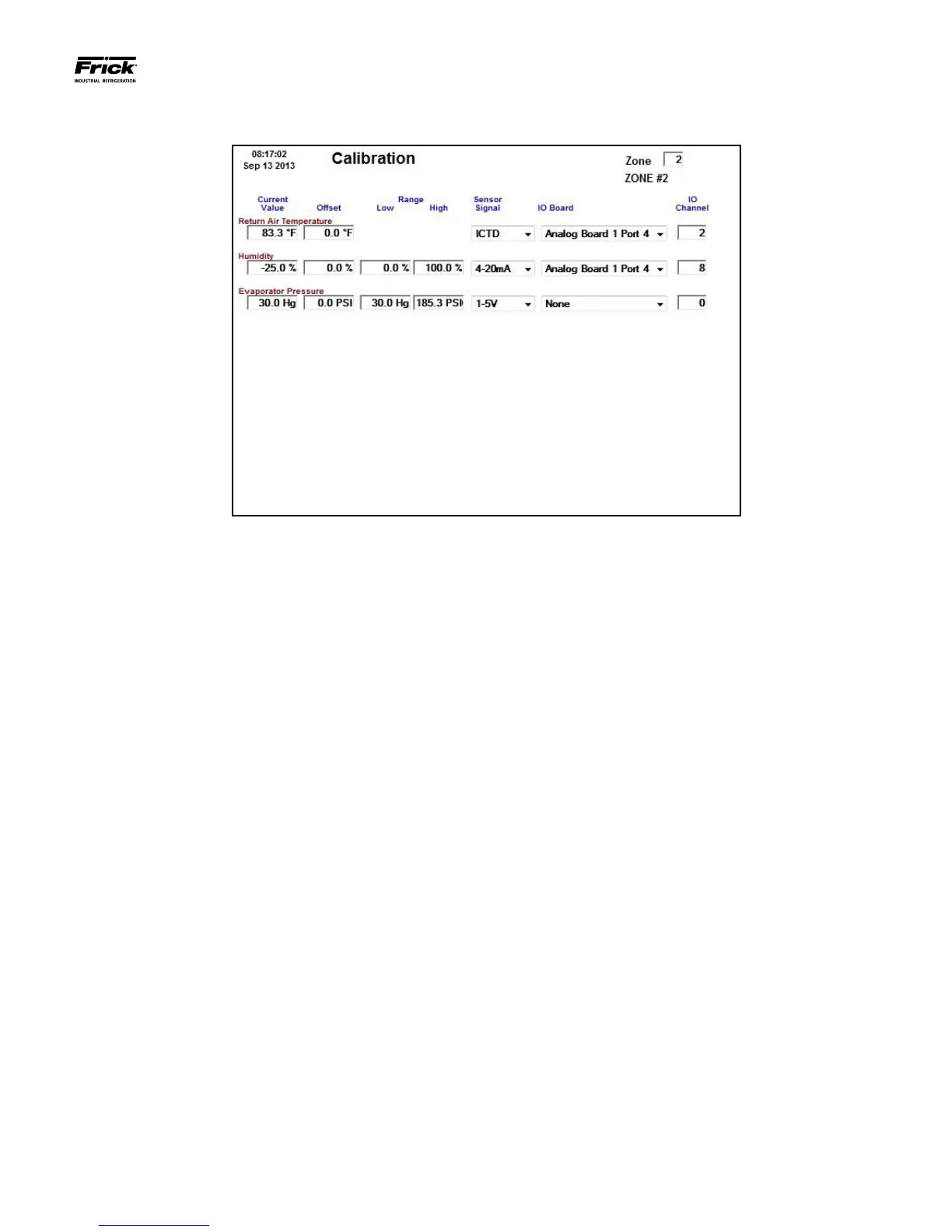
DESCRIPTION: This screen is used to calibrate the Return Air
Temperature, Ammonia and Humidity sensors.
This screen should be used anytime a sensor is found to be
out of calibration. The recommended practice for adjusting the
calibration reading is to rst determine which sensor(s) need
to be calibrated. Once this is determined, you must know the
actual reading that the sensor should be showing. This can be
accomplished by comparing the displayed reading shown here,
with the actual value using a separate measurement device,
such as a Digital Volt Meter, or temperature probe, etc. As an
example, assume that the Humidity on this screen reads 30%,
but a separate device is showing a reading of 40%. Highlight
the setpoint box for Humidity, and enter the value of 30. The
new reading will now read 30, and should match your separate
reading.
A setpoint box exists for each of the displayed analog readings:
[Return Air Temperature]
• Current Value
• Offset
[Ammonia]
• Current Value
• Offset
• Low Range
• High Range
[Humidity]
• Current Value
• Offset
• Low Range
• High Range





 To Next Page