QUANTUM™ LX EVAPORATOR CONTROL PANEL
OPERATION
090.610-O (MAR 2016)
Page 24
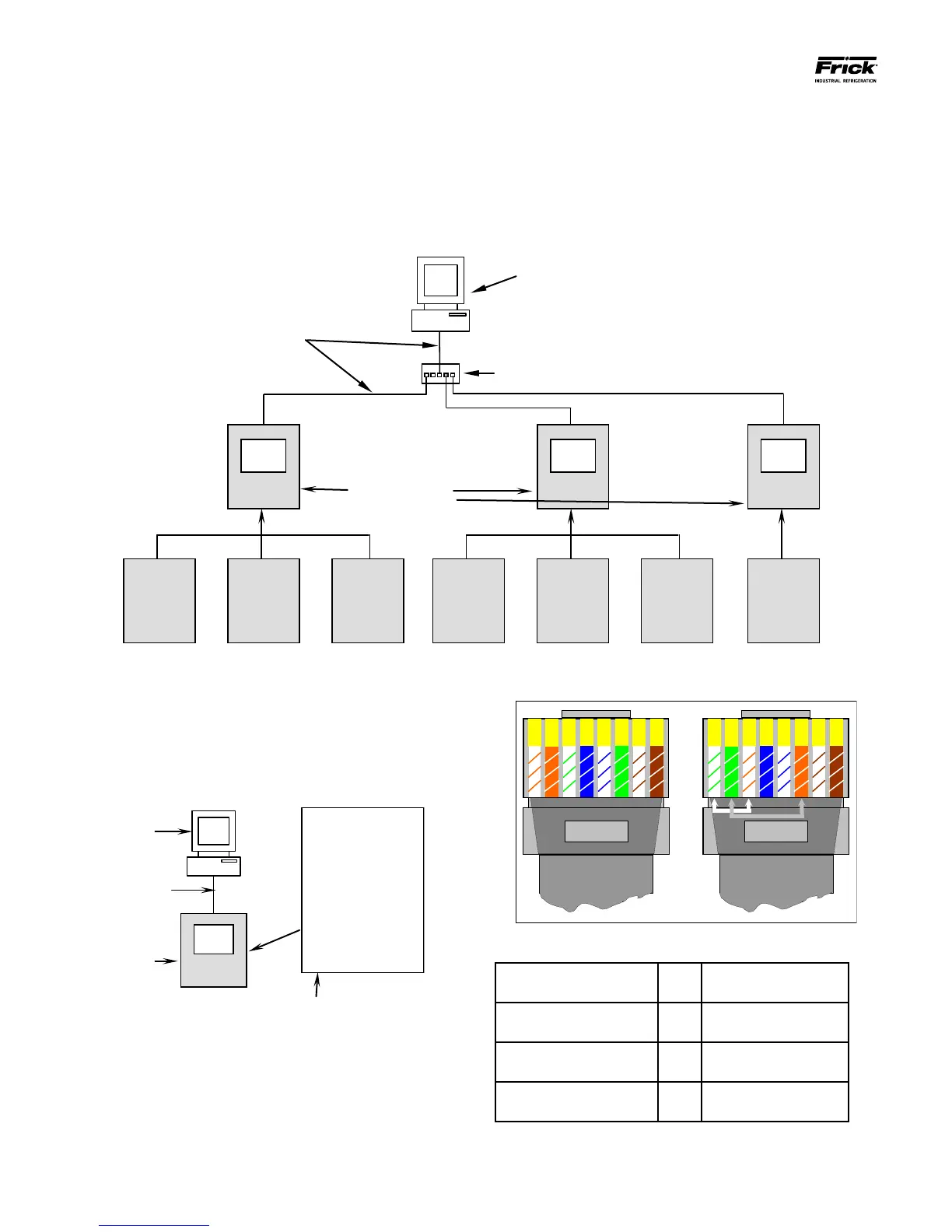
Ethernet Hub or Switch, and a computer with Web Browser.
Each of these zone controllers is connected to a Quantum™ LX
Interface Panel. The Interface Panel can then be connected to
an HMI or a remote computer:
CONNECTING A COMPUTER DIRECTLY TO A
QUANTUM™ LX CONTROL PANEL
Especially for the purpose of maintenance, if you wish to con-
nect directly to a single panel from a computer (desktop or
laptop), you can avoid the switch and use a crossover Cat-5
cable:
Quantum™ LX
Evaporator
Controller
Desktop or laptop
Computer
Q4 or Q5
Controller
Board
Refer to the following pictorial and color code table to con-
All network cables
are Pin-to-Pin CAT-5
Cables
Quantum™ LX
Evaporator
Interface Panel
struct a crossover cable:
Both Ends of a crossover-cable
1 – White w/orange
stripe
5 – White w/blue
stripe
2 – Orange w/white
stripe
6 – Green w/white
stripe
3 – White w/green stripe 7 – White w/brown
stripe
4 – Blue w/white stripe 8 – Brown w/white
stripe
CAT-5 Ethernet cable color codes
TYPICAL SYSTEM CONFIGURATION
A typical Evaporator system may control as few as one zone,
or up to thirty zones. Each Evaporator system operates inde-
pendently of one another yet they may all be inter-connected
via a common Ethernet connection. A system may include the
Quantum™ Evaporator LX Interface Panel, Zone Controller, an




 To Next Page