QUANTUM™ LX EVAPORATOR CONTROL PANEL
OPERATION
090.610-O (MAR 2016)
Page 52
[High Limit] - The highest value that the output can be.
[Low Limit] - The lowest value that the output can be.
[When Running Off Value] - If the PID’s Control is When
Running, this value sets the value of the PID output when
the Evaporator is off.
Overview to Tuning a PID Controller
The purpose of this section is to give some basic guide-
lines for tuning Proportional Band and Integration Time
of a PID controller. To tune a PID controller, it would be
advantageous to hook the system up to some test equip-
ment to allow you to record the appropriate variables. At
the very least, the appropriate data will have to be moni-
tored and recorded by hand from the system screen for
subsequent evaluation and possible spreadsheet graphing.
Proportional Band - When the control Input is at the
Control Setpoint, the Proportional component of the PID
Output will be 0%. As the Control Input moves through the
Proportional Band, and away from the Control Setpoint,
the Proportional component will increase. If the Control
Input is in the middle of the Proportional Band, the Pro-
portional component value is 50%, and when the Control
Input reaches the outside of the Proportional Band, the
Proportional value will be 100%. The value of the Propor-
tional component is calculated as the difference between
the Control Input and the Control Setpoint, divided by the
Proportional Band and then multiplied by 100.
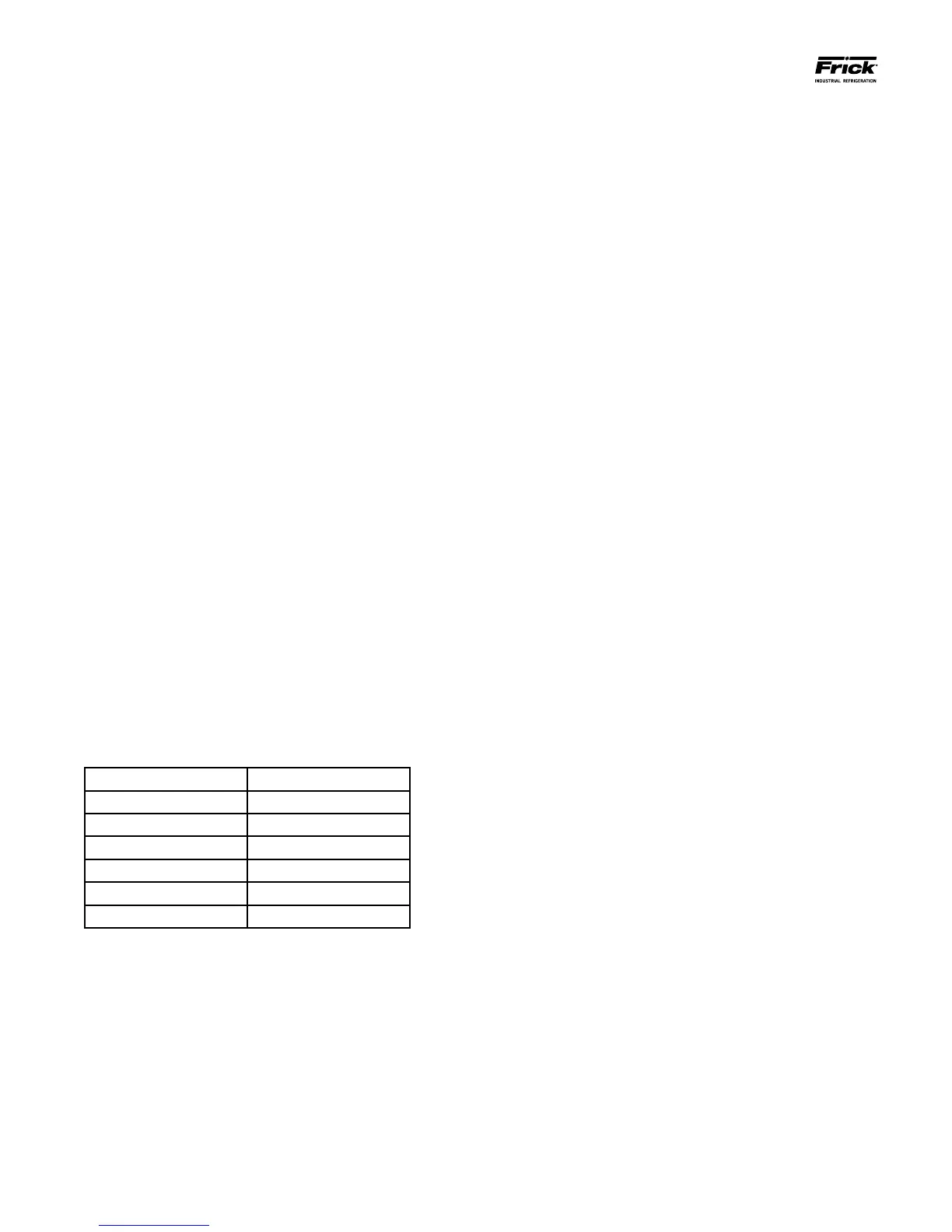
Example:
Control Input: Return Air Temp.
Control Setpoint: 100° F
Proportional Band: 10° F
Action: Forward
Control Input Proportional Output
100° F 0%
102.5° F 25%
105° F 50%
108° F 80%
110° F 100%
112° F 100%
The value selected for the Proportional Band will be de-
termined by the stability of the system, the accuracy re-
quired, and the average output value, among other things.
One way to pick a starting value is to nd a range of al-
lowable Control Input values and then to select a Propor-
tional Band so that the Proportional value will reach 100%
before the Control Input moves outside of the allowable
range.
After the initial value is entered for the Proportional Band,
watch the system to see how it reacts. If the PID output
shows too much oscillation, increasing the Proportional
Band will cause the control to react slower, which will
dampen this oscillation. If the PID reacts too slowly, then
decreasing the Proportional Band will make the control
react faster.
Proportional Only Control - There will be certain appli-
cations in which only proportional control is required for
good performance. When this is the case, the Integration
Time can simply be set to zero, and the Proportional Band
set to a desired value.
Some advantages of only using Proportional control are
that it is generally more stable than Proportional and In-
tegral control and its function is easier to understand. A
disadvantage of only using Proportional control is that the
Control Input usually will settle into a spot somewhere in
the Proportional Band, and will not move to the Control
Setpoint. For instance, from the example shown above, if
the Proportional Output averages 80%, then the Control
Input will remain at 108° F and will not go to 100° F. This
may be acceptable in some applications. In certain other
cases the setpoint can be offset to move the Control Input
to the point it needs to be.
Integration Time - The Integral calculation in PID control
uses past performance to calculate a value for the PID
output. It does this by periodically adding a small value
to the PID output to move the Control Input toward the
Control Setpoint. Eventually, the Integral component of
the PID output will equal the average PID output value as
Control Input gets to the Control Setpoint, and the Pro-
portional component goes to 0%. When combined with
the Integral calculation, the Proportional component can
be negative and its range becomes -100% to +100%. If
the Control Input moves above or below the Control Set-
point, the Proportional control will prevent it from moving
too far, and the Integral control will move it back to the
setpoint.
Once the Proportional Gain is set, start with a large Inte-
gration Time (180 seconds). Here again, you want to nd
the range of Integration Time that gives you reasonably
fast performance, without too much overshoot, and with-
out too much oscillation. If the Control Input repeatedly
overshoots the Control Setpoint, or oscillates too much,
increasing the Integration Time will slow the control. If
the Control Input moves too slowly toward the Control
Setpoint, decreasing the Integration Time will cause the
control to react faster.





 To Next Page