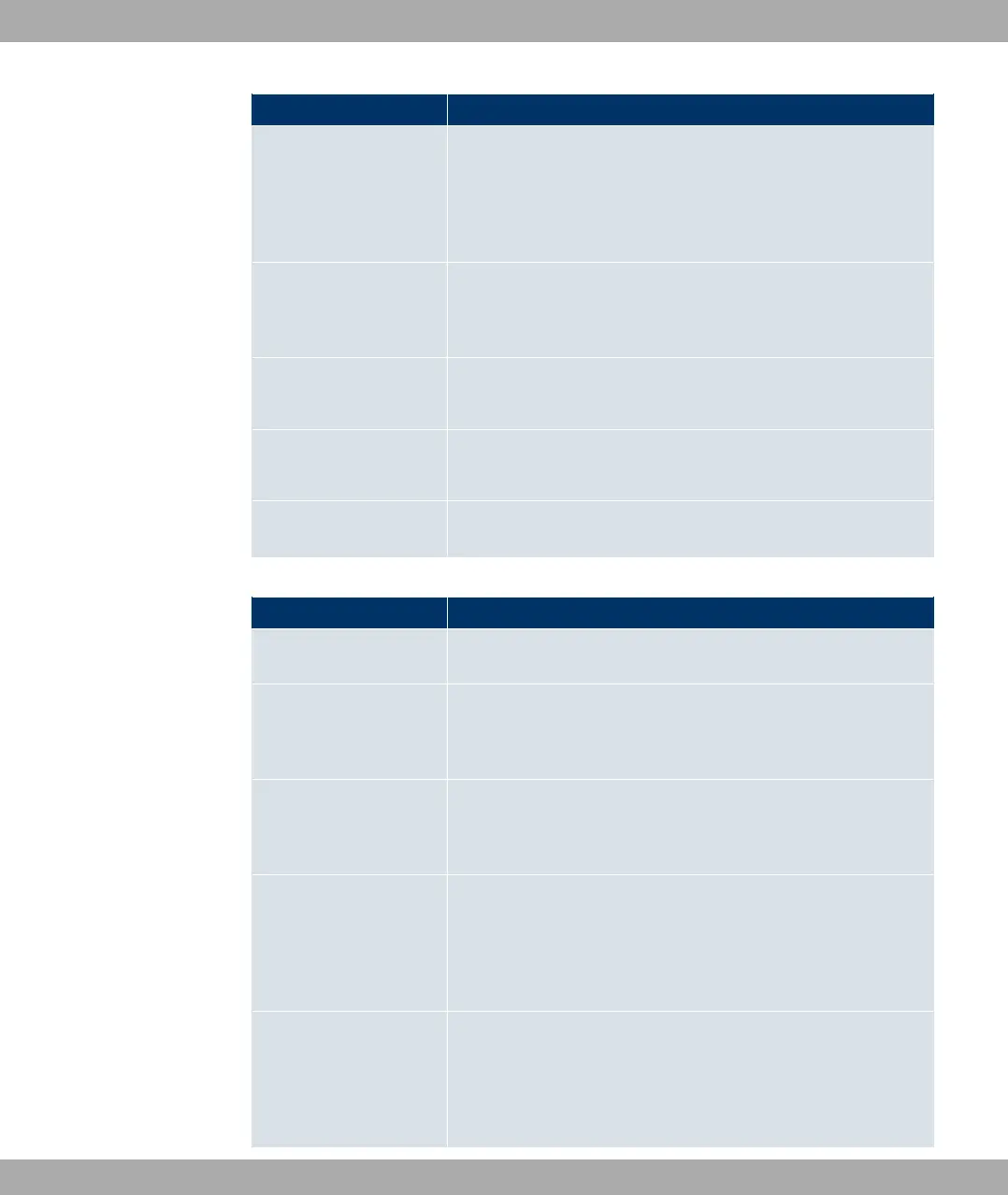
Menu Function
such as, for example, system name, system date, system time
and passwords.
You can also manage licences that are necessary for the use of
certain functions.
Interface Mode / Bridge
Groups
In this menu, you define the mode in which the interfaces of
your device are to run (routing or bridging) and if necessary can
define bridge groups.
Administrative Access In this menu, you configure the access options for the individual
interfaces.
Remote Authentication In this menu, you configure the authentication via a RADIUS
server or TACAS+ server.
Certificates
In this menu you can generate and import keys and have them
certified.
Physical Interfaces
Menu Function
AUX You can define various settings for communication between the
gateway and modem in this menu.
Ethernet Ports In this menu, you configure the Ethernet interfaces of your
device. To do this, you select the speed and type of interface,
for example.
ISDN Ports In this menu, you configure the ISDN interface of your device.
Here you enter data such as the type of ISDN connection to
which your device is connected.
ADSL Modem Only R3002 and RT3002.
In this menu, you configure the ADSL interface of your device.
Here you specify whether Annex A or Annex B is used as ADSL
mode for the broadband connection.
SHDSL Only R3802
In this menu, you configure the SHDSL interface of your device.
Here you enter how many change pairs are used for the SHDSL
connection.
8 Access and configuration Funkwerk Enterprise Communications GmbH
68 bintec Rxxx2/RTxxx2



 To Next Page