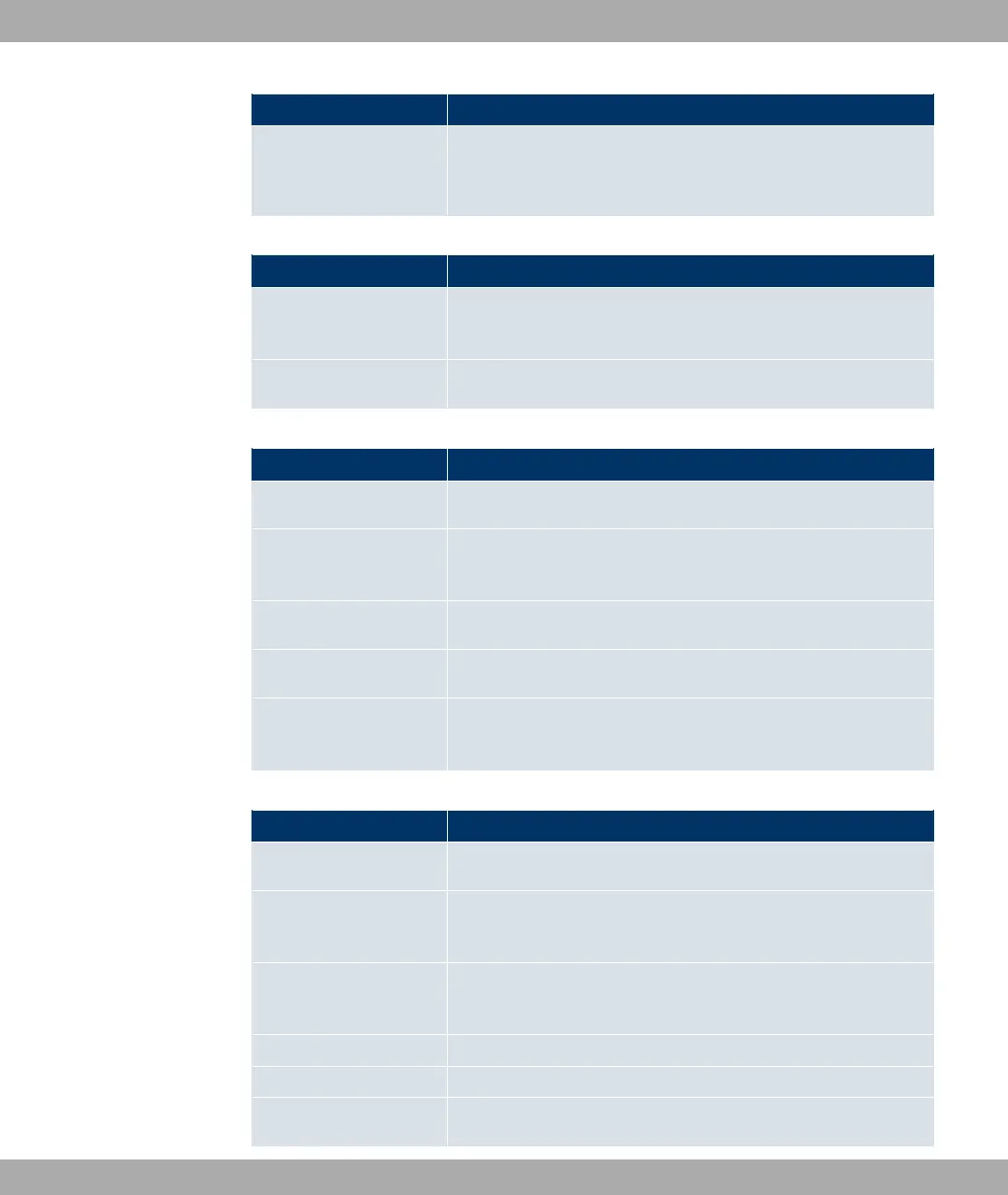
Menu Function
VDSL
Only for R3502 and RT3502.
In this menu, you configure the VDSL interface of your device.
LAN
Menu Function
IP Configuration In this menu, you carry out the IP configuration of the LAN inter-
faces for your device.
VLAN In this menu, you configure the VLANs.
Wireless LAN Controller
Menu Function
Wizard The Wizard helps you to set up a WLAN infrastructure.
Controller Configura-
tion
In this menu, you make the basic wireless LAN controller set-
tings.
Slave AP configuration In this menu, you configure the slave access points.
Monitoring In this menu, you can monitor active and neighbouring clients.
Maintenance In this menu, you can update access point software and save
any configurations.
Networking
Menu Function
Routes In this menu, you enter additional routes.
NAT In this menu, you configure the NAT firewall (NAT, Network Ad-
dress Translation).
Load Balancing In this menu, you configure application-controlled bandwidth
management.
QoS In this menu, you configure all the "Quality of Service" settings.
Access Rules In this menu accesses to data and functions are restricted.
Drop In In this menu you can separated interfaces from one another lo-
Funkwerk Enterprise Communications GmbH
8 Access and configuration
bintec Rxxx2/RTxxx2 69



 To Next Page