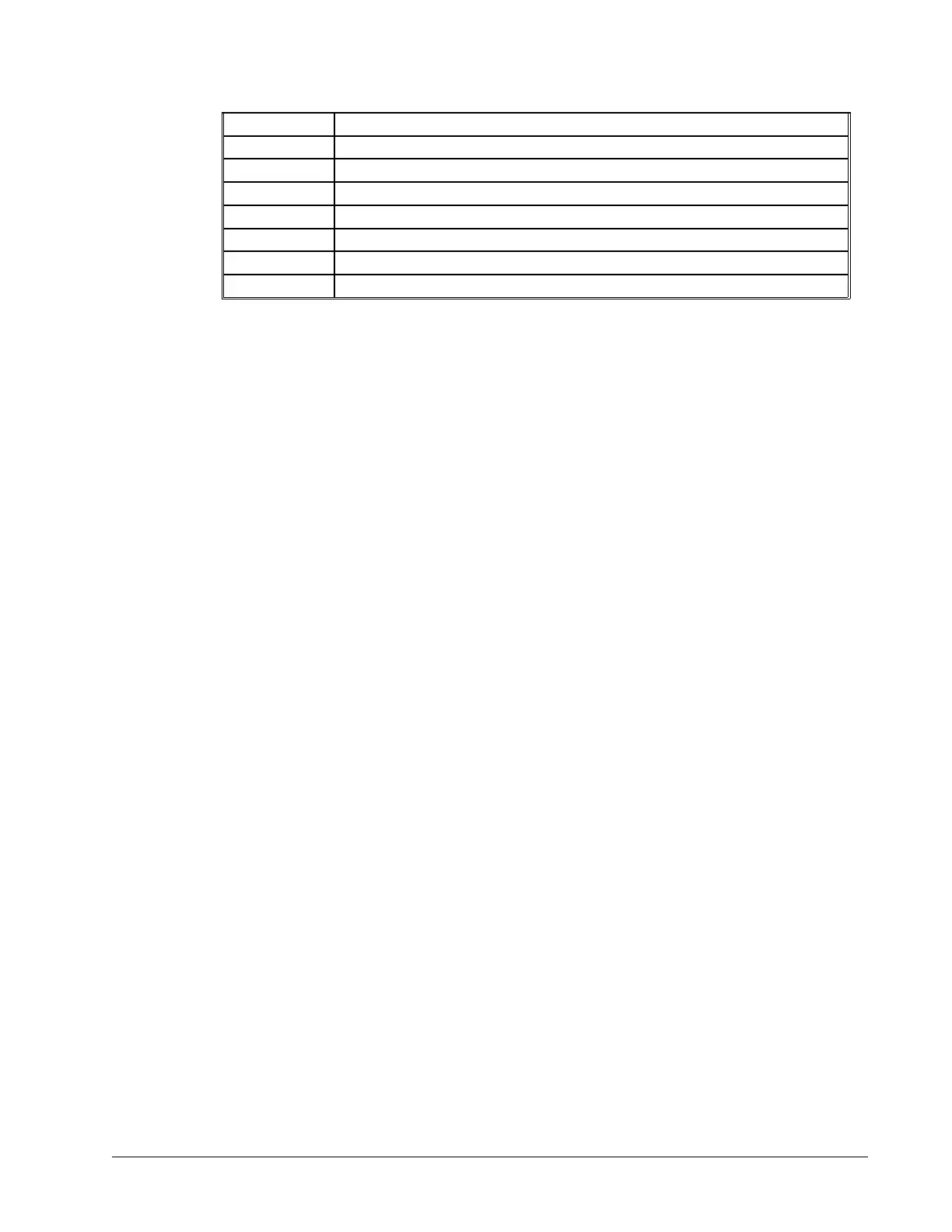
+ Addition
- Subtraction
* Multiplication
/ Division
% Modulus
& Logical And (Bit-wise)
| Logical Or (On some computers, a solid vertical line appears as a broken line)
() Parenthesis
The numeric range for addition, subtraction and multiplication operations is +/-2,147,483,647.9999. The precision
for division is 1/65,000.
Mathematical operations are executed from left to right. Calculations within parentheses have precedence.
Examples:
speed = 7.5*V1/2 The variable, speed, is equal to 7.5 multiplied by V1 and divided by 2
count = count+2 The variable, count, is equal to the current value plus 2.
result =_TPX-(@COS[45]*40)
Puts the position of X - 28.28 in result. 40 * cosine of 45° is 28.28
temp = @IN[1]&@IN[2] temp is equal to 1 only if Input 1 and Input 2 are high
Bit-Wise Operators
The mathematical operators & and | are bit-wise operators. The operator, &, is a Logical And. The operator, |, is a
Logical Or. These operators allow for bit-wise operations on any valid DMC-40x0 numeric operand, including
variables, array elements, numeric values, functions, keywords, and arithmetic expressions. The bit-wise operators
may also be used with strings. This is useful for separating characters from an input string. When using the input
command for string input, the input variable will hold up to 6 characters. These characters are combined into a
single value which is represented as 32 bits of integer and 16 bits of fraction. Each ASCII character is represented
as one byte (8 bits), therefore the input variable can hold up to six characters. The first character of the string will be
placed in the top byte of the variable and the last character will be placed in the lowest significant byte of the
fraction. The characters can be individually separated by using bit-wise operations as illustrated in the following
example:
#TEST Begin main program
IN “ENTER”,len{S6} Input character string of up to 6 characters into variable ‘len’
Flen=@FRAC[len]
Define variable ‘Flen’ as fractional part of variable ‘len’
Flen=$10000*Flen Shift Flen by 32 bits (IE - convert fraction, Flen, to integer)
len1=(Flen&$00FF)
Mask top byte of Flen and set this value to variable ‘len1’
len2=(Flen&$FF00)/$100
Let variable, ‘len2’ = top byte of Flen
len3=len&$000000FF
Let variable, ‘len3’ = bottom byte of len
len4=(len&$0000FF00)/$100
Let variable, ‘len4’ = second byte of len
len5=(len&$00FF0000)/$10000
Let variable, ‘len5’ = third byte of len
len6=(len&$FF000000)/$1000000
Let variable, ‘len6’ = fourth byte of len
MG len6 {S4}
Display ‘len6’ as string message of up to 4 chars
MG len5 {S4}
Display ‘len5’ as string message of up to 4 chars
MG len4 {S4}
Display ‘len4’ as string message of up to 4 chars
MG len3 {S4}
Display ‘len3’ as string message of up to 4 chars
MG len2 {S4}
Display ‘len2’ as string message of up to 4 chars
MG len1 {S4}
Display ‘len1’ as string message of up to 4 chars
EN
DMC-40x0 User Manual Chapter 7 Application Programming • 150



 To Next Page