Configuring the Amplifier Enable Circuit
ICM-42000 and ICM-42100
The following section details the steps needed to change the amplifier enable configuration for the DMC-40x0
controller with an ICM-42000 or ICM-42100. For detailed instruction on changing the amplifier enable
configuration on a DMC-40x0 with an ICM-42200 see the section in Chapter 3 labeled ICM-42200 Amplifier
Enable Configuration. For electrical details about the amplifier enable circuit, see the ICM-42000 and ICM-42100
Amplifier Enable Circuit section in Chapter 3.
For DMC-4080 refer to DMC-4080 (Steps 1 and 2) section below.
NOTE: From the default configuration, the configuration for +12V High Amp Enable Sinking Configuration does
not require the remove of the metal cover. This can be achieved by simply changing the jumpers.
DMC-4040 (Steps 1 and 2)
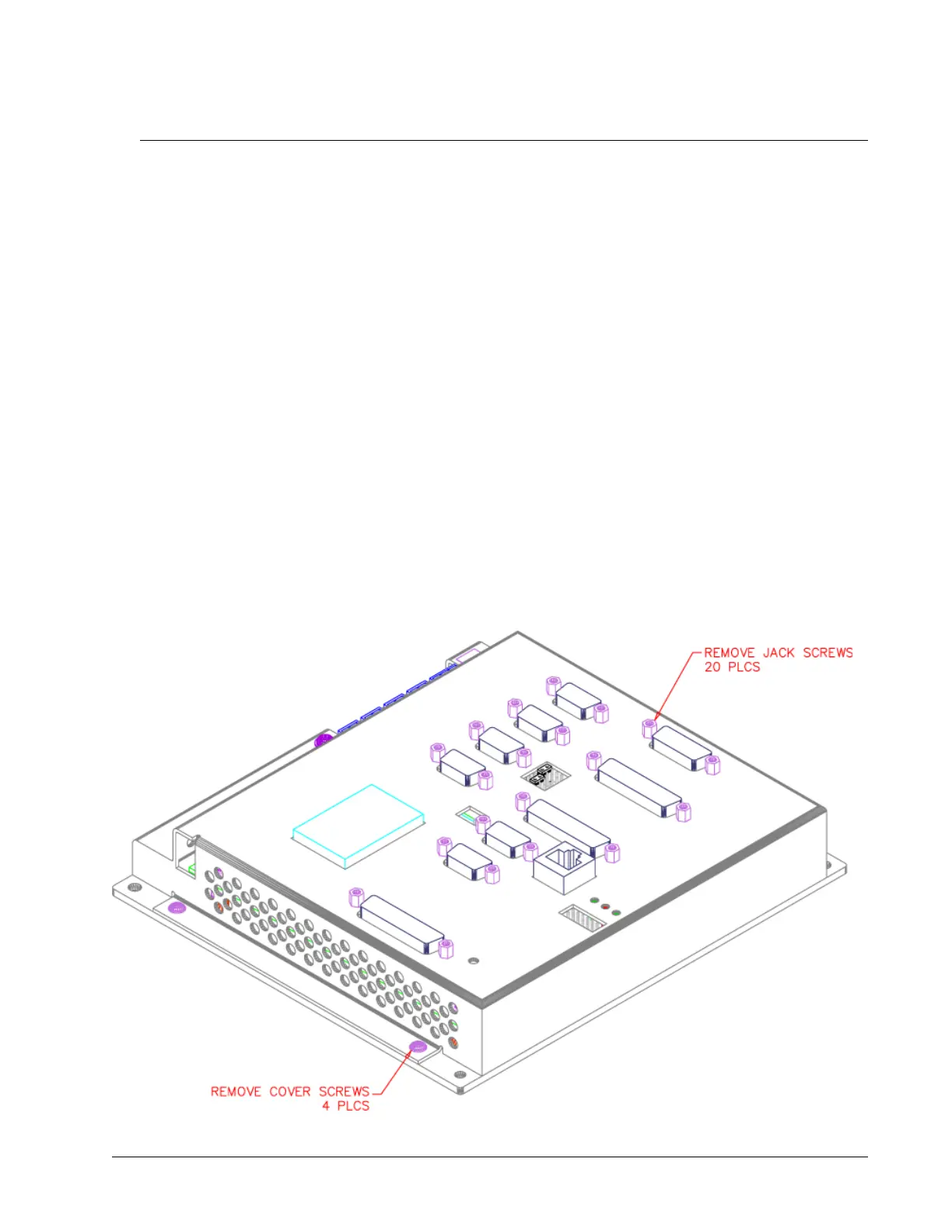
Step 1: Remove Cover
Notes:
1. Cover Removal:
A. Remove Jack Screws (20 Places)
B. Remove #6-32x3/16” Button Head Cover Screws (4 Places)
2. Lift Cover Straight Up and Away from Unit.
DMC-40x0 User Manual Appendices • 210



 To Next Page