DigiDevice
38
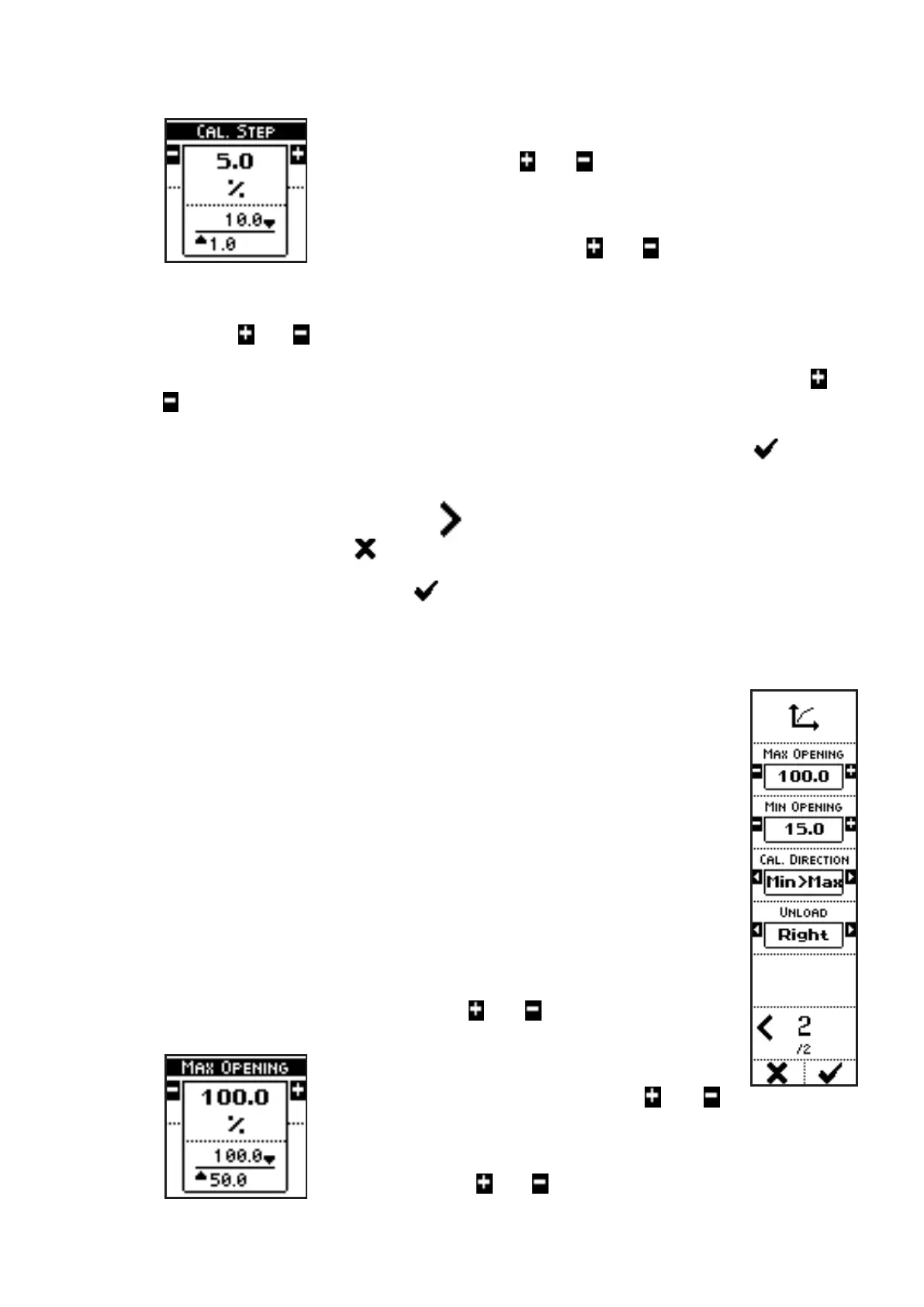
regarding the calibration configuration can be set:
In the case of the parameter CALIBRATION STEP, press the side
keys near to the icons
and to modify the distance between a
shutter position and the next one, during the sequence, between
1% and 10%.
In the case of the parameter CALIBRATION STEP TIME, press
the side keys near to the icons
and to modify the time during
which the shutters remain stopped in position during the procedure,
between 5 and 600 seconds.
In the case of the parameter CALIBRATION STEP WEIGHT, press the side keys near to
the icons
and to modify the weight of the product that is batched during each step of
the sequence, between 5 and 100 kg.
In the case of the parameter BOX CAPACITY, press the side keys near to the icons
and
to modify the capacity of the bin(s) used to collect the fertilizer which flows down under
the shutters during calibration between 10 and 3000 kg.
The parameter values can be confirmed by pressing the key below the icon or simply
waiting: after 3 seconds, the system goes back to previous screen.
• Press the side key near to the icon
to access the next page;
• The key below the icon allow quit to the previous menu, not executing the calibration
procedure;
• Press the key below the icon to enter a sequence to store a calibration diagram
for the selected product. The calibration procedure is described below (see Calibration
procedure).
VISUALIZATIONS (page 2)
• MAX OPENING: maximum shutter opening position (percentage), used
for the calibration procedure;
• MIN OPENING: minimum shutter opening position (percentage), used
for the calibration procedure;
• CALIBRATION DIRECTION: The calibration sequence starts with the
shutter in the minimum opening position and stops with the shutter in
the maximum opening position (Min -> Max) or vice versa (Max -> Min);
• UNLOAD: shutter used during the calibration sequence (hopper which
the discharge pipe is connected to, right hopper in the example);
• PAGE NO. / TOTAL PAGES.
COMMANDS (page 2)
• Press the side keys near to the icons
and to access to a screen
where the parameters regarding the calibration configuration can be set:
In the case of the parameter MAX OPENING,
press the side keys near to the icons
and
to modify the maximum shutter opening position (percentage), used
for the calibration procedure, between 50% and 100%.
In the case of the parameter MIN OPENING, press the side keys
near to the icons
and to modify the minimum shutter opening



 To Next Page