EasyManua.ls Logo

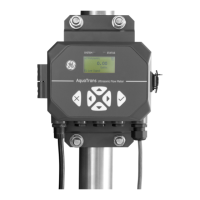
GE AT600 - User Manual

GE AT600
188 pages
Print Icon
To Next Page IconTo Next Page
Loading...
GE
Measurement & Control Flow
910-312 Rev. A
December 2014
AT600
User’s Manual

Table of Contents

Questions and Answers

  • K
    Kristen AndrewsAug 2, 2025
    What to do if GE Measuring Instruments show a Velocity Range error?
    • B
      Bruce GardnerAug 2, 2025
      If your GE Measuring Instruments display a 'Velocity Range' error, it means the measured velocity is outside the programmed limits. To resolve this, ensure the actual flow rate is within the programmed limits. Also, verify the values entered in the menu _Program_ ? _Advanced_ ? _Error Limits? Velocity Low/High. Refer to Diagnostics to troubleshoot flowcell or transducer issues.
  • E
    Erica ReedAug 6, 2025
    Why GE AT600 Measuring Instruments display a Signal Quality error?
    • K
      Kristina HarrisAug 6, 2025
      If you're experiencing a 'Signal Quality' issue with your GE Measuring Instruments, it indicates that the peak of the upstream or downstream correlation signals has dropped below the set correlation peak limit. To address this, check for any sources of electrical interference. Verify the integrity of the electronics console by temporarily substituting a test flowcell that is known to be good. Inspect the transducers and relocate them if needed. Refer to Diagnostics for detailed instructions.
  • K
    Kristin ParkerAug 12, 2025
    What to do if GE Measuring Instruments show a Sound Speed Error?
    • T
      Troy CollinsAug 12, 2025
      If you encounter a 'Sound Speed Error' on your GE Measuring Instruments, it signifies that the measured sound speed is beyond the acceptable limits. To fix this, begin by correcting any programming errors. Then, consult the Diagnostics to address potential flowcell or transducer problems. Lastly, double-check the inputted value in the menu _Program_ ? _Advanced_ ? _Error Limits? SNSD +- limits.
  • J
    joannemcclureAug 17, 2025
    How to fix Low Signal on GE AT600?
    • J
      jerrybrowningAug 17, 2025
      If your GE Measuring Instruments are showing a 'Low Signal' error, it means the SNR is lower than the 'Signal Low Limits' value, or the signal couldn't be found when the flow started. Check the components listed in Diagnostics. Also, verify the inputted value in the menu _Program_ ? _Advanced_ ? _Error Limits? Signal Low limits.
  • C
    Christopher KnightAug 22, 2025
    What to do if GE AT600 display Amplitude Error?
    • K
      Kristin MartinezAug 22, 2025
      If you are getting an 'Amplitude Error' with your GE Measuring Instruments, it could be due to solid or liquid particulates in the flowcell, or poor coupling for the clamp-on transducers. To resolve this, refer to Diagnostics to correct any flowcell problems.
  • L
    Logan HowardAug 27, 2025
    How to troubleshoot Cycle Skip error on GE Measuring Instruments?
    • S
      stephanielawrenceAug 27, 2025
      A 'Cycle Skip' error on your GE Measuring Instruments typically arises from poor flow conditions or incorrect transducer alignment. Consult the Diagnostics to rectify any issues with the flowcell and/or transducers.

Summary

AT600 Introduction

Theory of Operation

Explains the transit-time flow measurement principle used by the AT600.

AT600 Installation Guide

Transducer System Installation

Guides on installing clamp-on fixtures and transducers, including location.

Making Electrical Connections

Provides instructions for making all necessary electrical connections to the AT600 flowmeter.

AT600 Initial Setup and Programming

Display Programming

Explains how to program display settings, including value formatting and measurement types.

User Preferences

Covers setting preferences like units, density, password, and display timeout.

Inputs;Outputs Configuration

Details configuration of analog, digital, and communication outputs (Modbus, HART).

Sensor Setup

Guides on configuring sensor parameters like meter setup, pipe, transducer, and fluid properties.

AT600 Error Codes and Troubleshooting

Error Display in the User Interface

Explains how error messages are displayed, including header and string.

Flowcell Problems

Details troubleshooting steps for flowcell issues related to fluid or pipe conditions.

Transducer Problems

Discusses potential problems with transducers and contact information for support.

AT600 Communication Protocols

AT600 Data Records

GE AT600 Specifications

General IconGeneral
BrandGE
ModelAT600
CategoryMeasuring Instruments
LanguageEnglish

Related product manuals