Chapter 4 System Configuration
© 2017 Harmonic Inc. All rights reserved. 160 Harmonic MediaGrid Release 4.1
Configuring High Bandwidth ContentBridges in a High Availability (HA) Pair
To identify the existing (eth 2) IP address for a High Bandwidth ContentBridge:
View the High Bandwidth ContentBridge details in SystemManager. From the
Configuration tab in
SystemManager, click the
Servers & Switches icon in the left-hand column and then scroll down
to the
High Bandwidth ContentBridges section of the page to view a list of High Bandwidth
ContentBridges and their (eth 2) IP addresses.
To determine the shared IP address for an HA pair:
CAUTION: Please consult with Technical Support before proceeding.
1. Consult your network administrator to identify
an available IP address.
2. Make sure no device in your Harmonic MediaGrid system is using the desired IP address. You
may log in to the ContentDirector and run one of the following commands to find all the IP
addresses in use:
nmap -sP <network_address> <subnet_mask>
or
nmap -sP <network_address>/<subnet_prefix>
If a device is using the desired IP address, shutdown that device.
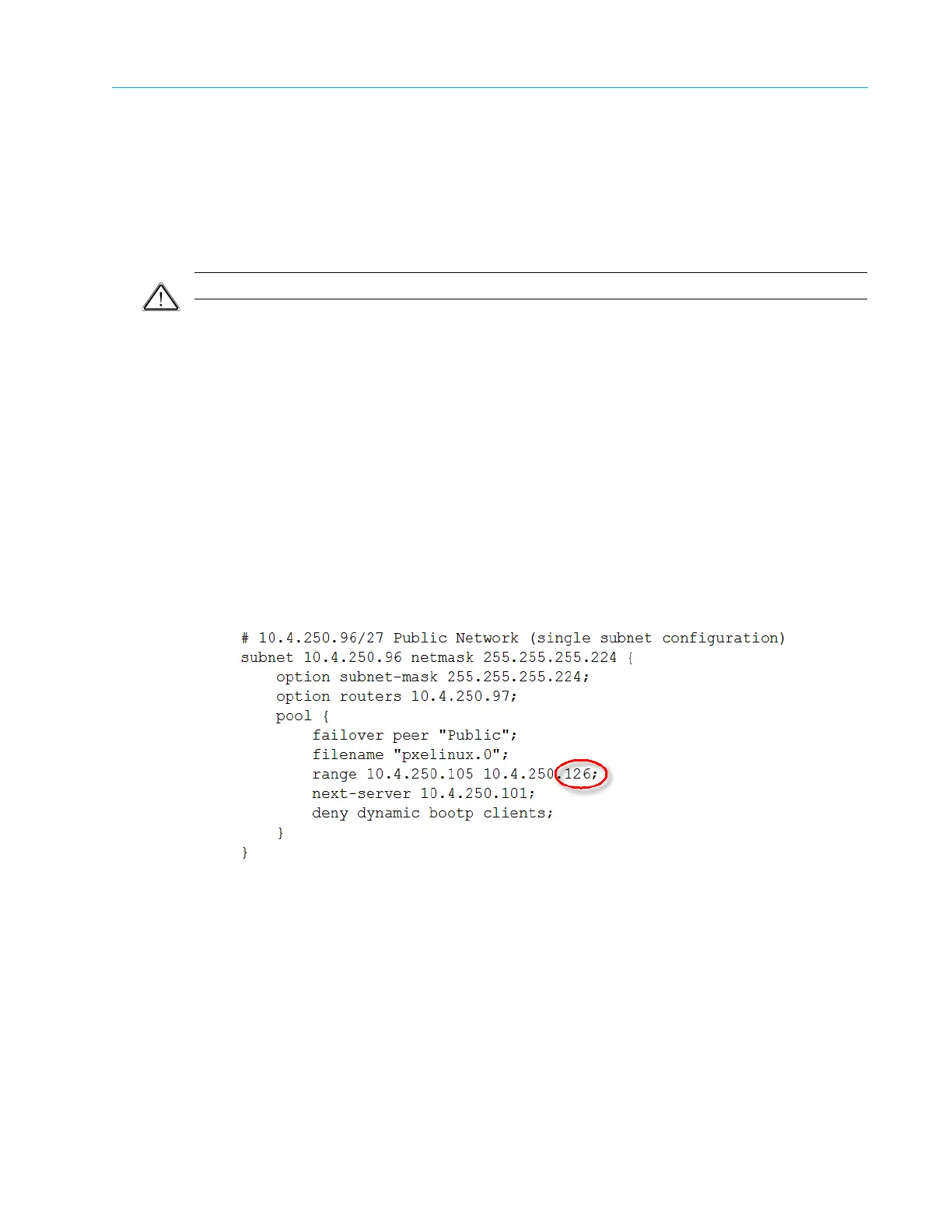
3. Edit the DHCP configuration file on your ContentDirector to exclude DHCP from handing out
the desired address. The following example shows a DHCP configuration file that has been
edited to free up the IP addresses 10.4.250.125 and 10.4.250.126. This assumes you have
made sure no devices are using these IP addresses as described in the previous step.
The following:
Changes to:



 To Next Page