Chapter 1 System Overview and Requirements
© 2017 Harmonic Inc. All rights reserved. 24 Harmonic MediaGrid Release 4.1
Network Configuration
Private VLANs
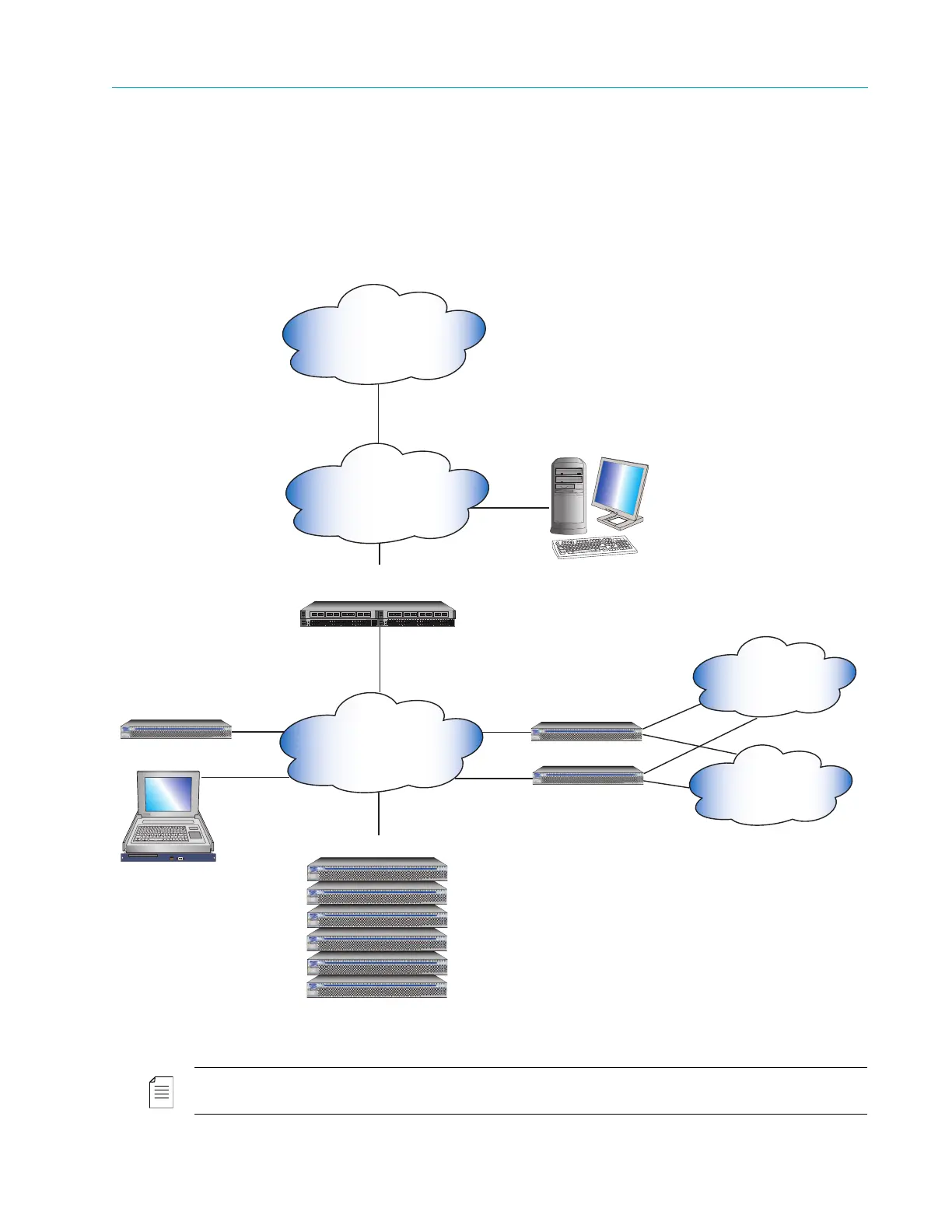
Before installing your Harmonic MediaGrid system, you must also allocate IP address ranges for
two Private VLANs. The Private VLANs are private IP subnets that create redundant paths
between the ContentDirectors, allowing them to communicate information and keeping them
synchronized. Make sure each Private VLAN is accessible by both ContentDirectors, and isolated
from the other Private VLAN. See Figure 1–2 for an example.
Figure 1–2: Network Configuration Diagram
NOTE: The connections shown in Figure 1–2 do not necessarily represent the number of IP addresses
needed per device.
Public VLAN Switch
(must be Harmonic MediaGrid qualified)
ContentDirector
ContentDirector
ContentServers/ContentStores
ContentBridge (optional)
SystemManager
Harmonic MediaGrid Client
Customer Network
Sample IP address range:
10.10.0.0/16
10.20.0.0/16
Harmonic MediaGrid Client Network
Sample IP address
range: 10.4.0.30.0/24
Public VLAN
Sample IP address
range: 10.1.166.0/24
Private VLAN 1
Sample IP address
range:192.168.2.0/24
Private VLAN 2
Sample IP address
range: 192.168.3.0/24
1
2
3
4
5
6
7
8
9
10
11
12
13
14
15
16
17
18
19
20
21
22
23
24
25
26
27
28
29
30
31
32
33
34
35
36
37
38
39
40
41
42
43
44 46T 48T
46S 48S
Power
Fault
Locator
45T
Status
10G
RPS
Fan
Test
Act
FDx
Spd
Usr
LED
Mode
Reset Clear
47T
45S 47S
1
2
3
4
5
6
7
8
9
10
11
12
13
14
15
16
17
18
19
20
21
22
23
24
25
26
27
28
29
30
31
32
33
34
35
36
37
38
39
40
41
42
43
44 46T 48T
46S 48S
Power
Fault
Locator
45T
Status
10G
RPS
Fan
Test
Act
FDx
Spd
Usr
LED
Mode
Reset Clear
47T
45S 47S
Power
Fault
Locator
Power
Fault
Locator



 To Next Page