Chapter 8 Hardware Reference
© 2017 Harmonic Inc. All rights reserved. 260 Harmonic MediaGrid Release 4.1
ContentStore 4240
Power Supply LED
A power supply LED is located directly beneath each AC power connector. Refer to Table 8–39 for
a description of the power supply LED states.
ContentStore 4240
The ContentStore 4240 is a 4-rack unit storage array which connects to the ContentServer 4000
via SAS cables. It contains 24 drives in 2 TB, 4 TB, or 6 TB capacity.
Front Panel Components
The following figure shows the front panel with the bezel removed.
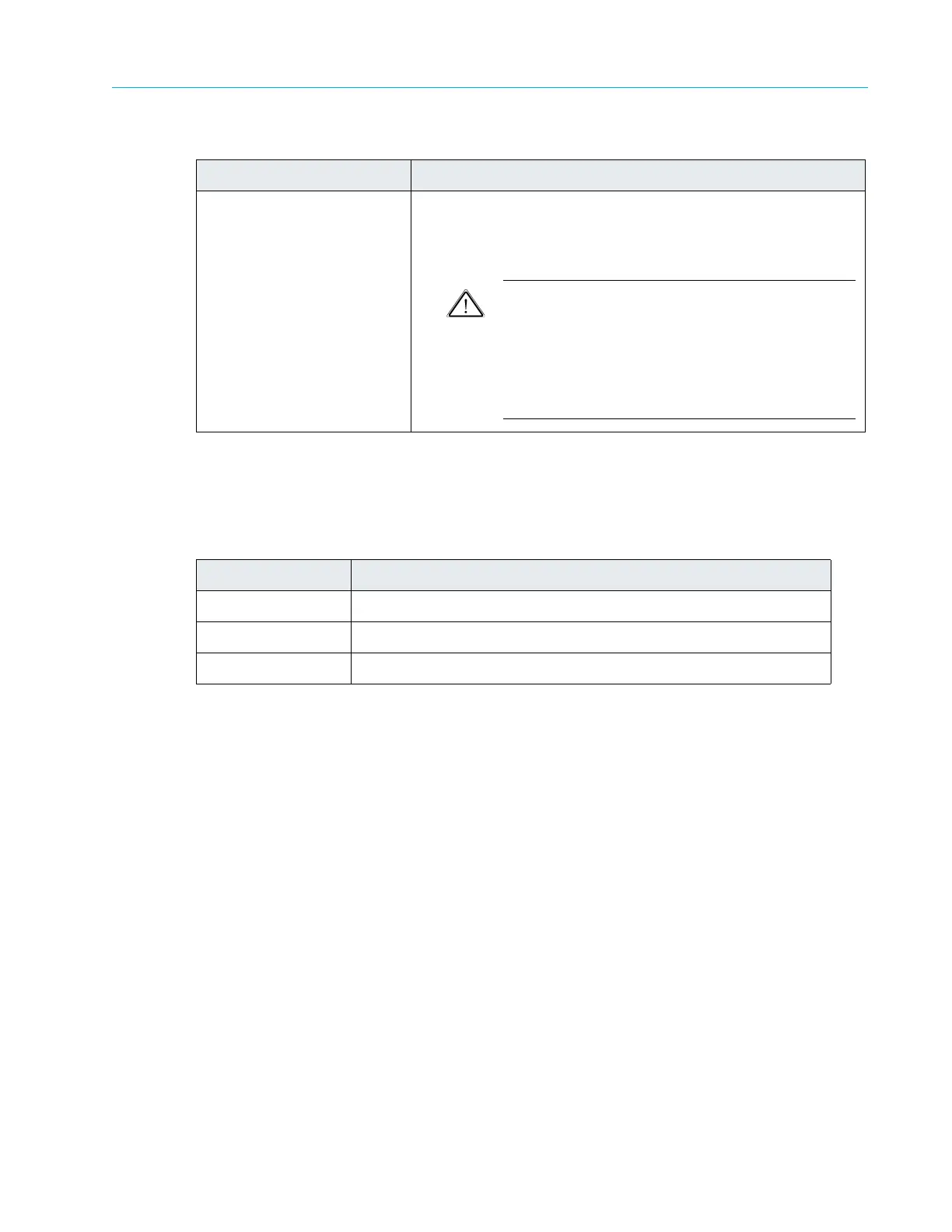
2. SAS ports (2) Two Serial Attached SCSI ports on each controller provide a
connection to a ContentServer and other ContentStores.
Left port: Input
Right port: Output
CAUTION: With Harmonic MediaGrid 4.0, SAS cables
are not hot-swappable. When replacing or removing a
SAS cable
, you must first power down the associated
ContentServer controller using SystemManager, replace
or re-connect the SAS cable, and then power on the
ContentServer controller by pressing the power button
on the front panel.
Table 8–39: Power Supply LED Descriptions
LED State Description
Off AC power not connected
Green System on
Amber System is in power down state, or power cord has been removed.
Table 8–38: ContentStore 3160 Rear Panel Components
continued
Component Description



 To Next Page